Why Does My VPN Show the Wrong Location?
Learn why websites can show the wrong country, region, or city even when your VPN is working correctly, and how IP geolocation databases affect location detection.

Paul Jackson
Technology editor
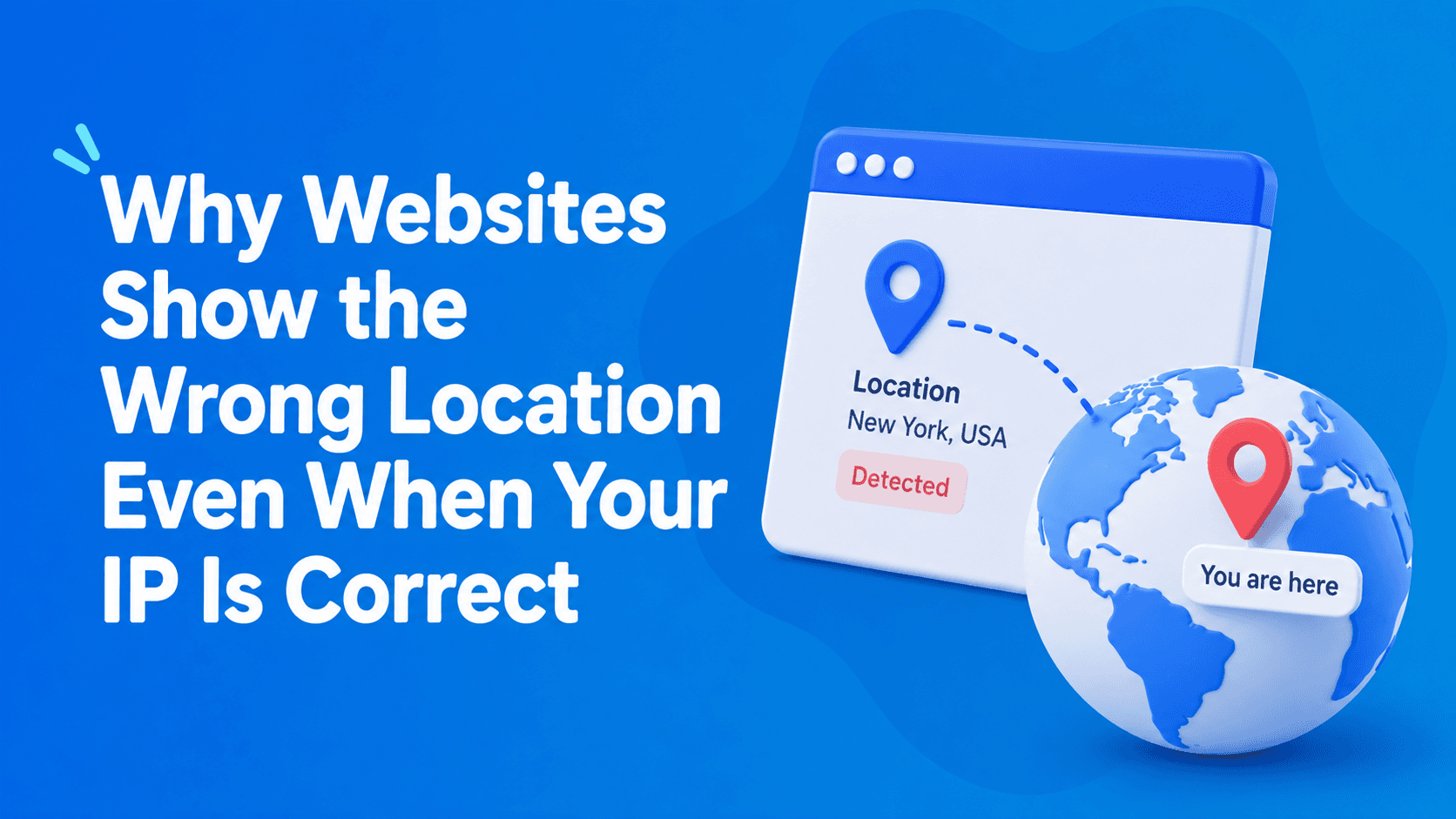
You connect to a VPN server, check your public IP address, and confirm that it belongs to the country you selected.
Everything appears to be working correctly.
Yet Google still shows search results for another region, YouTube recommends content for the wrong country, or another website claims you are somewhere else entirely.
It is easy to assume that something is wrong with the VPN.
In many cases, however, the VPN connection is working exactly as expected.
The discrepancy often comes from IP geolocation databases.
Most websites do not determine the physical location of an IP address themselves. Instead, they rely on third-party databases that associate IP ranges with countries, regions, cities, Internet Service Providers (ISPs), and network operators.
If those records are outdated or inaccurate, a website can show the wrong location even though your traffic is correctly routed through the selected VPN server.
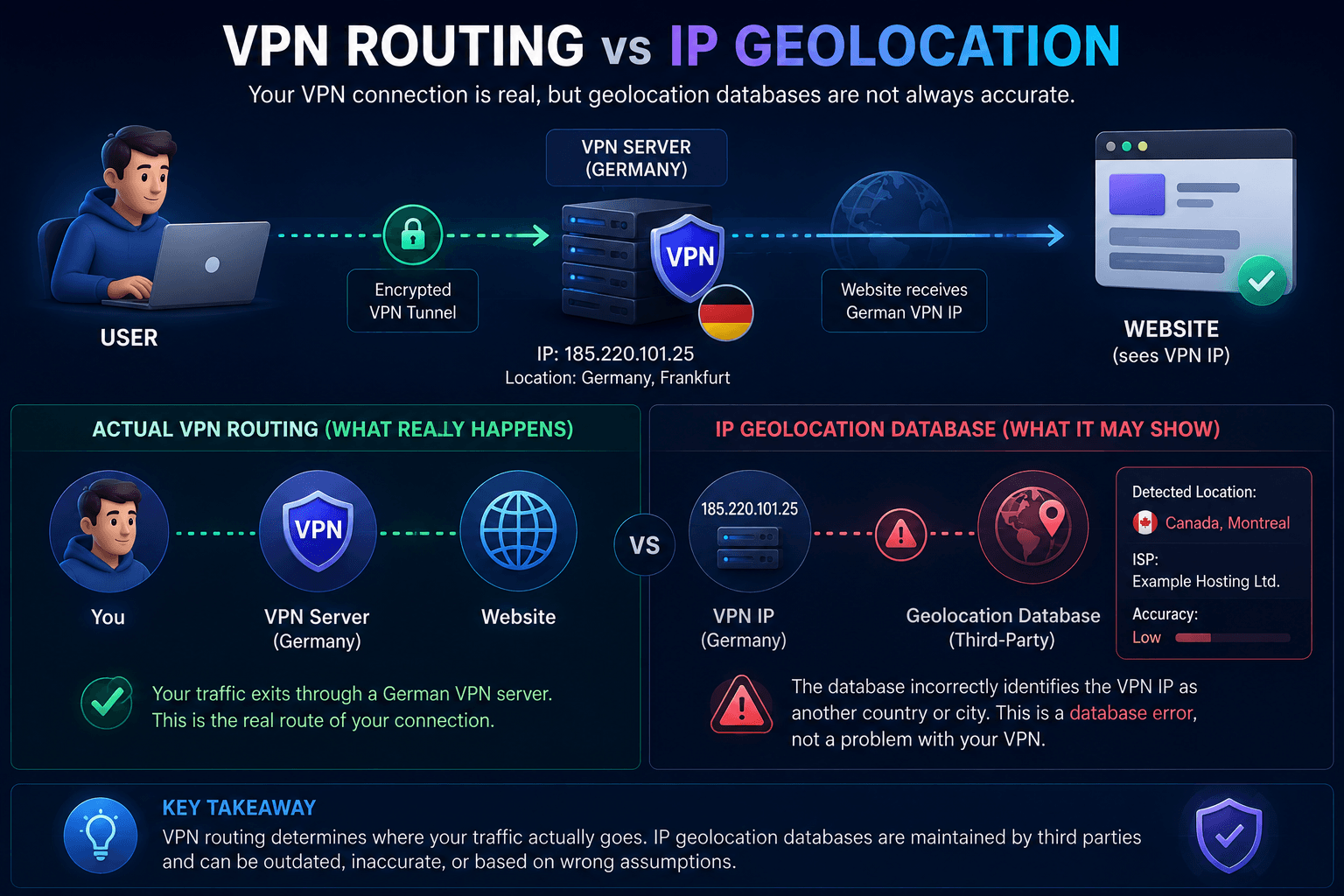
The key distinction is simple:
VPN routing determines where your traffic exits. IP geolocation determines how a database classifies that exit IP.
These two things are related, but they are not the same.
What Is an IP Geolocation Database?
An IP geolocation database is a service that maps public IP addresses or IP ranges to geographic and network information.
When you visit a website, the website can take your public IP address and query an IP intelligence provider to retrieve information such as:
- country;
- region;
- city;
- Internet Service Provider (ISP);
- ASN;
- network or connection type.
Websites use this information for many different purposes:
- localizing content;
- displaying regional advertising;
- applying geographic restrictions;
- selecting currencies or languages;
- web analytics;
- fraud and risk detection.
Maintaining an accurate global database of IP ranges requires significant infrastructure and continuous updates.
For this reason, many websites rely on specialized third-party providers rather than maintaining their own IP geolocation systems.
This also explains why two websites can show different locations for exactly the same IP address: they may simply be using different databases.
Major IP Geolocation Providers
There is no single authoritative global database that every website uses.
Instead, several companies maintain their own IP intelligence datasets.
Because their data sources, classification methods, and update schedules differ, their results can differ as well.
MaxMind
MaxMind is one of the best-known providers of IP geolocation data.
Its GeoIP databases are widely used by:
- websites;
- anti-fraud systems;
- firewalls;
- analytics services;
- security products.
Because MaxMind data is used across many different services, an incorrect or outdated record can cause the same IP address to appear in the wrong location on multiple unrelated websites.
IP2Location
IP2Location is another widely used IP intelligence provider.
Its databases are commonly integrated into:
- SaaS platforms;
- marketing systems;
- analytics tools;
- web applications.
Its results do not necessarily match MaxMind.
As a result, one website might identify an IP address as belonging to Berlin while another places exactly the same address in Hamburg.
Neither website is necessarily detecting the VPN incorrectly.
They may simply be consulting different sources.
DB-IP
DB-IP provides geolocation and IP intelligence data that developers and companies can integrate into their own applications.
Like other providers, it maintains its own datasets and update process.
This means its classification of an IP range may temporarily differ from another provider.
IPinfo
IPinfo is particularly popular because of its API-based approach to IP intelligence.
Depending on the dataset being queried, it can provide information beyond basic geolocation, including:
- ASN;
- network ownership;
- organization;
- infrastructure information.
The important point is that all of these providers maintain their data independently.
There is no guarantee that MaxMind, IP2Location, DB-IP, and IPinfo will assign exactly the same city or even the same recently changed country to a particular IP at the same moment.
| What you see | Likely explanation |
|---|---|
| Correct country, wrong city | Common city-level GeoIP inaccuracy |
| Different databases show different cities | GeoIP providers have different records |
| Google shows another location | Additional account/device/location signals may be involved |
| Most databases show another country | The IP range may have outdated geolocation records |
| Your original public IP appears | Check the VPN connection and possible leaks |
Why the Same IP Address Can Show Different Cities
An IP address does not contain a GPS coordinate.
There is no universal registry that says:
“This IP address is physically located at this exact street, building, or city.”
Instead, geolocation providers estimate and maintain location information using their own datasets and methodologies.
This means the same VPN IP could appear as:
- Berlin in one database;
- Hamburg in another;
- Germany without a specific city in a third.
City-level discrepancies are therefore not unusual.
They become particularly noticeable with VPN infrastructure.
VPN providers regularly:
- deploy new servers;
- acquire new IP ranges;
- move infrastructure between data centers;
- change hosting or network providers;
- reassign existing IP ranges.
Geolocation databases do not necessarily receive or process these changes at the same time.
One provider may update an IP range quickly, while another can continue using older information.
For example, a VPN server may currently operate in France while an outdated database still associates its IP range with the Netherlands.
The VPN connection itself can be completely functional.
Only the database record is wrong.
Why VPN Users Encounter Geolocation Errors More Often
VPN infrastructure changes relatively frequently compared with ordinary residential internet connections.
Providers may:
- launch new locations;
- introduce new servers;
- obtain additional IP ranges;
- migrate servers between data centers;
- change upstream network providers.
Meanwhile, each IP geolocation company maintains its own update schedule.
This creates a temporary synchronization problem.
A VPN provider may already route an IP range through a new location while some third-party databases still contain the previous location.
Newly deployed servers and recently reassigned IP ranges are therefore particularly likely to produce inconsistent results.
This does not necessarily mean that the VPN provider is using a “fake” location or that the tunnel is malfunctioning.
Why Google May Show a Different Location
Google’s location detection can be significantly more complex than a standard IP lookup.
Depending on the service, device, permissions, and account state, Google may use signals beyond the current public IP address.
These can include:
- account history;
- browser settings;
- location permissions;
- known Wi-Fi networks;
- Android location signals;
- previous location activity;
- other device-related information.
This explains a common situation:
an IP-checking service correctly identifies your VPN IP as being in Germany, while Google continues showing search results associated with another country or city.
That does not automatically indicate a VPN leak.
Google may simply have additional information available that a basic IP geolocation service does not use.
To investigate the discrepancy, try:
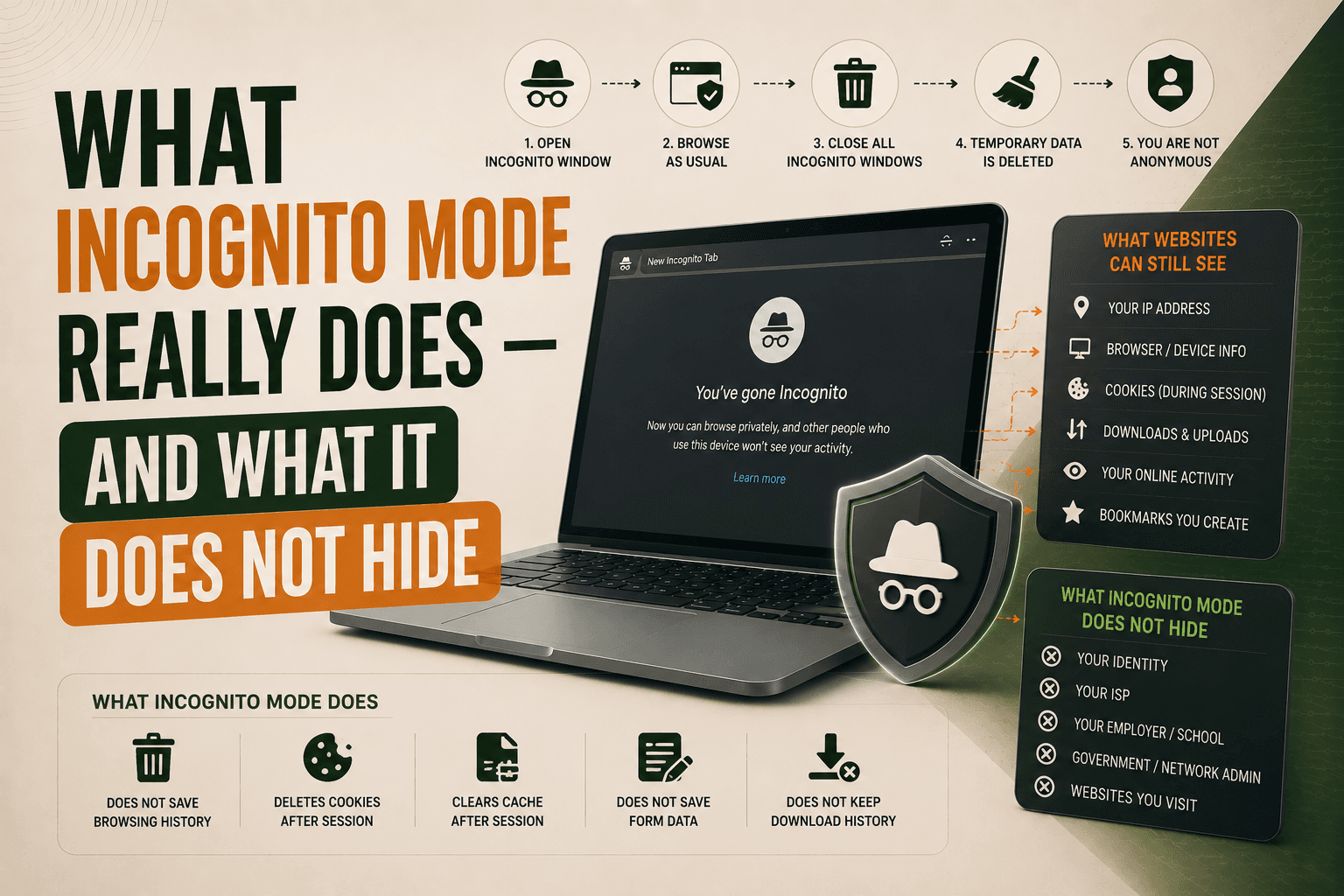
- opening Google in Incognito mode;
- signing out of your Google account;
- disabling browser geolocation permission;
- using a clean browser profile;
- comparing the result with several independent IP geolocation databases.
If the location changes after removing account history or browser permissions from the equation, the original result was probably not based solely on the VPN IP.
How to Check What Websites Actually See
If a website reports the wrong location, start with the basic network information visible from outside your device.
Whoer can be used to inspect information such as:
- public IP address;
- detected country;
- ISP;
- ASN;
- DNS servers;
- browser characteristics.
This gives you a baseline for understanding what your connection looks like from the internet.
You can then compare the same public IP against several independent geolocation databases.
For example:
- MaxMind;
- IPinfo;
- IP2Location;
- DB-IP.
If they return different cities or regions for exactly the same IP address, the discrepancy is strong evidence that the issue comes from differences between geolocation datasets rather than the VPN tunnel itself.
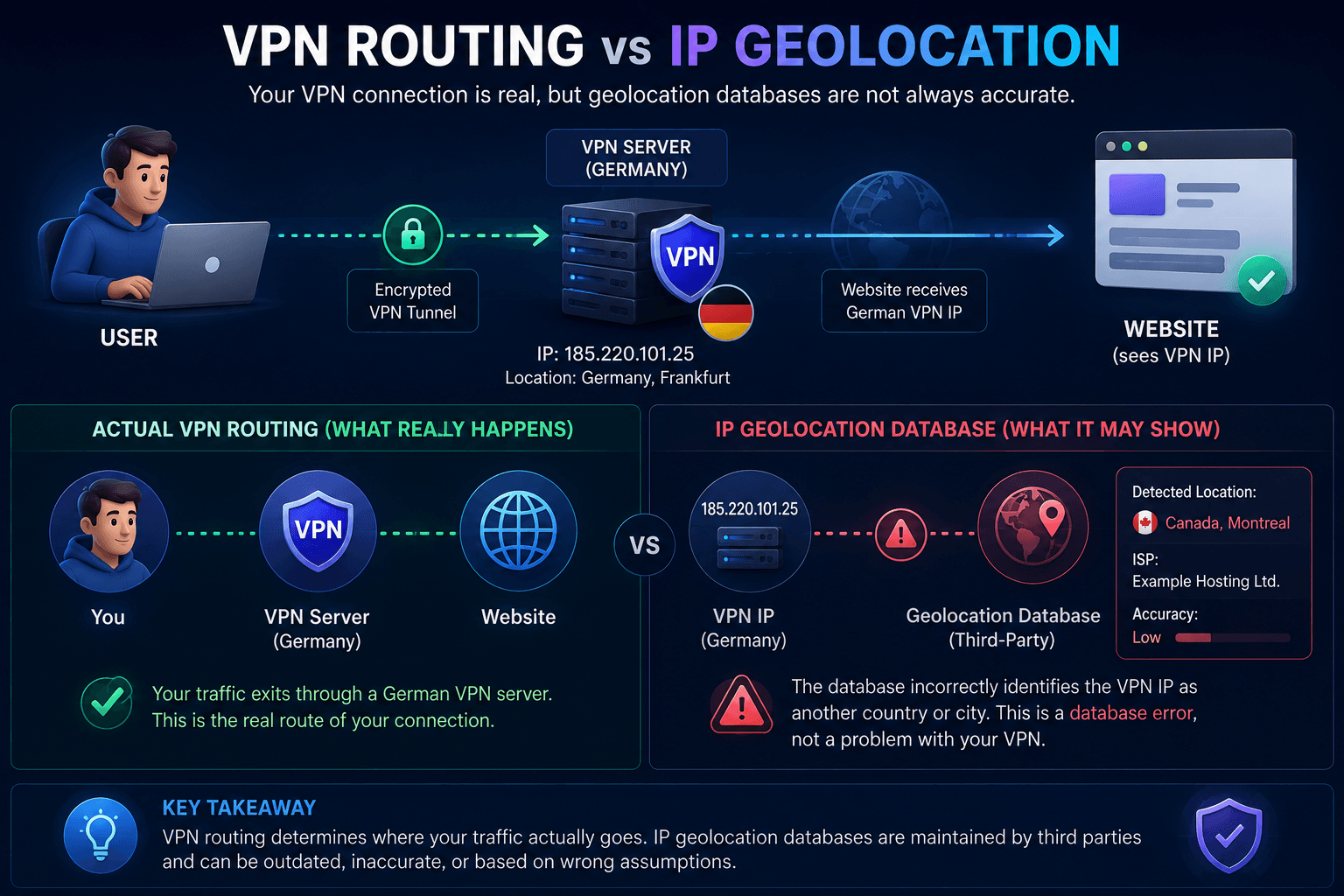
The country result generally matters more than minor city-level differences when you are performing a basic VPN check.
A mismatched city does not automatically mean your real location is exposed.
What to Do If Your VPN Location Is Wrong
If a website reports the wrong country, region, or city, do not immediately assume that your VPN has failed.
First, check whether the problem comes from the VPN connection itself or from the way a particular website determines location.
A practical troubleshooting sequence looks like this:
- Compare your public IP location across several geolocation databases.
- Check for DNS leaks.
- Test for WebRTC leaks.
- Verify that IPv6 traffic is not bypassing the VPN.
- Open the affected website in Incognito or Private Browsing mode.
- Disable browser location permissions.
- Sign out of accounts that may contain location history.
- Test with a clean browser profile.
- Connect to another VPN server in the same country.
This process helps separate several different problems that can initially look identical.
For example, if your VPN IP is correctly detected as German by several independent databases but Google still shows your previous location, the VPN tunnel is probably not the problem.
On the other hand, if your real ISP or real public IP appears during testing, you may be dealing with an actual VPN or network configuration issue.
Check for DNS Leaks
Changing your public IP address is only one part of a VPN connection.
DNS requests also need to be considered.
DNS translates domain names such as example.com into IP addresses that computers can use.
Ideally, when a VPN is active, DNS queries should follow the VPN provider’s intended DNS configuration rather than unexpectedly bypassing the tunnel through your normal ISP.
If your VPN IP points to Germany but DNS requests continue to use servers associated with your normal connection, the network environment can appear inconsistent.
That does not necessarily change the IP geolocation database entry itself, but it gives websites and security systems an additional network signal.
Check whether:
- your real ISP appears among the DNS servers;
- DNS requests unexpectedly leave through your normal connection;
- DNS configuration matches the expected VPN setup.
Check WebRTC
WebRTC is another browser technology worth checking when investigating apparent location problems.
It is commonly used for:
- voice communication;
- video calls;
- peer-to-peer connections.
Depending on the browser, operating system, and VPN configuration, WebRTC may expose additional information about network interfaces.
A WebRTC test can therefore help determine whether the browser is revealing network information you did not expect.
Check Browser Geolocation Permissions
IP geolocation and browser geolocation are completely different mechanisms.
A website can estimate your location from your public IP without asking for permission.
However, browsers also provide the Geolocation API, which can give a website more precise location information after the user grants permission.
Depending on the device, that information may be derived from sources such as:
- GPS;
- nearby Wi-Fi networks;
- cellular networks;
- operating-system location services.
This can produce an apparently contradictory situation.
For example:
VPN IP: Germany Browser Geolocation API: Switzerland
Both values can technically be correct because they describe different things.
The first represents the location associated with the VPN exit IP.
The second represents the location reported by the device’s location services.
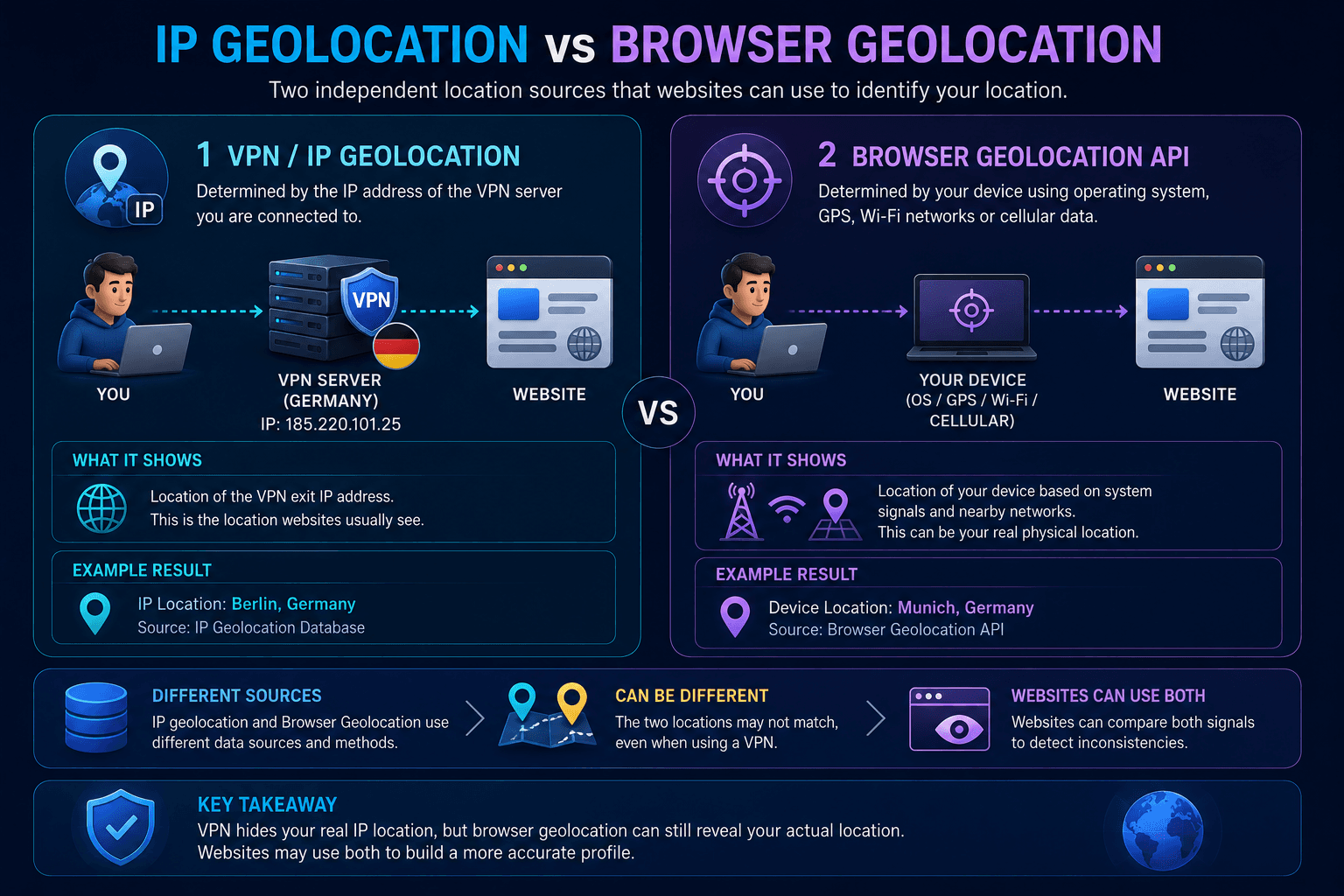
If a website has permission to access precise location, changing the VPN server alone does not necessarily change the location reported by the browser’s Geolocation API.
Can Incorrect IP Geolocation Be Fixed?
In many cases, yes.
Major IP geolocation providers generally provide mechanisms for reporting incorrect location data.
This can be relevant when an IP range has:
- recently changed ownership;
- moved between data centers;
- been assigned to a new region;
- been introduced as part of new VPN infrastructure.
Providers maintaining geolocation databases include:
- MaxMind;
- IP2Location;
- DB-IP;
- IPinfo.
However, correcting one database does not instantly fix every website.
There are several reasons.
First, each provider maintains its own dataset.
Second, websites may update their local copies of those datasets on different schedules.
Third, some services cache previous geolocation information.
As a result, even after a correction is accepted, old location information may continue appearing temporarily.
Why IP Geolocation Matters to Anti-Fraud Systems
IP geolocation is also used for security and risk analysis.
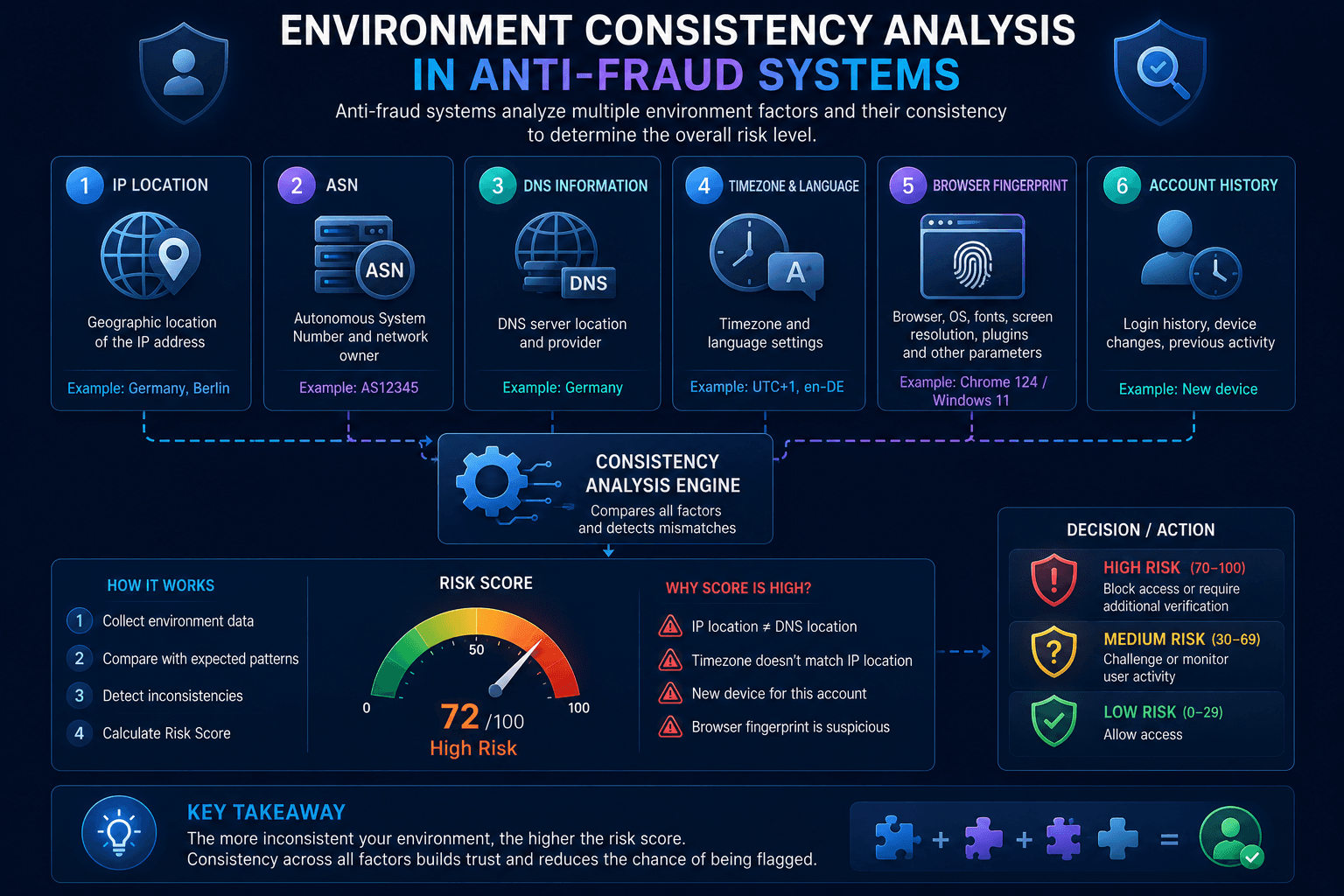
Modern anti-fraud systems rarely evaluate an IP address in isolation.
Instead, they may compare network location with other signals, including:
- timezone;
- browser language;
- account history;
- Browser Fingerprint;
- IP reputation;
- ASN and network type.
For example, consider two environments.
Environment A:
- German IP;
- Central European timezone;
- browser configuration consistent with the region;
- expected account activity.
Environment B:
- German IP;
- timezone associated with a distant region;
- DNS and other network signals pointing elsewhere;
- unusual account activity.
The second environment contains more inconsistencies.
This does not mean that a mismatched timezone or geolocation automatically identifies VPN usage or fraud.
Instead, it becomes one additional signal within a larger risk model.
IP Geolocation, ASN, and IP Reputation Are Different Signals
It is useful to distinguish three concepts that are often mixed together.
IP geolocation attempts to determine where an IP address is located.
ASN identifies the autonomous system or network that announces the IP range.
IP reputation represents a risk or trust assessment based on network classification, previous activity, abuse reports, and other data available to a particular service.
A VPN IP can therefore have:
- correct country-level geolocation;
- a datacenter ASN;
- a poor reputation score.
Or it can have:
- an outdated city-level geolocation;
- the expected ASN;
- no significant reputation problems.
These signals describe different characteristics of the connection.
What Actually Matters When Checking VPN Location
Users sometimes focus too heavily on the exact city displayed by an IP checker.
City-level IP geolocation should generally be treated as an estimate rather than a precise physical measurement.
When checking whether a VPN is working, more important questions include:
- Has the public IP changed?
- Does the IP belong to the expected VPN network?
- Is the country broadly correct?
- Are DNS requests behaving as expected?
- Is the real IP exposed through another network path?
- Is browser geolocation providing a separate physical location?
If your public IP has changed and traffic is correctly routed through the selected VPN endpoint, an incorrect city may simply reflect an outdated or inaccurate database.
A service such as WhoVPN can route your traffic through the selected VPN location, but it cannot control how every third-party geolocation provider classifies the corresponding IP range.
That distinction is critical:
VPN routing determines the network path. IP geolocation databases provide an external classification of the exit IP.
One can be correct while the other is outdated.
Conclusion
A website showing the wrong location does not necessarily mean your VPN is malfunctioning.
The discrepancy may come from several independent sources:
- outdated IP geolocation databases;
- differences between geolocation providers;
- account or browsing history;
- browser geolocation permissions;
- DNS configuration;
- WebRTC;
- IPv6 routing.
The most reliable approach is therefore not to trust a single city shown by one IP-checking website.
Instead, check the complete network environment and compare the IP across multiple independent sources.
If the public IP has changed, traffic exits through the expected VPN infrastructure, and no real network information is leaking outside the intended route, the VPN may be functioning correctly even when one website displays the wrong city.