How websites identify you even through a VPN
Why changing your IP address is no longer enough, and how browser fingerprinting and anti-fraud work

Paul Jackson
Technology editor
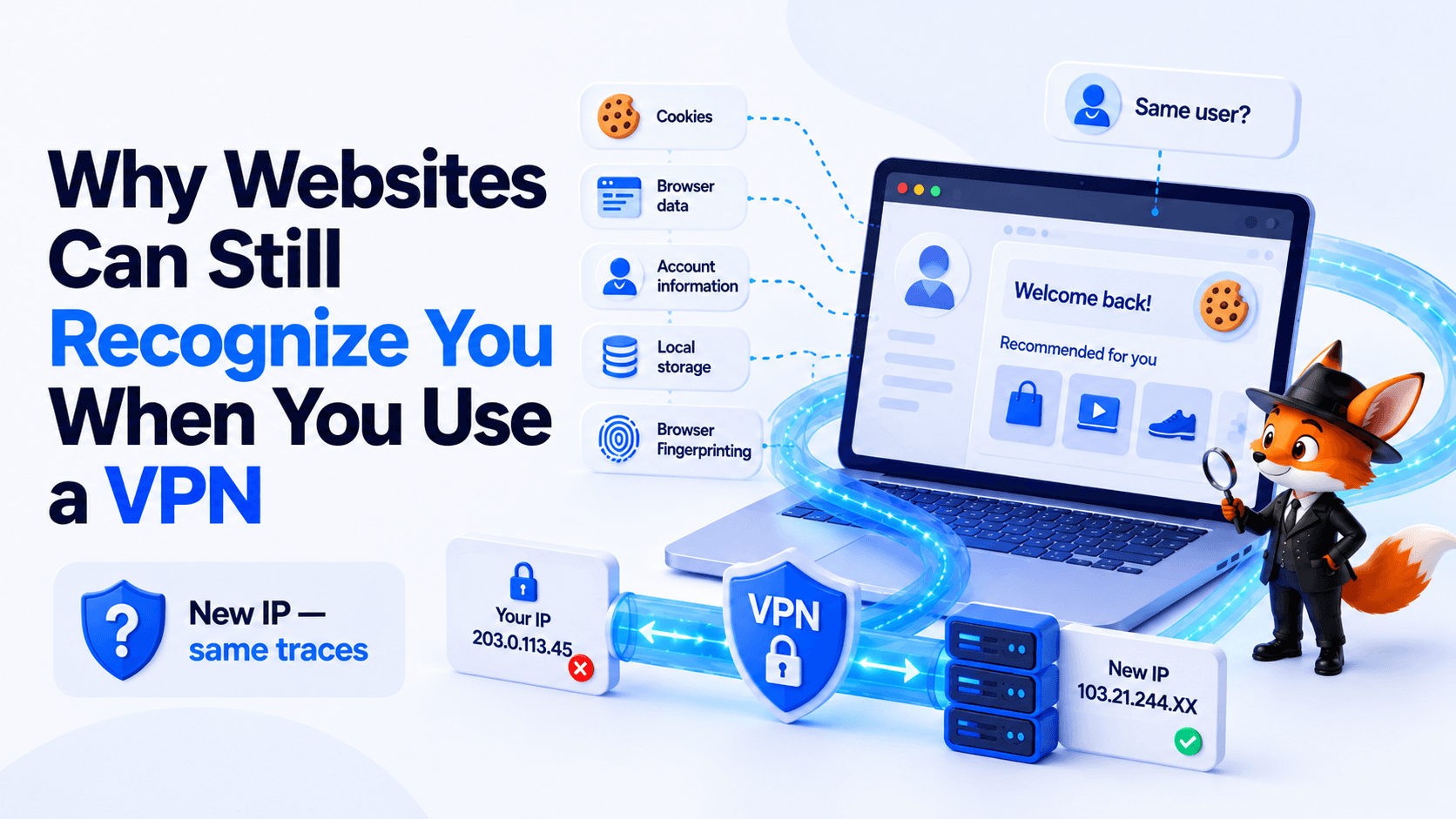
You connect to a VPN, get a new IP address, and open a website. Yet the service may still show familiar recommendations, remember a previous session, or associate your new activity with an existing profile.
That raises an obvious question: if your IP address has changed, how can the website still tell that you may be the same user?
The answer is that an IP address is only one of many signals available to websites. Services may also rely on cookies, browser data, account information, local storage, and techniques such as Browser Fingerprinting.
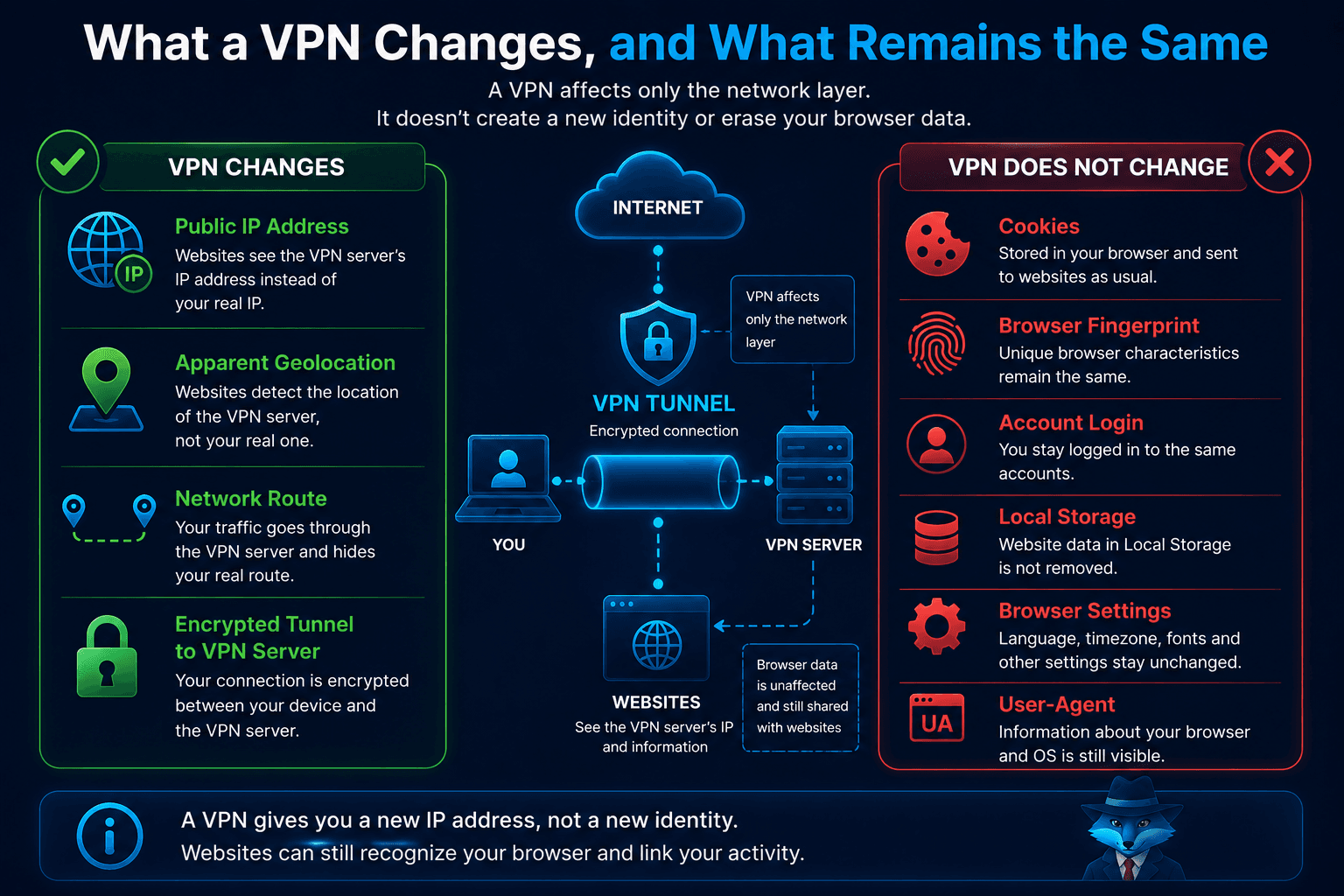
A VPN solves an important part of the privacy problem: it changes the public IP address visible to websites and protects the network connection between your device and the VPN server. What it doesn’t do is automatically erase or modify the information your browser continues to expose.
What a VPN Actually Changes
When you connect through WhoVPN or another VPN service, your Internet traffic is routed through an encrypted tunnel to a VPN server.
Websites then see the VPN server’s IP address instead of the public IP assigned to your home or mobile connection.
A VPN can help:
- hide your real public IP address;
- change the apparent geolocation of your connection;
- protect traffic between your device and the VPN server;
- reduce the risk of traffic interception on untrusted networks.
Your browser, however, remains the same.
It still contains cookies, Local Storage, and other site data. Its technical characteristics also don’t automatically change simply because you connected to a different VPN server.
Changing your IP address therefore does not create a completely new digital identity.
How Websites Can Link Different Sessions
There are several ways a website may determine that two visits are related.
The most obvious one is account login. If you sign in to the same account before and after connecting to a VPN, the website doesn’t need Browser Fingerprinting to connect those sessions. Your account already provides that link.
Cookies are another straightforward mechanism. A website can store an identifier in the browser and read it again on a later visit, even when your public IP address has changed.
Other signals may include:
- Local Storage and other browser storage mechanisms;
- browser and device characteristics;
- IP address and ASN;
- previous interactions with the service;
- behavioral signals.
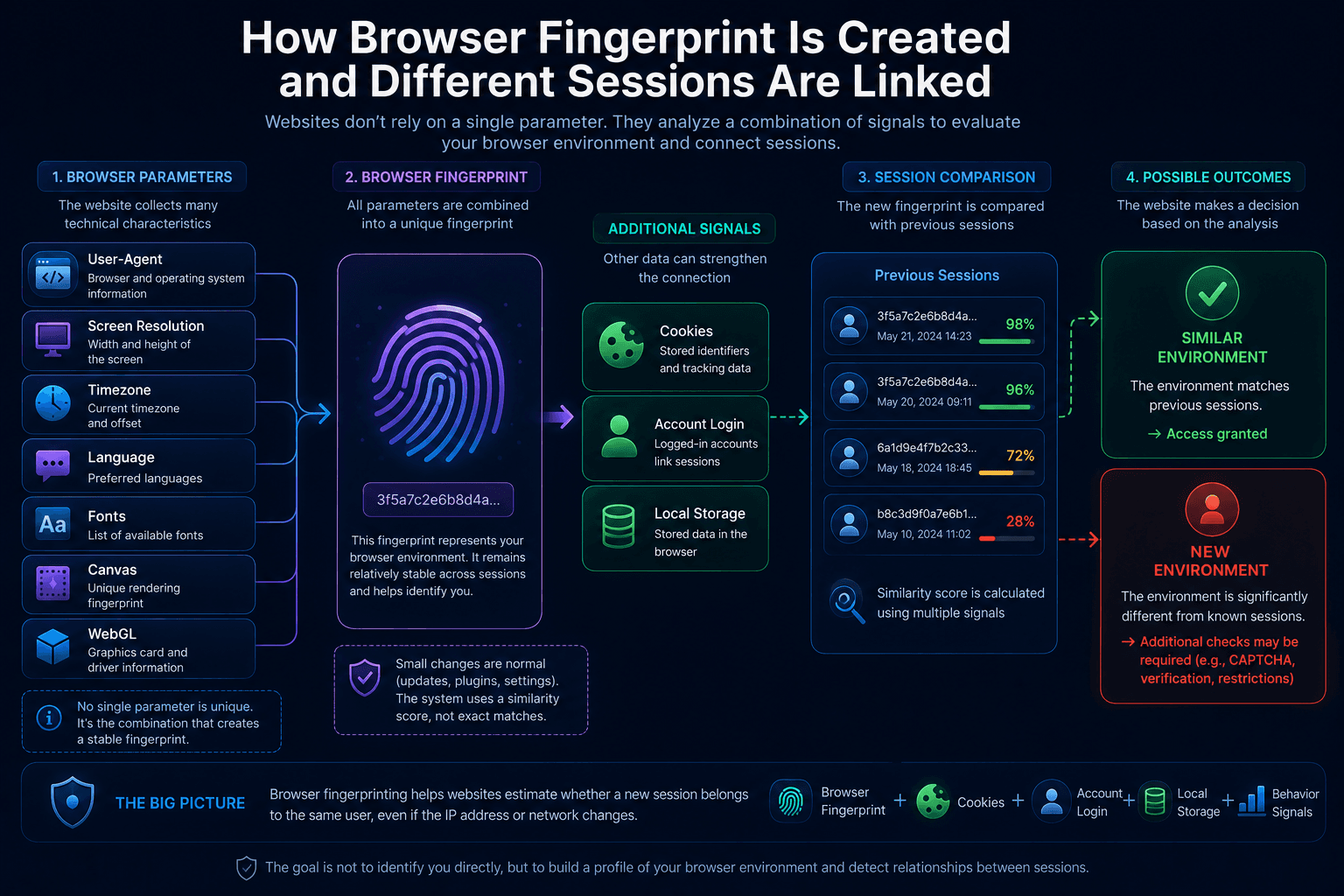
No single parameter necessarily identifies a person with certainty. But together, these signals can help a website estimate whether separate sessions are likely to belong to the same browser, device, or user.
How Browser Fingerprinting Works
Browser Fingerprinting is a technique used to build a technical profile of a browser and device from a combination of observable characteristics.
These may include:
- User-Agent and Client Hints;
- operating system;
- screen resolution;
- language;
- timezone;
- WebGL;
- Canvas;
- available fonts;
- hardware and software characteristics.
Individually, many of these values are shared by thousands or millions of users. Their combination, however, can make one browser environment easier to distinguish from others.
A browser fingerprint should not be treated as a permanent device serial number. It can change after browser updates, operating system changes, hardware upgrades, or configuration changes.
Why Clearing Cookies Isn’t Always Enough
Deleting cookies can break one of the most common tracking mechanisms, but it doesn’t guarantee that a website will treat the next visit as completely unrelated.
Other signals may remain unchanged.
For example, after clearing cookies, your browser may still report the same operating system, screen resolution, language, timezone, and graphics characteristics.
And if you sign back into the same account, the connection between sessions becomes obvious again.
Incognito Mode and cookie clearing can be useful for separating local browsing sessions, but neither provides complete anonymity.
Why Inconsistencies Can Matter to Anti-Fraud Systems
For a regular website, browser and session signals may be used for analytics, personalization, or account security. Anti-fraud systems often go further by evaluating whether multiple signals make sense together.
They may consider:
- IP geolocation;
- ASN and network type;
- timezone;
- browser language;
- device characteristics;
- sudden changes in the environment;
- previous account activity.
Suppose an account has been used for months from one country and one type of device, then suddenly appears from a different region with a significantly changed environment. That doesn’t prove fraud, but it may increase the risk score and trigger an additional verification step.
Where WadeX Fits In
A regular VPN changes the network connection, but it isn’t designed to manage multiple independent browser environments.
If your workflow requires separate browser sessions or multiple isolated profiles, specialized tools are better suited to that task.
With WadeX, each profile operates as a separate browser environment. Cookies, local data, and profile settings can be isolated, while fingerprint-related parameters can be managed independently for each workspace.
For the network side of these profiles, proxies are typically used so that each environment can have its own connection.
The goal isn’t to randomize every parameter on every launch. A profile is generally more useful when its environment remains reasonably stable and internally consistent.
An antidetect browser also doesn’t make a user invisible. Websites may still evaluate IP reputation, account history, cookies, request patterns, and user behavior.
How to Check What Websites Can See
If you’ve connected to a VPN, start by checking the network layer.
With Whoer.net, you can review:
- your public IP address;
- IP geolocation;
- ISP and ASN;
- DNS;
- WebRTC;
- selected browser parameters.
This can help confirm that the IP address has changed and identify obvious network leaks.
But passing a network check doesn’t mean a website can no longer associate a new session with an older one. Network information is only part of the picture. Cookies, logged-in accounts, browser storage, and browser characteristics may still provide continuity between sessions.
What to Remember
VPNs and Browser Fingerprinting address different layers of online privacy.
A VPN changes the public IP address visible to websites and protects your network connection. Browser Fingerprinting, cookies, account identifiers, and other mechanisms operate at the browser and application level.
That’s why a website may still link activity before and after an IP change—especially when cookies remain in place, the same account is used, or the browser continues to expose a similar technical profile.
For everyday privacy, the practical approach is straightforward: use a reliable VPN connection, check for IP and DNS leaks, and manage cookies and site permissions carefully.
If you need to maintain multiple independent browser environments, a VPN alone isn’t designed for that purpose. Separate browser profiles and dedicated profile-management tools are a better fit.