What Is Split Tunneling?
Learn how VPN Split Tunneling works, its different types, advantages, risks, and when to use it for greater flexibility and better performance.

Paul Jackson
Technology editor

By default, a VPN sends all of your internet traffic through an encrypted tunnel. Every app, every website, every connection follows the same route.
That works well for many people, but not every situation calls for an “all or nothing” approach.
Imagine you want Chrome to appear as if it’s browsing from another country while Telegram, Spotify, or a local banking app continues using your regular internet connection. Constantly turning the VPN on and off would quickly become annoying.
That’s where Split Tunneling comes in.
Instead of forcing every application through the VPN, it lets you decide which traffic should stay protected and which should bypass the tunnel entirely.
How Split Tunneling Works?
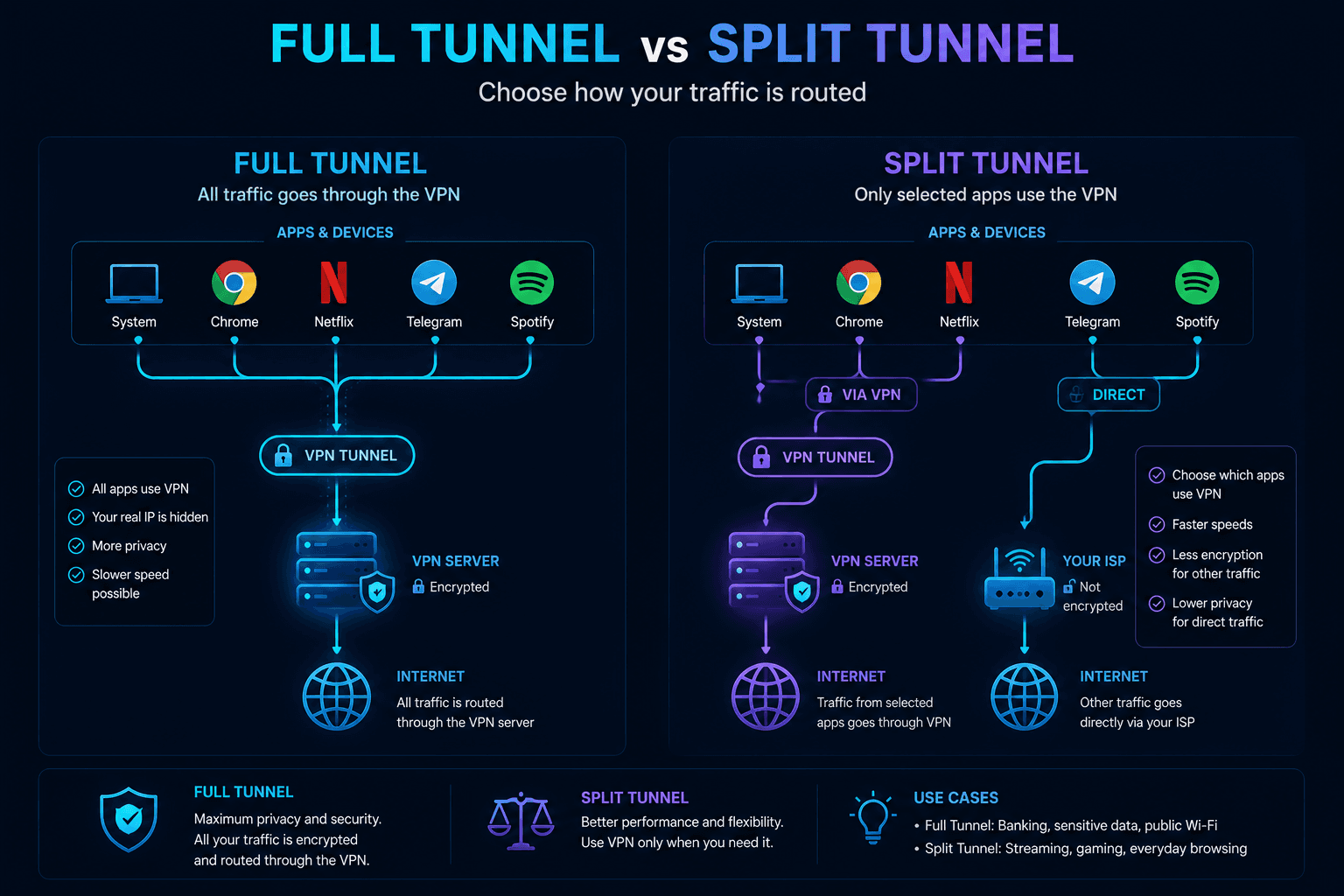
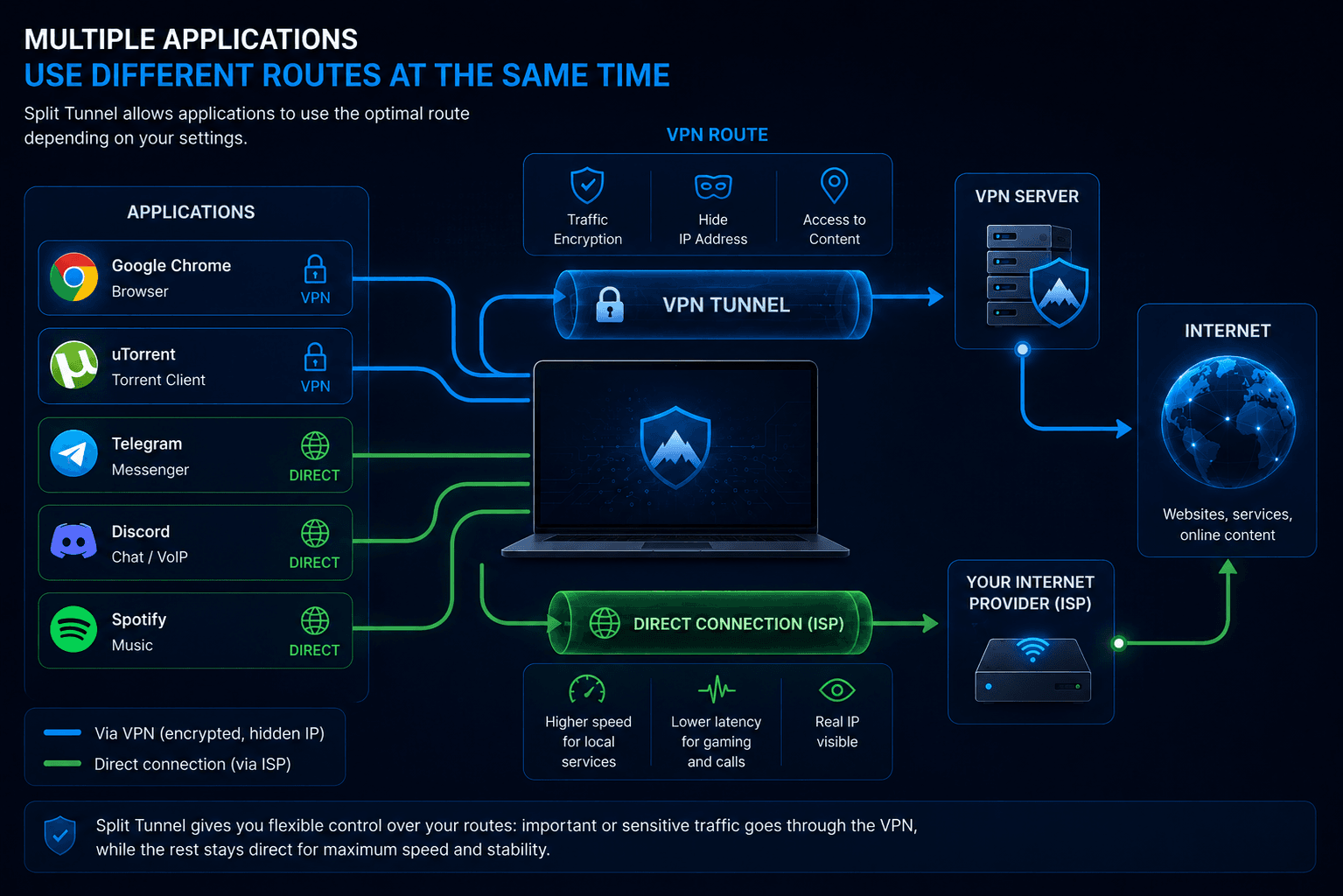
Split Tunneling is a networking feature that separates your traffic into two independent paths.
One route goes through the VPN server, while the other connects directly through your ISP.
Without Split Tunneling, every running application shares the same encrypted connection. Once the feature is enabled, you gain much finer control and can choose exactly what should use the VPN.
For anyone juggling work tools, streaming platforms, messaging apps, and local services at the same time, that flexibility can be surprisingly useful.
Full Tunnel vs Split Tunnel
The distinction between the two modes is fairly simple.
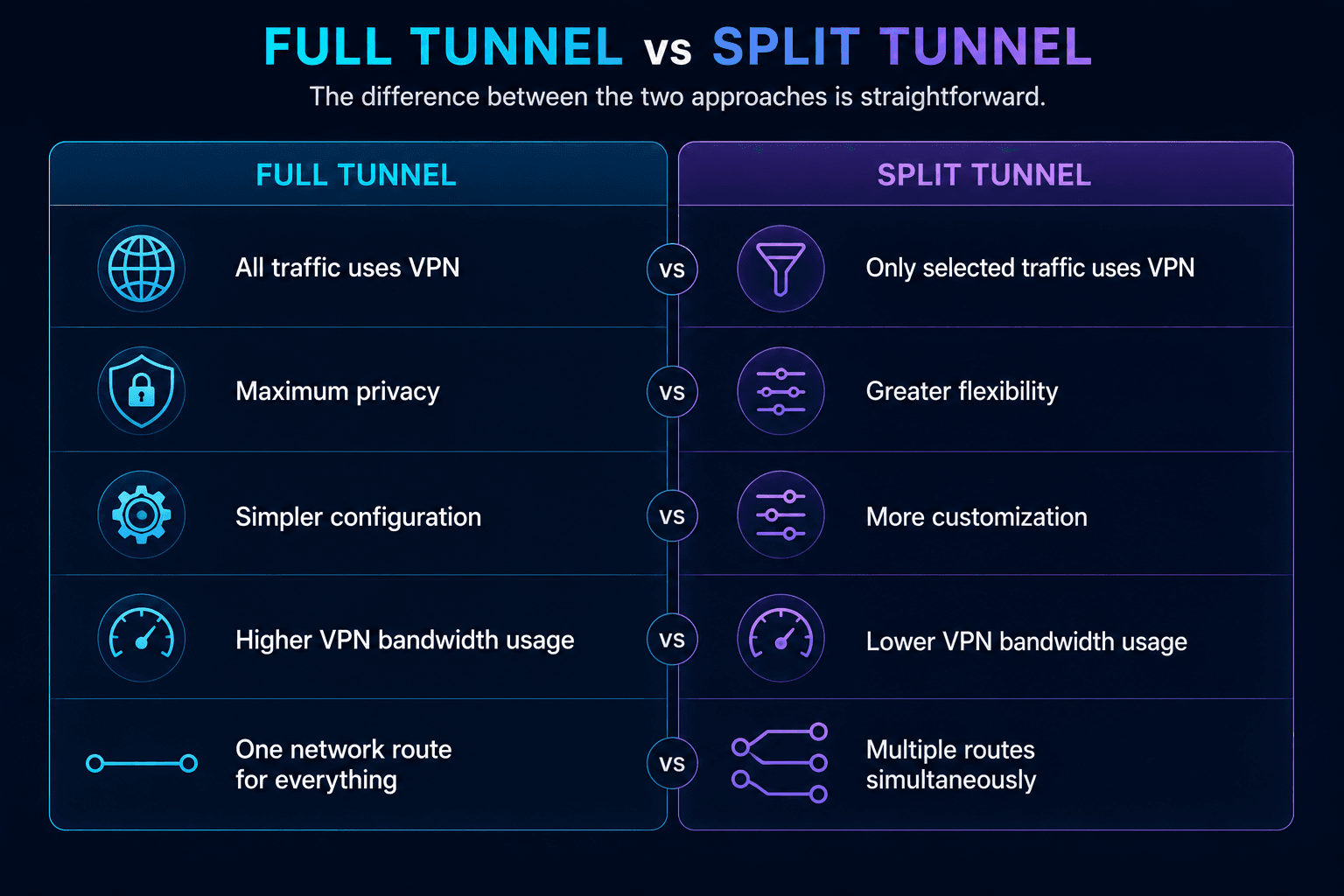
If anonymity is your highest priority, routing everything through the VPN is usually the safer choice.
On the other hand, people who need different networking rules for different applications often prefer Split Tunneling because it eliminates unnecessary compromises.
Different types of Split Tunneling
Not every VPN implements this feature in the same way.
Depending on the software, you may encounter App-based, IP-based, URL-based, or Inverse Split Tunneling.
App-based Split Tunneling
This is by far the most familiar implementation.
Instead of dealing with IP ranges or routing tables, you simply pick the applications that should use the VPN.
For example:
- Chrome → VPN
- Netflix → VPN
- Telegram → Direct connection
- Spotify → Direct connection
If only a handful of programs need another IP address, configuring them individually is usually the easiest solution.
WhoX VPN support
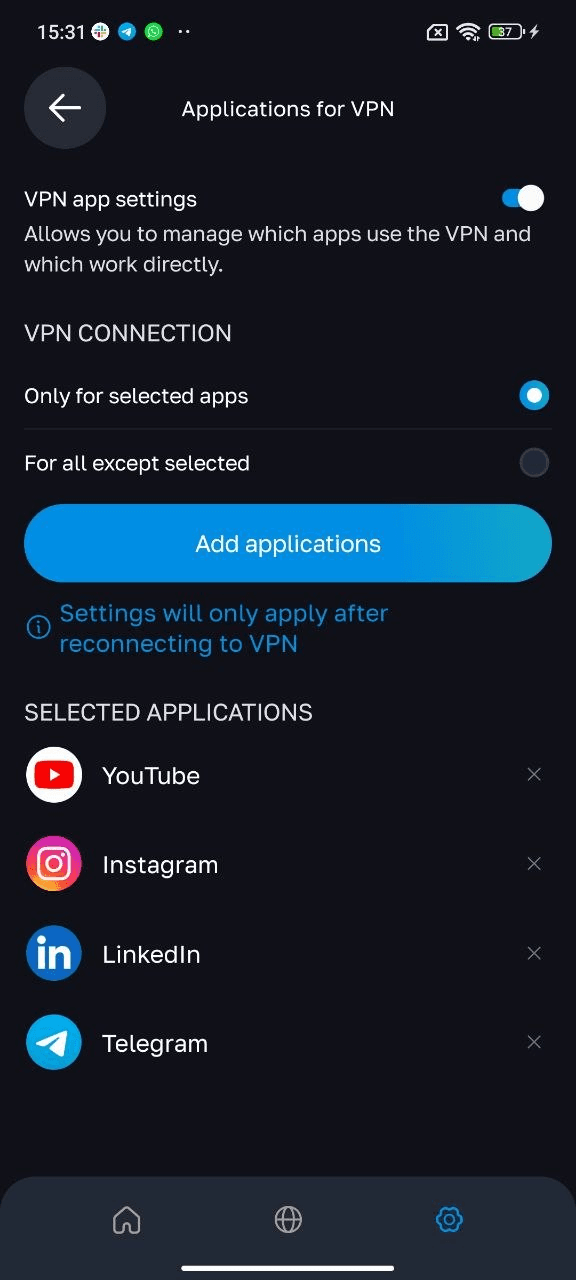
The Android version of WhoX VPN includes App-based Split Tunneling.
Inside the application, you can specify exactly which apps should be routed through the encrypted tunnel and which ones should continue using your normal internet connection.
A typical setup might look like this:
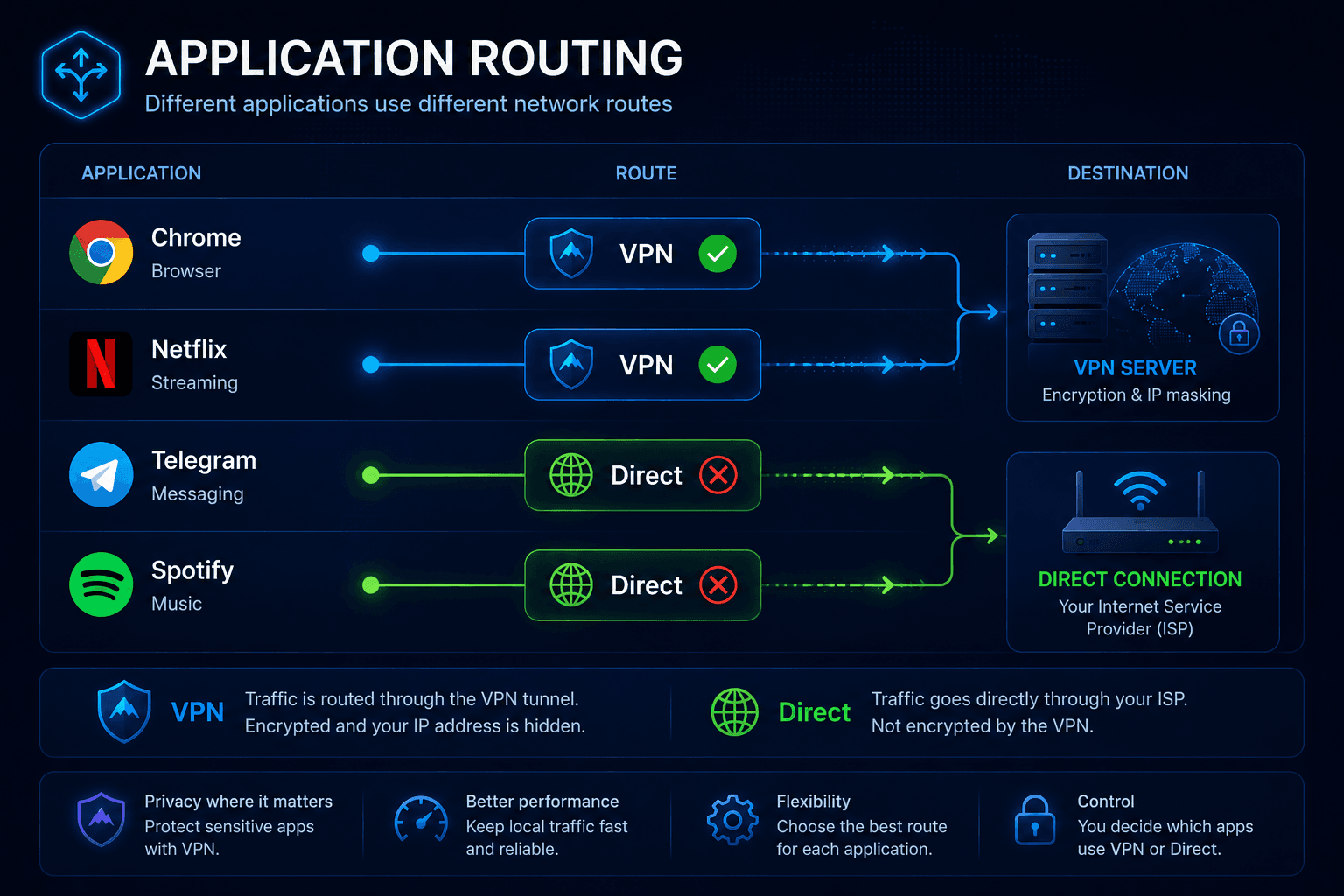
With this configuration, web browsing and streaming appear from another location, while messaging and music continue working over your local network.
IP-based Split Tunneling
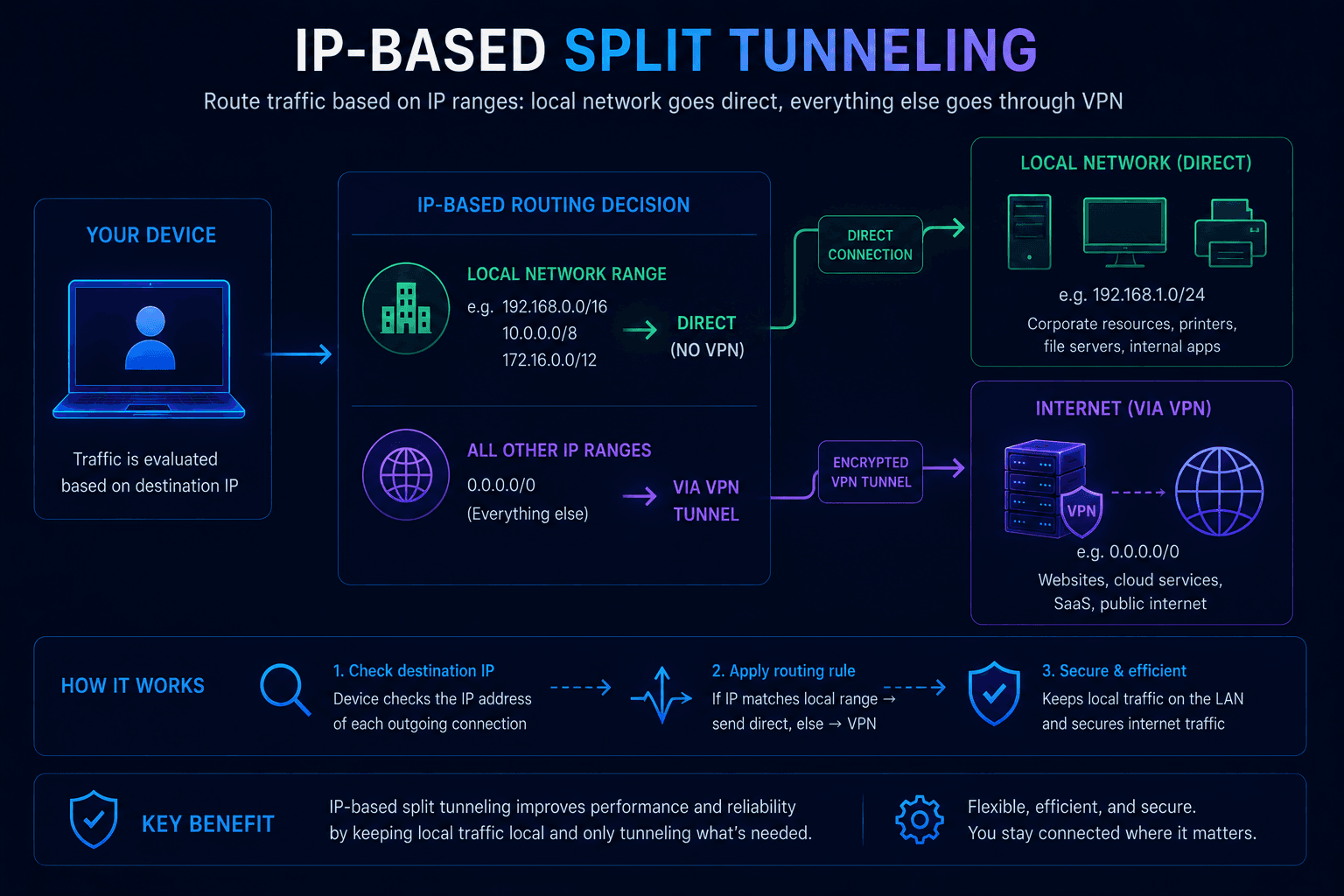
Some environments require routing based on networks rather than applications.
In that case, administrators define IP ranges instead of selecting individual programs.
A company might configure its infrastructure like this:
- office network → direct connection;
- all other traffic → VPN.
This model is common in corporate environments where employees still need uninterrupted access to internal resources.
URL-based Split Tunneling
Certain VPN products allow routing decisions based on websites or domains.
For example:
example.com→ VPNlocal-bank.com→ Direct connection
The idea sounds convenient, but modern websites rarely rely on a single server. CDNs, cloud infrastructure, and multiple domains make this method harder to implement reliably, which is why it remains relatively uncommon.
Inverse Split Tunneling
Inverse Split Tunneling flips the usual logic.
Instead of choosing which applications should bypass the VPN, you specify the ones that should actually use it.
Everything else automatically connects directly.
For instance:
- Chrome → VPN
- Every other application → Direct connection
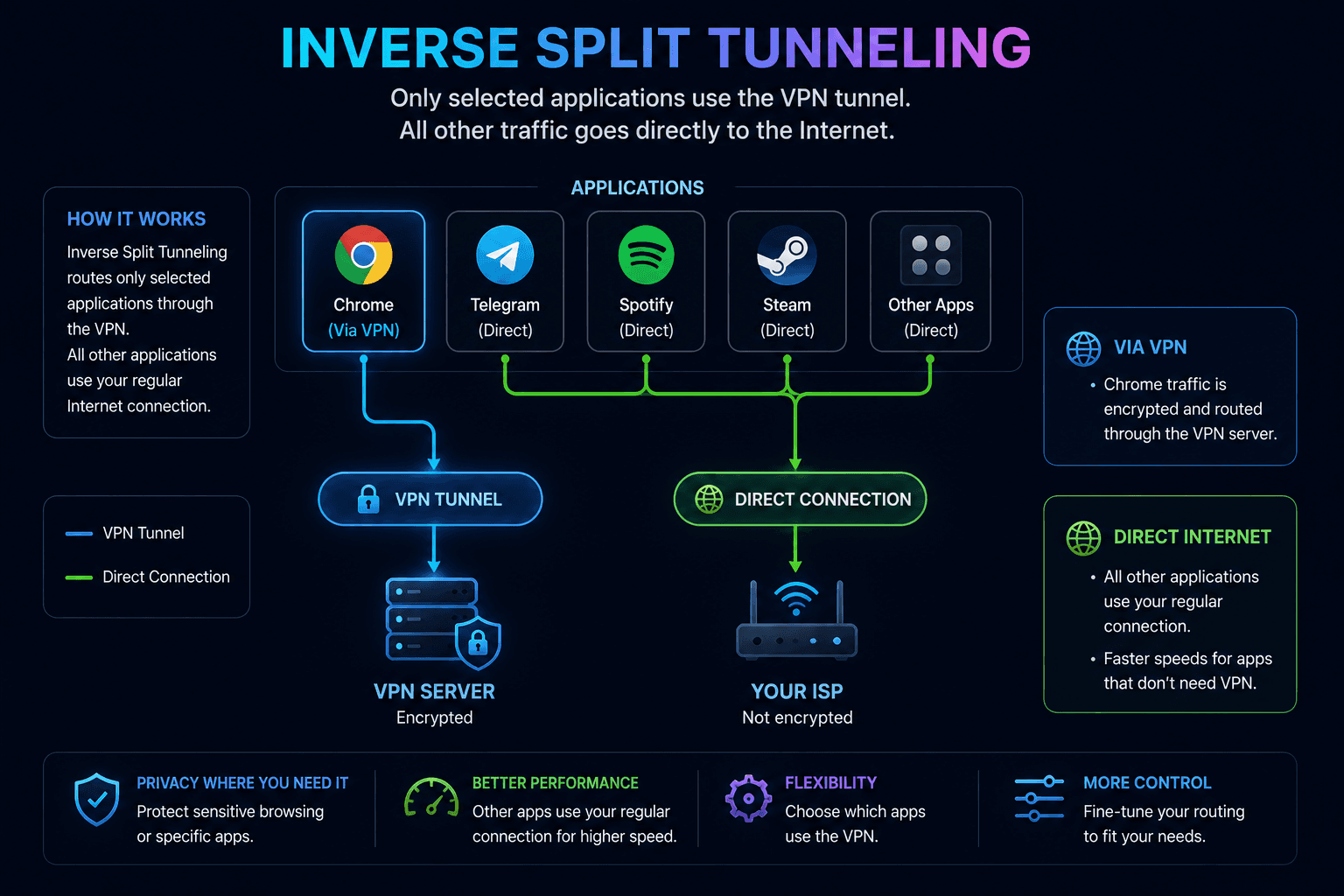
Many users find this approach convenient when only one browser or one work application needs an alternative location.
Practical examples
The benefits become easier to understand in everyday use.
Streaming
A browser accesses another country’s content library through the VPN while Spotify continues playing music through your regular connection.
Gaming
The game itself connects directly to minimize latency, but web traffic remains protected by the VPN.
Remote work
Corporate software is routed through the encrypted tunnel.
Everything unrelated to work continues using your ISP as usual.
Downloads
A torrent client can operate behind the VPN while normal browsing and other applications avoid unnecessary routing.
Why people use Split Tunneling
Flexibility is the biggest advantage.
Instead of applying the same networking policy everywhere, you tailor connections for each task.
Among the main benefits are:
- reduced VPN bandwidth consumption;
- lower latency for selected applications;
- improved performance;
- uninterrupted access to local devices;
- different routing rules for different software.
For many users, that combination offers a better balance than sending absolutely everything through a VPN.
Things to watch out for
Split Tunneling doesn’t magically protect applications that are excluded from the encrypted tunnel.
Those programs:
- expose your real IP address;
- may rely on your ISP’s DNS servers;
- communicate without VPN encryption;
- reveal your actual network location.
Nothing about this behavior is unexpected, but it’s easy to forget which applications are bypassing the tunnel after changing the configuration.
A small mistake can unintentionally expose traffic you assumed was protected.
Common configuration mistakes
Several problems appear again and again.
Users may accidentally:
- exclude their browser from the VPN;
- leave torrent software outside the tunnel;
- allow DNS requests to bypass encrypted routing;
- assume every application is still protected.
A quick verification after changing the settings usually saves a lot of confusion later.
Check your configuration with Whoer.net
After enabling Split Tunneling, it’s worth confirming that everything behaves exactly as intended.
Whoer.net lets you inspect:
- Public IP;
- DNS servers;
- WebRTC;
- IPv6 connectivity.
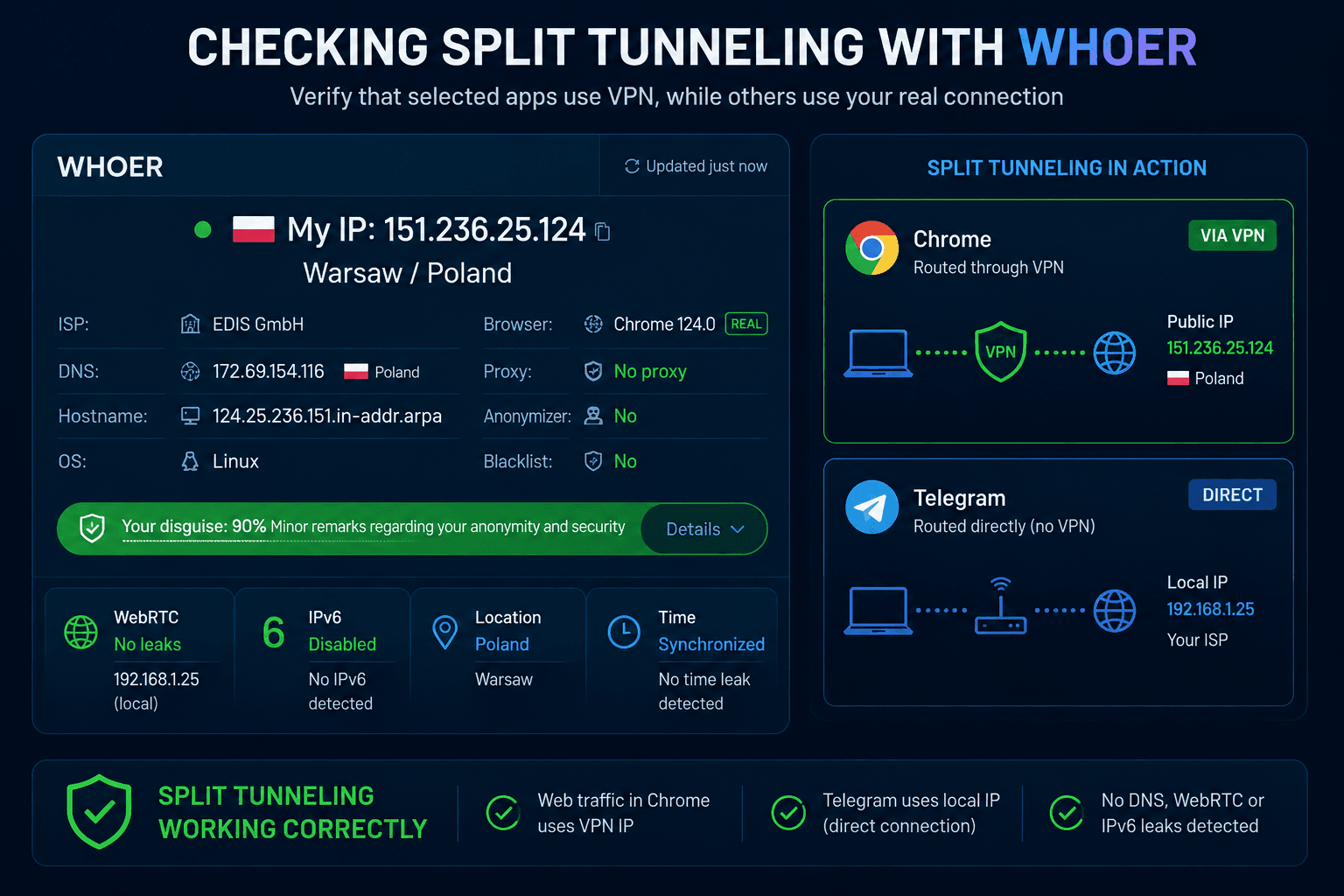
For example:
- Chrome should report the VPN’s IP address.
- Telegram should continue showing your local connection if it was excluded from the tunnel.
Running these tests only takes a minute and can help catch routing mistakes before they create privacy issues.
Should you enable Split Tunneling?
The answer depends entirely on how you use your VPN.
If your goal is maximum privacy, keeping every connection inside a Full Tunnel remains the simplest and safest strategy.
If only certain applications need another IP address while everything else should stay on your regular network, Split Tunneling is often the more practical solution.
Configured correctly, it gives you precise control over traffic routing without sacrificing performance or convenience.