How to Bypass Geo-Blocking: Proxy, VPN, or Antidetect Browser?
Proxy, VPN, and Antidetect Browsers operate at different layers. Learn how each works, why modern geo-blocking goes beyond IP addresses, and which option fits different use cases.

Paul Jackson
Technology editor
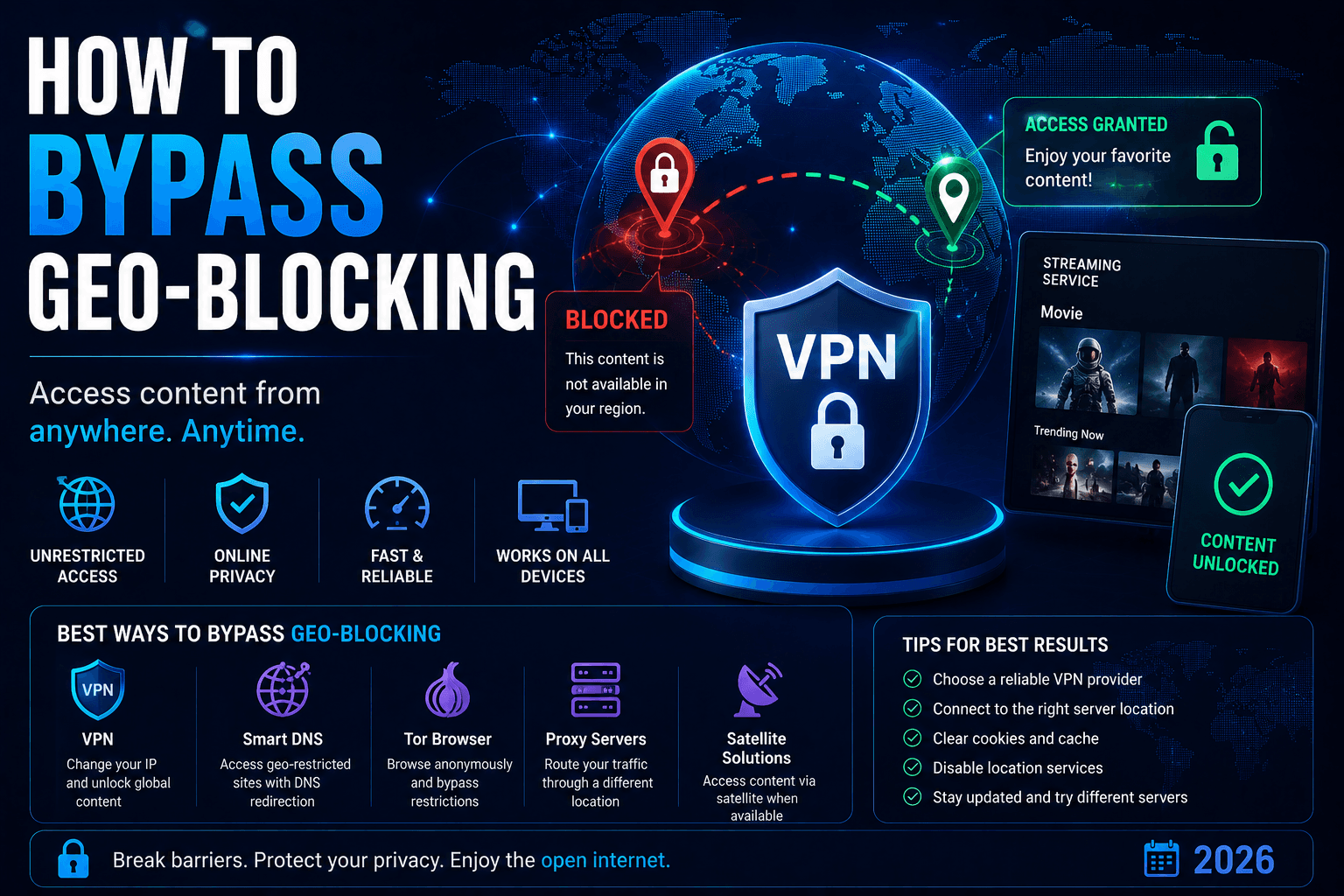
A few years ago, bypassing many geographic restrictions was relatively simple: change your IP address, reload the website, and access the content.
Today, geo-blocking is more sophisticated.
Websites and online platforms can evaluate multiple signals at the same time, including:
- IP address;
- DNS;
- Browser Fingerprint;
- timezone;
- WebRTC;
- network characteristics;
- user behavior.
This explains why a VPN may connect successfully while Netflix still restricts content, a website repeatedly displays CAPTCHA challenges, or certain YouTube and TikTok features remain unavailable.
Modern Geo-blocking is no longer limited to checking the country associated with an IP address. Platforms may evaluate whether the network and browser environment appear internally consistent.
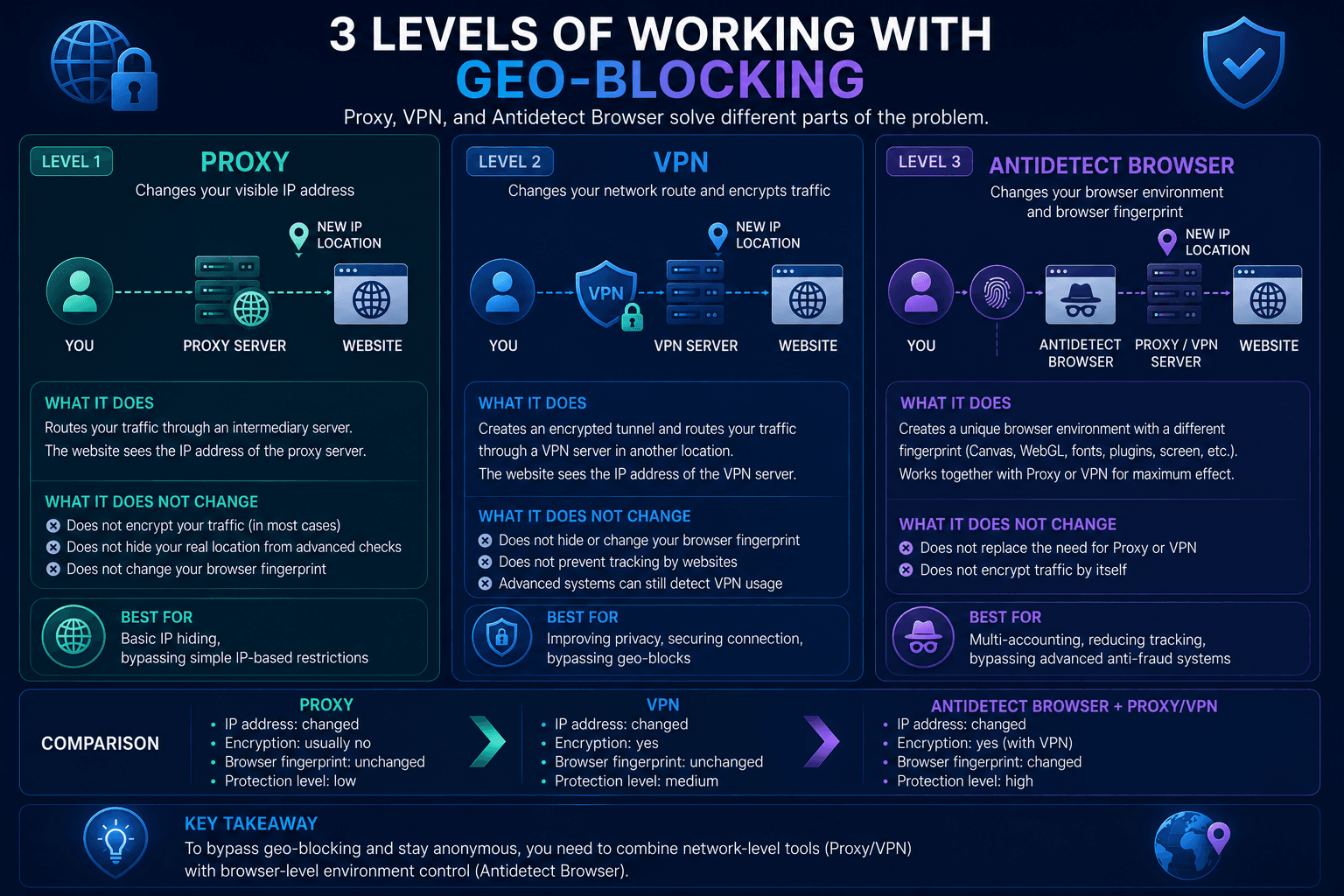
There are three main tools for dealing with geographic restrictions:
- Proxy;
- VPN;
- Antidetect Browser.
They operate at different levels and solve different problems.
Level 1: Proxy
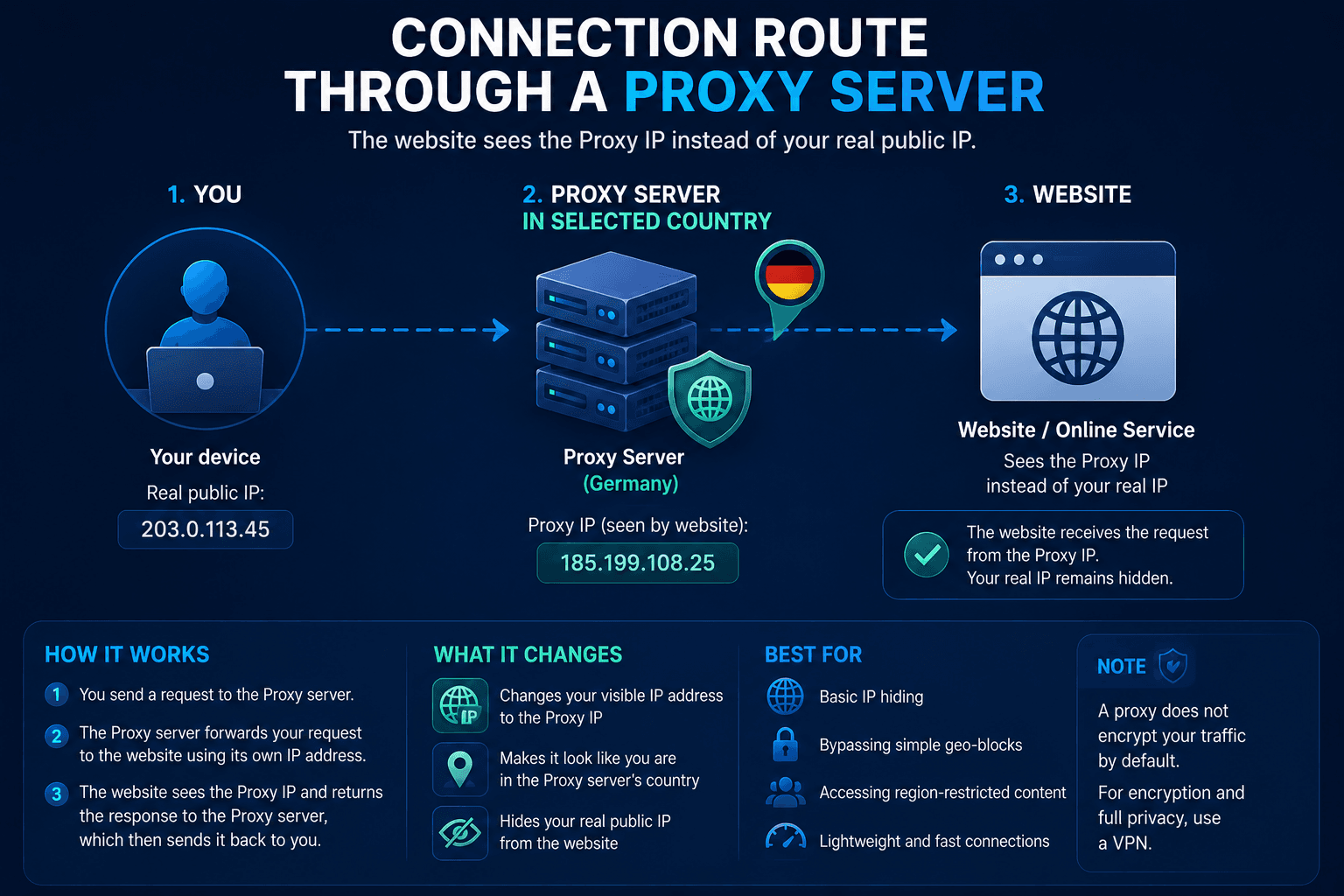
A Proxy is one of the simplest ways to change the IP address visible to a website.
The proxy server acts as an intermediary between your device and the destination:
- traffic is routed through another server;
- the website sees the proxy IP instead of your original public IP.
This approach can still work well for:
- simple geographic restrictions;
- regional search results;
- basic location testing;
- websites that primarily rely on IP geolocation.
For example, a Proxy can be useful for checking Google results from another country, testing regional website content, or accessing a resource whose availability is determined mainly by IP location.
Why Proxies Sometimes Fail
Many major platforms can classify commonly used proxy networks.
This is particularly relevant for:
- cheap Datacenter Proxies;
- public proxies;
- heavily shared IP addresses;
- IPs with poor reputation.
Platforms may evaluate IP Reputation, ASN, network type, and previous activity associated with an address.
As a result, some proxy connections can trigger:
- repeated CAPTCHA challenges;
- additional login verification;
- suspicious activity warnings;
- blocked or restricted sessions.
Another important limitation is privacy.
A Proxy should not automatically be considered an alternative to a VPN. Depending on the protocol and configuration, it primarily changes the route of specific traffic and the IP visible to the destination. It does not necessarily provide encryption for the entire device connection.
Proxy Advantages
- relatively inexpensive;
- fast;
- easy to configure;
- useful when only a different IP is required.
Proxy Disadvantages
- limited privacy compared with a VPN;
- some proxy ranges are easy to classify;
- shared IPs may have poor reputation;
- Browser Fingerprint remains a separate signal.
For simple geo-blocking, a Proxy may be sufficient. For large platforms with more sophisticated detection systems, changing only the IP address may not solve the problem.
Level 2: VPN
A VPN operates at the network level and solves a broader set of problems.
When you connect to a VPN server, an encrypted tunnel is established between your device and that server. Internet traffic routed through the tunnel exits using the VPN server’s public IP address.
A properly configured VPN can provide:
- a different public IP address;
- encryption between the device and VPN server;
- protected DNS resolution;
- safer connections on public Wi-Fi;
- traffic routing through a selected location.
For most users, this makes VPN a more versatile option than a standard Proxy.
| Parameter | Without VPN | With VPN |
|---|---|---|
| Connection route | User → ISP → Website | User → Encrypted VPN Tunnel → VPN Server in Selected Country → Website |
| Encrypted VPN tunnel | No | Yes |
| Traffic routing | Through ISP | Through VPN Server in Selected Country |
| IP visible to website | User’s public IP | VPN server’s public IP |
| Destination | Website | Website |
Where VPN Works Best
VPN is commonly used for:
- accessing region-restricted websites;
- streaming services;
- bypassing network-level censorship;
- protecting traffic on public Wi-Fi;
- changing the visible network location.
For example, WhoVPN can be used to route traffic through a VPN server in a selected location.
Modern VPN services may also provide features such as:
- DNS leak protection;
- IPv6 leak protection;
- Kill Switch;
- multiple VPN protocols;
- traffic obfuscation.
These features address problems that simple IP replacement cannot solve.
Why VPNs Can Still Be Detected
A VPN does not guarantee that a website will treat the connection as a regular residential connection.
Platforms may analyze:
- IP Reputation;
- ASN and network type;
- shared IP activity;
- traffic characteristics;
- protocol signatures;
- TLS-related signals.
If thousands of users connect through the same VPN IP, that address may develop recognizable traffic patterns or become classified as VPN infrastructure.
This is one reason a VPN server may work with a streaming platform for some time and later stop providing access to a particular region.
Leaks and environment inconsistencies can create additional problems.
Even when the VPN tunnel itself is working, websites may detect conflicting information through:
- DNS leaks;
- WebRTC;
- IPv6;
- timezone mismatch.
Services such as Whoer can help check the public IP, DNS, WebRTC, and other connection or browser parameters visible to websites.
| VPN Advantages | VPN Disadvantages |
|---|---|
| encrypted connection | some VPN IP ranges are known to platforms |
| changes the public IP address | shared IPs can develop reputation issues |
| can protect DNS traffic | VPN does not automatically change Browser Fingerprint |
| suitable for everyday browsing and streaming | effectiveness depends on the target platform and network environment |
| useful on untrusted networks | — |
For most users, VPN provides the best balance between usability, privacy, and the ability to work with geographic restrictions.
Level 3: Antidetect Browser
An Antidetect Browser addresses a different layer of identification: the browser environment itself.
Proxy and VPN technologies primarily affect network routing. They do not automatically change the characteristics exposed by the browser.
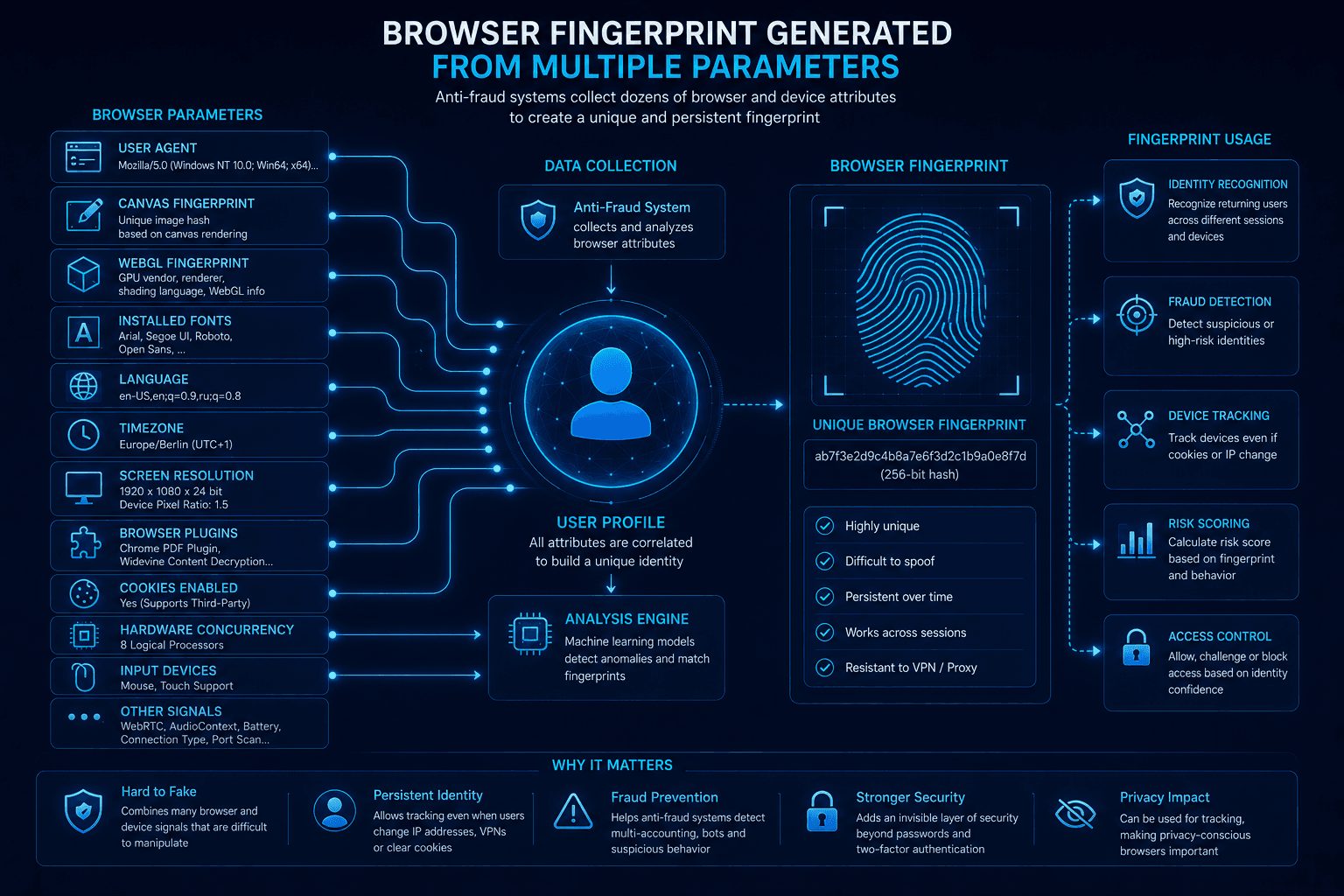
Modern websites may analyze:
- User-Agent;
- GPU;
- WebGL;
- WebGPU;
- Canvas;
- ClientRects;
- fonts;
- screen resolution;
- timezone;
- browser language;
- device characteristics.
Together, these signals contribute to a Browser Fingerprint.
This means that even after replacing the IP address, the browser can continue exposing characteristics associated with the original environment.
What Antidetect Browsers Actually Do
Antidetect browsers are designed to create and manage isolated browser profiles.
Depending on the product, a profile can include:
- isolated cookies and Local Storage;
- separate Proxy configuration;
- controlled Browser Fingerprint parameters;
- independent sessions;
- consistent timezone and language settings.
This approach is useful when different browser environments need to remain separated from one another.
Common use cases include:
- multi-account workflows;
- affiliate marketing;
- traffic arbitrage;
- marketplace management;
- browser automation and testing.
Tools such as WadeX focus on browser profile isolation and maintaining consistency between different fingerprint parameters.
The objective is not simply to modify as many values as possible. A browser environment should remain technically plausible and internally consistent.
Why Fingerprint Consistency Matters
Poorly configured browser environments can contain obvious contradictions.
For example:
- US IP;
- Russian timezone;
- German browser language.
This combination is not automatically fraudulent, but it provides conflicting geographic signals that a risk system may consider.
Similar inconsistencies can appear between:
- User-Agent and operating system;
- GPU and WebGL;
- WebGL and WebGPU;
- screen resolution and device type;
- timezone and IP location.
Modern anti-fraud systems can evaluate these signals together rather than relying on one parameter.
For this reason, effective browser environment management is primarily about consistency, not aggressive fingerprint modification.
| Parameter | Consistent Browser Environment | Inconsistent Browser Environment |
|---|---|---|
| IP Location | US IP | US IP |
| Timezone | US Timezone | Russian Timezone |
| Browser Language | English Language | German Language |
| Browser Fingerprint | Consistent Browser Fingerprint | Conflicting device parameters |
| Environment Consistency | Signals are consistent with each other | Signals provide conflicting geographic and device information |
Antidetect Browser Advantages
- isolated browser profiles;
- independent cookies and sessions;
- control over Browser Fingerprint components;
- separate Proxy configuration for individual profiles.
Antidetect Browser Disadvantages
- more complex configuration;
- additional cost;
- requires an understanding of Browser Fingerprinting;
- unnecessary for most everyday browsing and streaming scenarios.
For basic geo-blocking or streaming, an Antidetect Browser is usually excessive.
Proxy vs VPN vs Antidetect Browser: What Is the Difference?
The main difference is the layer each technology controls.
| Tool | Main Function | Changes IP | Encrypts Traffic | Manages Browser Fingerprint |
|---|---|---|---|---|
| Proxy | Routes selected traffic through another server | Yes | Depends on protocol/configuration | No |
| VPN | Routes traffic through an encrypted VPN tunnel | Yes | Yes | No |
| Antidetect Browser | Creates isolated browser environments | With a configured Proxy | No | Yes |
A Proxy primarily changes the network endpoint visible to a website.
A VPN changes the network route and protects traffic between the device and VPN server.
An Antidetect Browser manages browser profiles, sessions, and Browser Fingerprint parameters.
They are therefore not direct substitutes for one another.
What Should You Use for Geo-Blocking?
For Simple Geographic Restrictions
A Proxy may be sufficient when access is determined mainly by IP location.
It can also be convenient for quick regional testing where encryption and browser isolation are not required.
For Streaming and Everyday Privacy
A VPN is usually the more practical option.
It combines IP replacement with encrypted traffic and can provide additional protection against DNS and IPv6 leaks.
This makes VPN suitable for:
- streaming;
- region-restricted websites;
- public Wi-Fi;
- network-level censorship;
- everyday browsing.
For Browser Profile Isolation
An Antidetect Browser is relevant when the task requires separate browser environments with independent cookies, sessions, Proxy settings, and Browser Fingerprints.
It does not replace a Proxy or VPN because it operates at a different layer.
What Actually Matters for Modern Geo-Blocking?
Modern Geo-blocking may involve much more than checking whether an IP belongs to the correct country.
Depending on the platform, additional signals can include:
- IP Reputation;
- ASN;
- DNS;
- WebRTC;
- Browser Fingerprint;
- timezone;
- browser language;
- account history;
- user behavior.
Changing an IP address therefore does not automatically change the rest of the environment.
For most users, a VPN remains the most versatile solution. A Proxy is useful when only IP routing needs to change, while an Antidetect Browser is designed for scenarios where browser profile isolation and fingerprint consistency matter.
The right choice depends on which layer of the environment is causing the restriction.