What HTTPS Really Hides: SNI, ALPN, OCSP Stapling, and Visible Data
HTTPS encrypts web content, but it does not hide every detail about a connection. Learn how SNI, ALPN, OCSP Stapling, ECH, DNS, and VPNs affect what remains visible.

Paul Jackson
Technology editor
Many people assume that if a website shows a padlock icon, HTTPS hides everything about the connection.
It does not.
HTTPS encrypts the contents of the communication between your browser and the website, but before that protected exchange can begin, the browser and server still need to exchange some technical information.
Without this initial negotiation, the connection could not be established.
That is why HTTPS provides strong confidentiality for transmitted content, but it does not make the connection itself completely invisible.
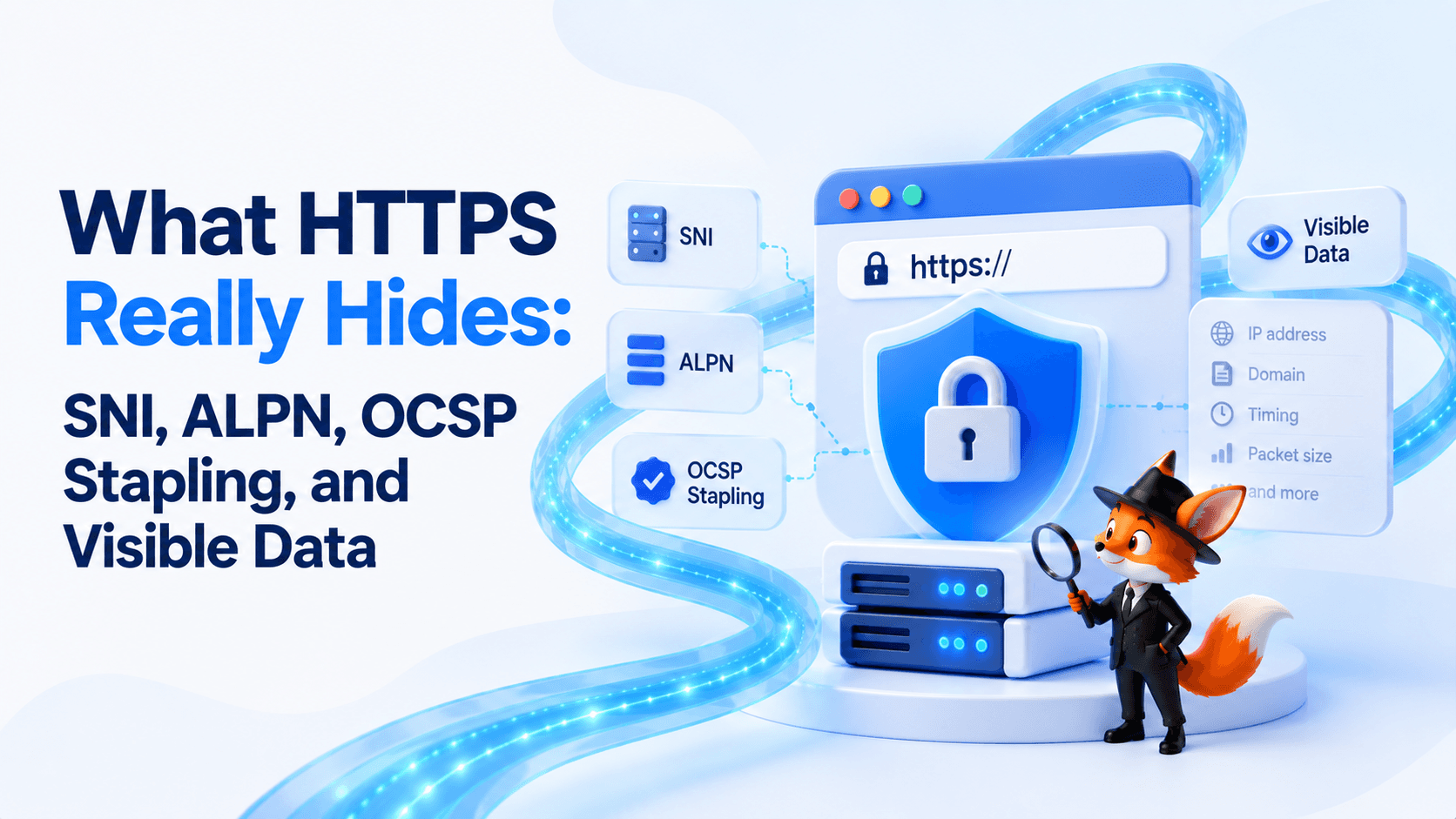
In this article, we will explain what happens inside an HTTPS connection, what SNI, ALPN, and OCSP Stapling are used for, and what information may still remain visible to the network or internet provider.
| Visible / Inferable Metadata | Encrypted Content |
|---|---|
| DNS Queries | Page Data |
| Destination IP | Forms |
| Timing | Credentials |
| Packet Sizes | HTTP Headers |
| Traffic Volume | Session Data |
| Some TLS Metadata | — |
HTTPS Does Not Encrypt Everything
Before a browser can begin exchanging encrypted HTTP data, several steps have to happen first.
The browser may need to:
- resolve the website’s IP address;
- establish a network connection;
- begin the TLS handshake;
- identify the correct certificate;
- negotiate connection parameters.
Some information therefore exists outside the encrypted application content.
Depending on the configuration, network observers may still be able to see:
- DNS queries, unless encrypted DNS such as DoH or DoT is used;
- destination IP address;
- connection timing;
- traffic volume and packet sizes;
- some TLS-related metadata.
After the TLS handshake is completed, the HTTP content itself is protected.
That includes page contents, form submissions, authentication data, and other information transmitted through the encrypted session.
The important distinction is simple:
What Is SNI?
Modern servers often host many different websites behind the same IP address.
When a browser establishes an HTTPS connection, the server needs to know which hostname the browser wants to access so it can present the correct TLS certificate and route the request properly.
This is where SNI, or Server Name Indication, is used.
Traditionally, the hostname carried in SNI has been included in the TLS ClientHello in a form that can be observed by the network.
That means an ISP, firewall, or other network observer may be able to infer which domain the user is trying to reach even though the actual page contents remain encrypted.
A newer technology called Encrypted ClientHello (ECH) is designed to protect sensitive parts of the ClientHello, including the server name.
However, ECH availability depends on support from the browser, DNS configuration, and the destination service, so it cannot be assumed to be active everywhere.
What Is ALPN?
Once the secure connection is being negotiated, the browser and server also need to agree on which application protocol they will use.
This is handled by ALPN, or Application-Layer Protocol Negotiation.
For example, ALPN can be used to negotiate protocols such as:
- HTTP/1.1;
- HTTP/2.
HTTP/3 is different because it runs over QUIC rather than the traditional TCP-based TLS stack, although TLS 1.3 is still used within QUIC for cryptographic negotiation.
ALPN itself is not an encryption mechanism.
Its purpose is protocol selection.
It allows both sides to agree on the application protocol without requiring a separate connection negotiation after TLS has been established.
Is ALPN Visible?
In a conventional TLS connection without ECH, the application protocols offered by the client through ALPN can be observable in the ClientHello. For example, a browser may advertise support for HTTP/2 using the h2 identifier.
With TLS 1.3, the protocol selected by the server is carried inside the encrypted portion of the handshake. When ECH is used, sensitive ClientHello extensions can also be protected if the required client and destination infrastructure support it.
Even when specific TLS handshake parameters are not directly observable, encrypted traffic can still be analyzed through indirect characteristics such as packet sizes, timing, direction, and traffic volume.
This is one reason network monitoring systems can classify encrypted traffic without reading the actual HTTP content.
What Is OCSP Stapling?
A browser should not trust a TLS certificate only because it is correctly signed.
It may also need to determine whether that certificate has been revoked.
One historical approach used OCSP, or Online Certificate Status Protocol.
With regular OCSP, the browser may contact the Certificate Authority’s OCSP responder to ask whether the certificate is still valid.
This creates two disadvantages:
- an additional network request can slow down connection establishment;
- the certificate authority may learn which certificate the browser is checking.
OCSP Stapling changes this process.
Instead of requiring the browser to contact the OCSP responder directly, the website server can periodically obtain a signed certificate-status response and include it during the TLS handshake.
This can provide several benefits:
- fewer additional requests;
- lower connection latency;
- less direct certificate-checking activity exposed to the Certificate Authority;
- more efficient certificate validation.
OCSP Stapling is therefore primarily a performance and privacy improvement in certificate-status checking.
What Information Can Still Be Visible With HTTPS?
HTTPS protects the application data inside the connection, but it does not hide all network metadata.
Depending on the technologies in use, observers may still be able to see or infer information such as:
- source and destination IP addresses;
- connection timing;
- packet sizes;
- total traffic volume;
- DNS queries if DNS is not encrypted;
- protocol characteristics;
- some TLS handshake properties;
- the destination hostname when SNI is exposed.
At the same time, HTTPS protects the contents of HTTP requests and responses from passive network observers.
For example, they generally cannot simply read:
- page contents;
- submitted passwords;
- form contents;
- HTTP headers protected inside TLS;
- session data transmitted over the encrypted connection.
Why HTTPS Does Not Make You Anonymous
Security and anonymity are different concepts.
HTTPS protects information in transit between the client and the website.
It does not prevent the website itself from receiving information about the visitor.
A website can still see or collect signals such as:
- public IP address;
- Cookies;
- Local Storage;
- Browser Fingerprint;
- IP Reputation;
- account identifiers;
- behavioral signals.
For example, if you sign in to an account over HTTPS, the connection is encrypted, but the service still knows which account is being used.
Similarly, HTTPS does not stop analytics scripts or Browser Fingerprinting from operating inside the page.
The distinction can be summarized as:
HTTPS and Browser Fingerprinting
Browser Fingerprinting operates at a different layer from HTTPS.
HTTPS determines how traffic is protected while traveling across the network.
Browser Fingerprinting analyzes characteristics exposed by the browser environment itself.
These may include:
- Canvas;
- WebGL;
- WebGPU;
- Audio;
- ClientRects;
- fonts;
- screen characteristics;
- browser and operating system parameters.
HTTPS does not hide these signals from the website because the browser intentionally provides them to page scripts or web APIs after the secure connection is established.
This is why an encrypted website can still identify or classify a browser environment using application-level techniques.
How a VPN Complements HTTPS
HTTPS and VPNs can work together because they protect different parts of the connection.
HTTPS protects the connection between the client application and the destination website.
A VPN creates an encrypted tunnel between the device and the VPN server.
With a VPN active, the local ISP or Wi-Fi operator primarily sees the connection to the VPN infrastructure rather than each destination connection in the same way it would without the tunnel.
The destination website, meanwhile, generally sees the VPN server’s public IP instead of the original public IP.
A VPN service such as WhoVPN can therefore help with network-level privacy by:
- replacing the visible public IP with the VPN server’s IP;
- routing supported traffic through an encrypted tunnel;
- handling DNS according to the VPN configuration;
- reducing direct visibility of destination traffic to the local network provider.
HTTPS still operates separately for connections to HTTPS websites.
These technologies complement one another rather than replacing each other.
| Parameter | HTTPS Only | HTTPS + VPN |
|---|---|---|
| Route | Device → ISP / Network → HTTPS Website | Device → Encrypted VPN Tunnel → VPN Server → HTTPS Website |
| Content | Encrypted by HTTPS | Encrypted by HTTPS |
| Local Network / ISP | Network route remains visible | Primarily sees the connection to the VPN infrastructure |
| Public IP Visible to Website | Original public IP | VPN server’s public IP |
| HTTPS Protection | Protects the contents of the connection | Continues to protect application traffic between the client and the HTTPS endpoint |
HTTPS vs VPN
The difference is easier to understand when the two are compared directly.
| Feature | HTTPS | VPN |
|---|---|---|
| Encrypts page contents | Yes | Traffic is encrypted inside the VPN tunnel, but end-to-end website protection still depends on HTTPS |
| Hides original IP from website | No | Usually yes |
| Protects traffic on public Wi-Fi | Yes for HTTPS content | Yes between device and VPN server |
| Changes DNS path | No by itself | Often, depending on configuration |
| Prevents Cookies | No | No |
| Prevents Browser Fingerprinting | No | No |
| Hides destination from ISP | Limited by network metadata | Can significantly reduce direct destination visibility |
The two layers solve different problems.
Encrypted DNS and HTTPS
DNS is another important part of the privacy picture.
Before connecting to a domain, the device often needs to resolve that domain into an IP address.
Traditional DNS queries are commonly sent without application-layer encryption, which can expose domain lookups to the local network or DNS resolver path.
Technologies such as:
- DNS over HTTPS (DoH);
- DNS over TLS (DoT)
encrypt DNS queries between the client and the selected DNS resolver.
However, encrypted DNS does not automatically hide the destination IP address from the network.
It also does not replace HTTPS or a VPN.
Each technology protects a different part of the connection.
What Does ECH Change?
Encrypted ClientHello is intended to reduce one of the remaining privacy leaks in TLS connection establishment.
Without ECH, the server name may be visible in the ClientHello through SNI.
With ECH, sensitive ClientHello information can be encrypted so that passive network observers cannot read the target hostname in the same way.
This improves privacy, but ECH does not make the entire connection invisible.
Network observers may still see:
- destination IP;
- packet timing;
- traffic volume;
- connection characteristics.
ECH therefore addresses a specific metadata exposure rather than providing complete network anonymity.
What Can Websites Still See?
Even if you use HTTPS, encrypted DNS, ECH, and a VPN, the website itself still receives the information necessary to interact with your browser.
That can include:
- browser characteristics;
- Cookies;
- account information;
- Local Storage;
- session data;
- Browser Fingerprint signals;
- user behavior.
This is why network privacy and browser privacy should be considered separately.
Protecting transport metadata does not automatically prevent application-level tracking.
How to Check What Is Visible
You can use a diagnostic service such as Whoer.net to inspect what websites can detect about your current environment.
Typical checks include:
- public IP address;
- DNS configuration;
- WebRTC;
- IPv6;
- Browser Fingerprint characteristics.
This helps illustrate the difference between encrypted transport and the technical information still available to the destination website.
Conclusion
HTTPS is one of the most important security technologies on the modern web.
It protects the contents of communication between browsers and websites, including page data, credentials, forms, session information, and other HTTP traffic transmitted inside the encrypted connection.
However, HTTPS does not hide every detail about the connection itself.
Network-level information such as IP addresses, timing, traffic volume, DNS activity, and some protocol metadata may still remain visible or inferable depending on the technologies being used.
SNI helps servers select the correct hostname and certificate. ALPN helps negotiate the application protocol. OCSP Stapling improves certificate-status checking by reducing the need for direct OCSP requests from the browser.
Additional technologies such as Encrypted DNS, ECH, and VPNs can protect other parts of the metadata path.
The key point is that privacy is layered.
HTTPS protects the contents of the connection, while other technologies address DNS visibility, TLS metadata, IP exposure, and local network privacy.
FAQ
Does HTTPS Hide the Website You Visit?
Not always. HTTPS encrypts the HTTP content exchanged with the website, but destination IP addresses and some connection metadata may still remain visible. If SNI is exposed, the hostname may also be observable during connection establishment.
What Is SNI in HTTPS?
SNI, or Server Name Indication, allows a browser to tell a server which hostname it wants to access when multiple websites share the same IP address. Traditionally, this information can be exposed in the TLS ClientHello.
What Does Encrypted ClientHello Protect?
ECH is designed to encrypt sensitive ClientHello information, including the server name that would otherwise be exposed through SNI. It does not hide all network metadata such as destination IP addresses, packet timing, or traffic volume.
What Is ALPN Used For?
ALPN allows the client and server to negotiate which application protocol will be used for the connection, such as HTTP/1.1 or HTTP/2. It is a protocol-negotiation mechanism rather than an anonymity or encryption technology.
What Is OCSP Stapling?
OCSP Stapling allows the server to provide a signed certificate-status response during the TLS handshake. This can reduce the need for the browser to contact the Certificate Authority’s OCSP responder directly.
Service comparison
Compare VPNs and antidetect browsers in one place: editorial scores, parameter bars, feature tags, and pros & cons—side by side.
Compare