Canvas vs WebGL Fingerprinting: What's the Difference?
Learn how Canvas Fingerprinting and WebGL Fingerprinting work, what information they collect, and why modern anti-fraud systems analyze both as part of a larger browser fingerprint.

Paul Jackson
Technology editor
Many people discover browser fingerprinting after learning that clearing cookies doesn’t always stop websites from recognizing them.
Soon another question follows:
What’s the difference between Canvas Fingerprinting and WebGL Fingerprinting?
The names sound similar, and both involve graphics rendering, so they’re often confused. In practice, though, they collect different kinds of information.
More importantly, modern anti-fraud systems rarely rely on either one in isolation. Canvas and WebGL are simply two pieces of a much larger Browser Fingerprint.
What is Browser Fingerprinting?
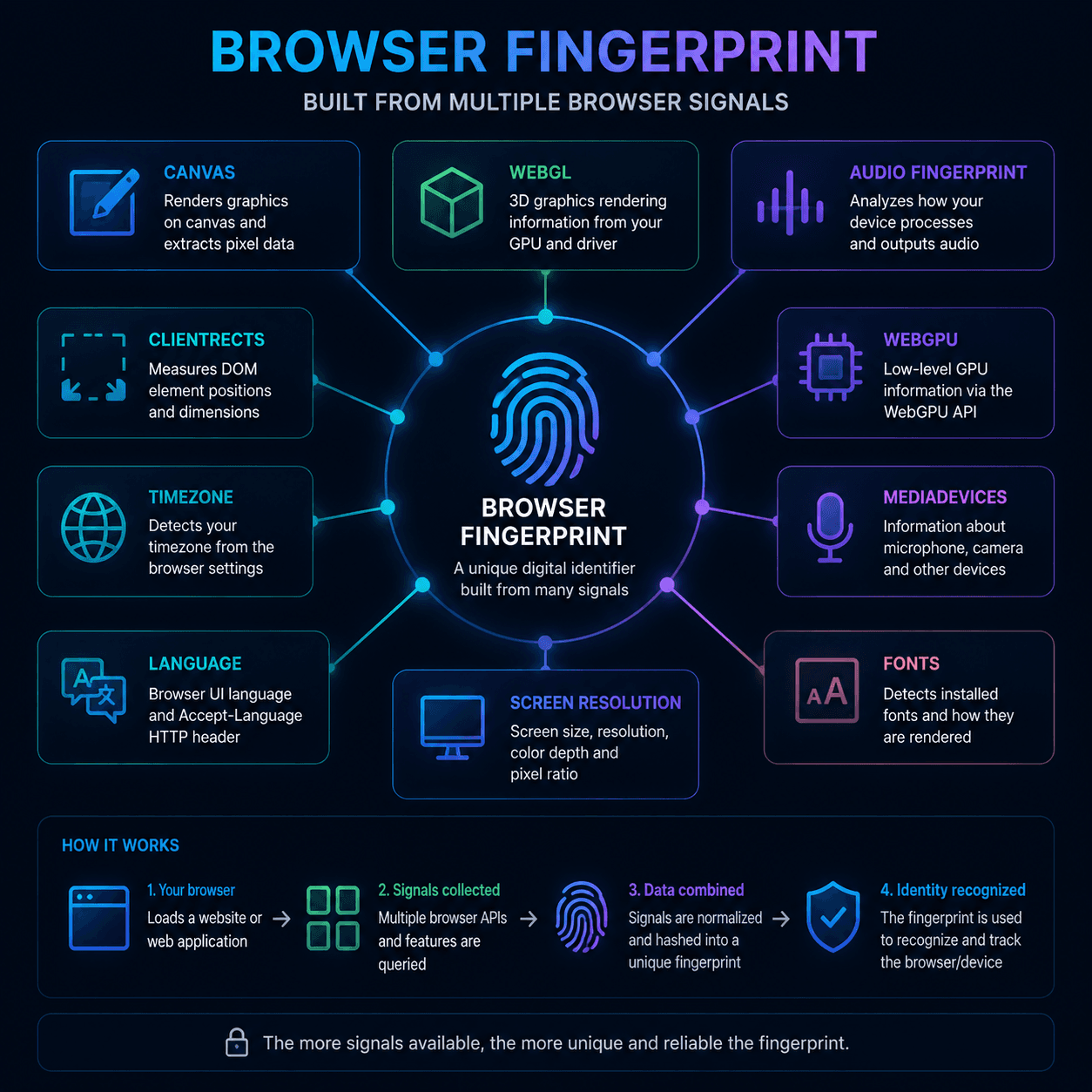
Browser Fingerprinting identifies a browser by analyzing its characteristics instead of storing cookies on the user’s device.
Rather than asking “Who are you?”, a website observes how your browser behaves and what capabilities it exposes.
Typical signals include:
- Canvas;
- WebGL;
- ClientRects;
- Audio;
- WebGPU;
- MediaDevices;
- installed fonts;
- screen resolution;
- timezone;
- language settings.
Each parameter contributes only a small amount of information. Combined together, however, they often create a highly distinctive browser profile.
That’s why changing a single value rarely prevents identification.
What is Canvas Fingerprinting?
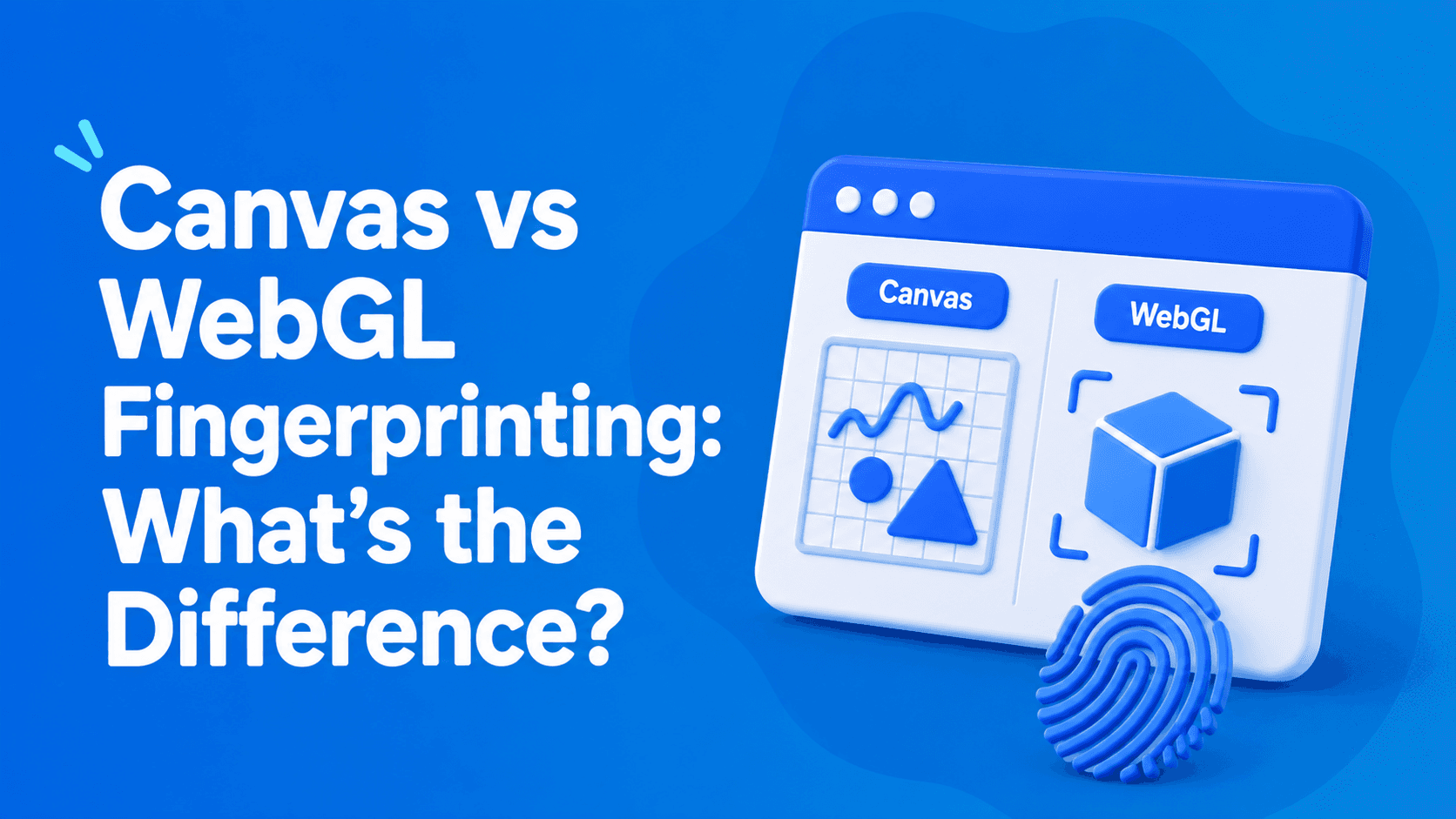
Canvas Fingerprinting relies on the HTML5 Canvas API.
A website silently asks the browser to render hidden text or graphics and then analyzes the resulting pixels. The final image is converted into a hash that becomes part of the browser fingerprint.
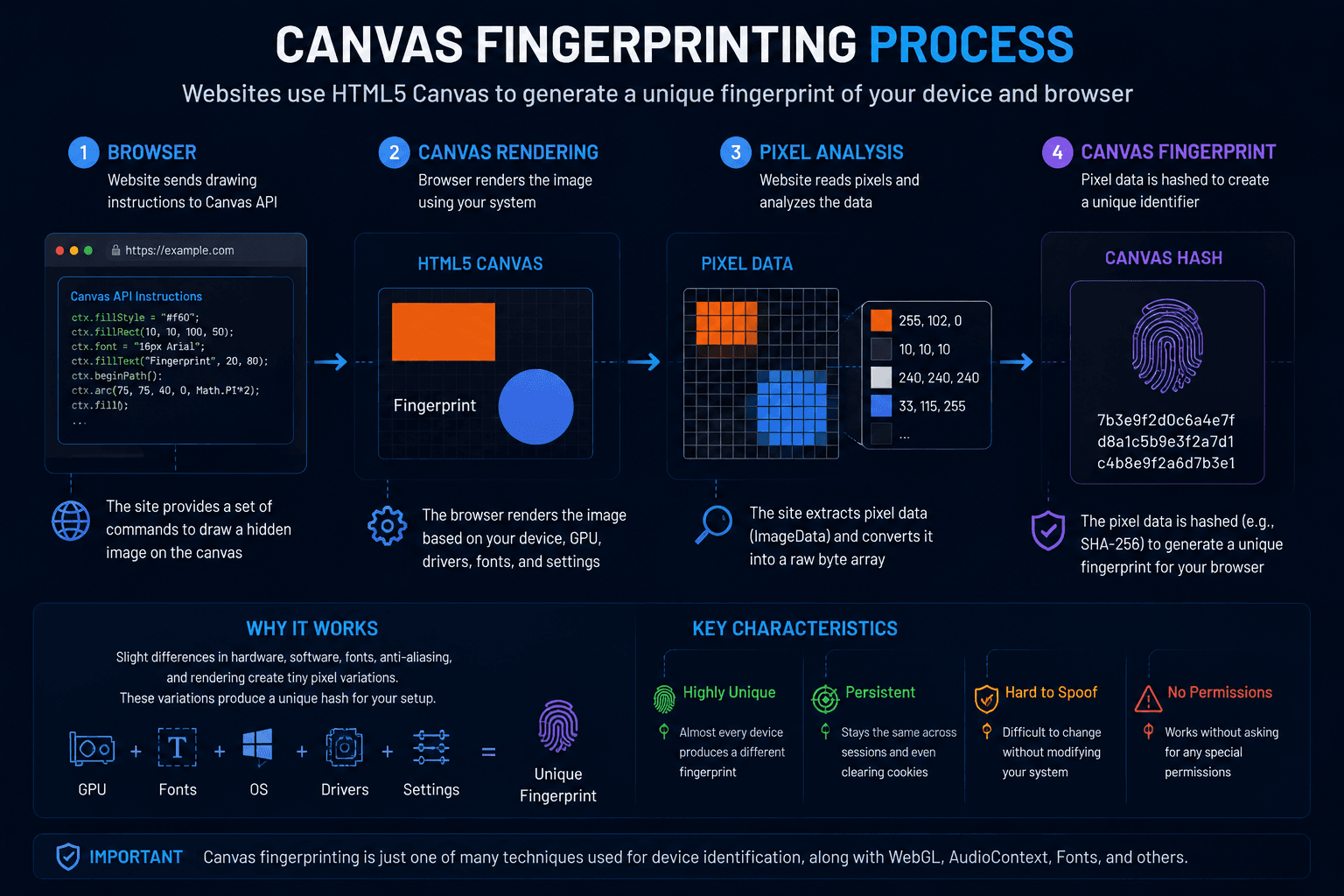
The output depends on many variables, including:
- operating system;
- browser version;
- rendering engine;
- graphics libraries;
- installed fonts;
- GPU.
Even two computers with similar specifications can generate slightly different results.
What is WebGL Fingerprinting?
WebGL Fingerprinting focuses on the graphics subsystem itself.
Instead of examining a simple 2D image, it interacts with your GPU and rendering environment.
Depending on the browser, websites may collect information such as:
- GPU vendor;
- renderer information;
- supported extensions;
- graphics capabilities;
- driver-specific behavior.
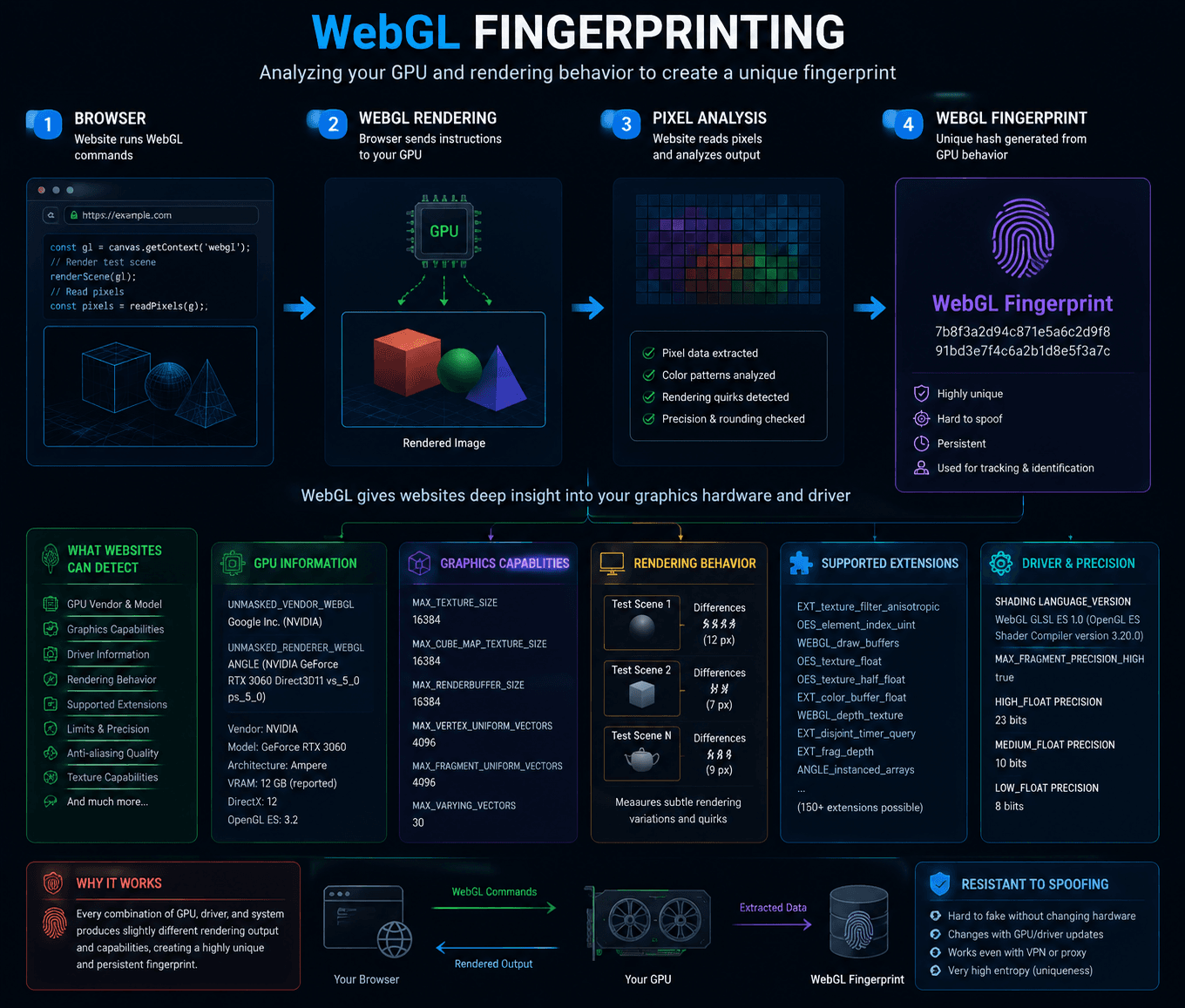
Rather than measuring the rendered output alone, WebGL helps reveal characteristics of the underlying hardware and graphics stack.
Canvas vs WebGL: key differences
Although both techniques involve graphics rendering, they provide different types of information.
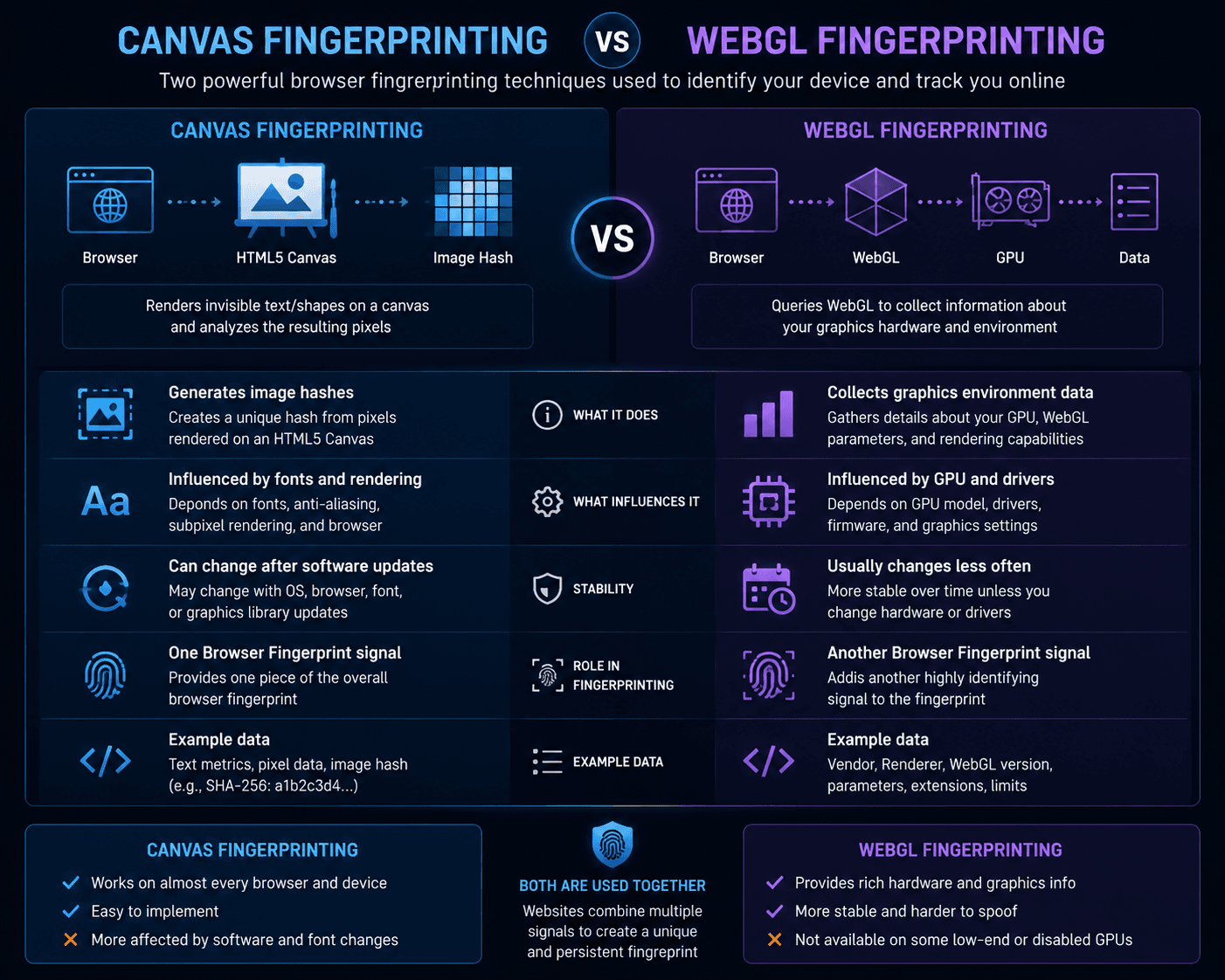
Modern anti-fraud systems don’t choose one over the other. They usually evaluate both.
Why is WebGL often considered more stable?
Canvas output may change after a browser update, a new font installation, or modifications to the rendering engine.
WebGL characteristics are tied more closely to physical hardware and graphics drivers, which tend to remain unchanged for longer periods.
For that reason, many security systems consider WebGL a relatively stable source of entropy.
Still, neither technique should be viewed as permanent. Both can change over time as hardware or software evolves.
What information do they actually reveal?
Neither Canvas nor WebGL exposes personal files or private documents.
Instead, they provide clues about the browser and device configuration.
Canvas can reflect differences in rendering behavior and font processing.
WebGL can expose details about the graphics hardware, supported capabilities, and rendering implementation.
Individually, these signals are limited. Combined with dozens of other browser properties, they become much more valuable for identification.
Modern anti-fraud systems combine many signals
Today’s anti-fraud platforms rarely rely on a single fingerprinting technique.
Instead, they build a much broader profile using information from multiple sources, including:
- Canvas;
- WebGL;
- ClientRects;
- Audio Fingerprint;
- WebGPU;
- MediaDevices;
- installed fonts;
- browser APIs.
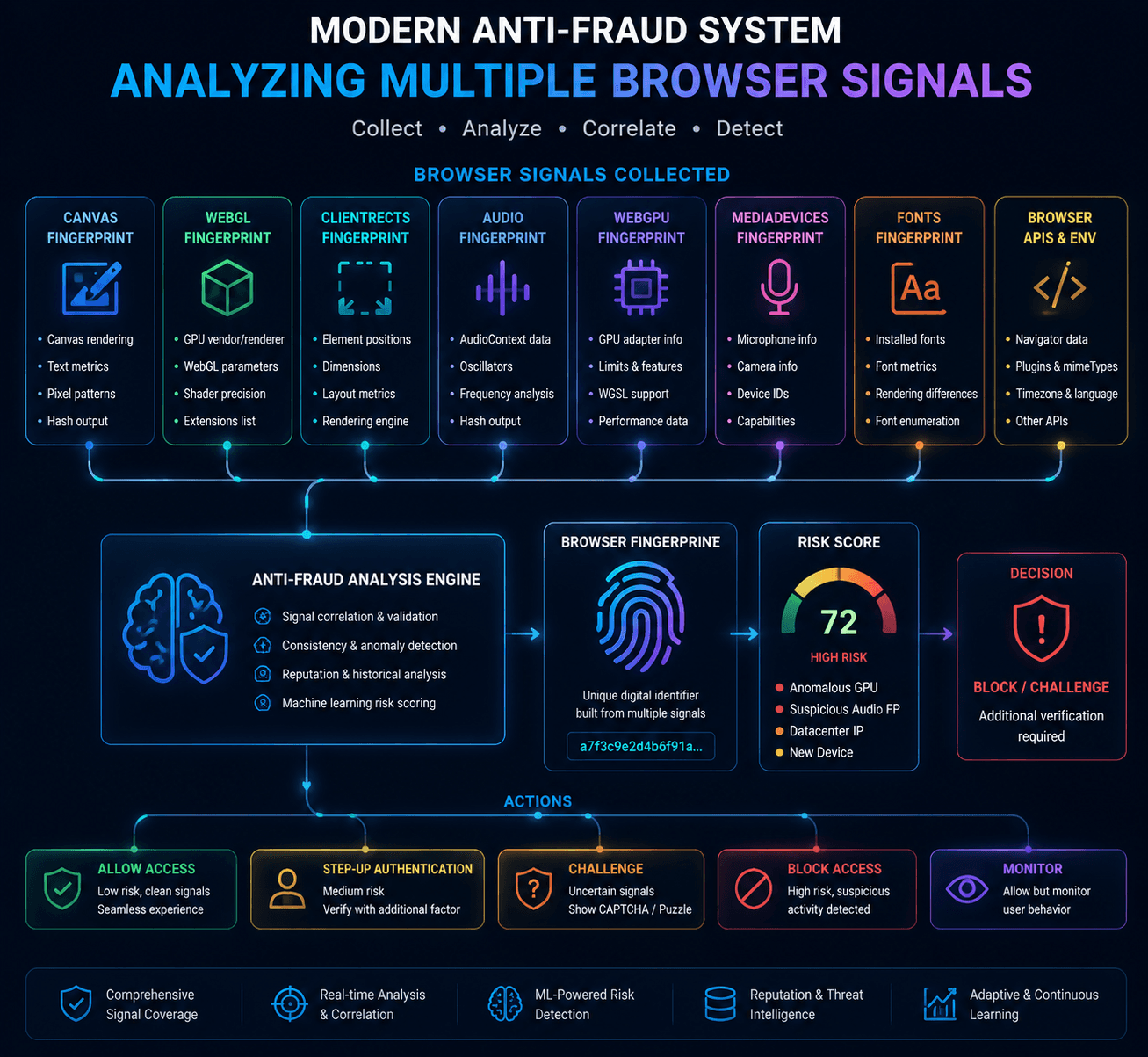
The goal is not to evaluate one parameter in isolation but to determine whether the entire browser environment appears internally consistent.
How WadeX manages browser fingerprints
Managing browser fingerprints isn’t just about changing as many values as possible.
In many cases, excessive modification creates its own problems.
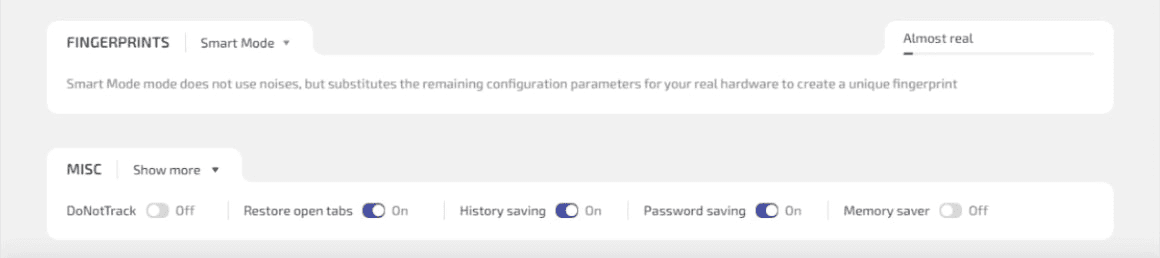
WadeX allows users to manage multiple fingerprint components while creating isolated browser profiles. For most scenarios, the recommended approach is to start with Smart Mode, which prioritizes native-looking values instead of introducing unnecessary alterations.
When additional customization is required, WadeX supports selective management of components such as:
- WebGL;
- ClientRects;
- WebGPU;
- MediaDevices.
Canvas requires a more careful approach. Injecting visible Canvas noise can itself become a signal for advanced anti-fraud systems, which is why Smart Mode is generally recommended as the default configuration.
The objective is not to maximize fingerprint modifications but to create a browser profile that remains realistic and internally consistent.
Check your browser fingerprint
After configuring an anti-detect profile or adjusting browser settings, it’s useful to verify the result.
Whoer Fingerprint Checker displays multiple browser characteristics, including:
- Browser Fingerprint;
- Canvas Fingerprint;
- WebGL Fingerprint;
- other commonly analyzed browser signals.
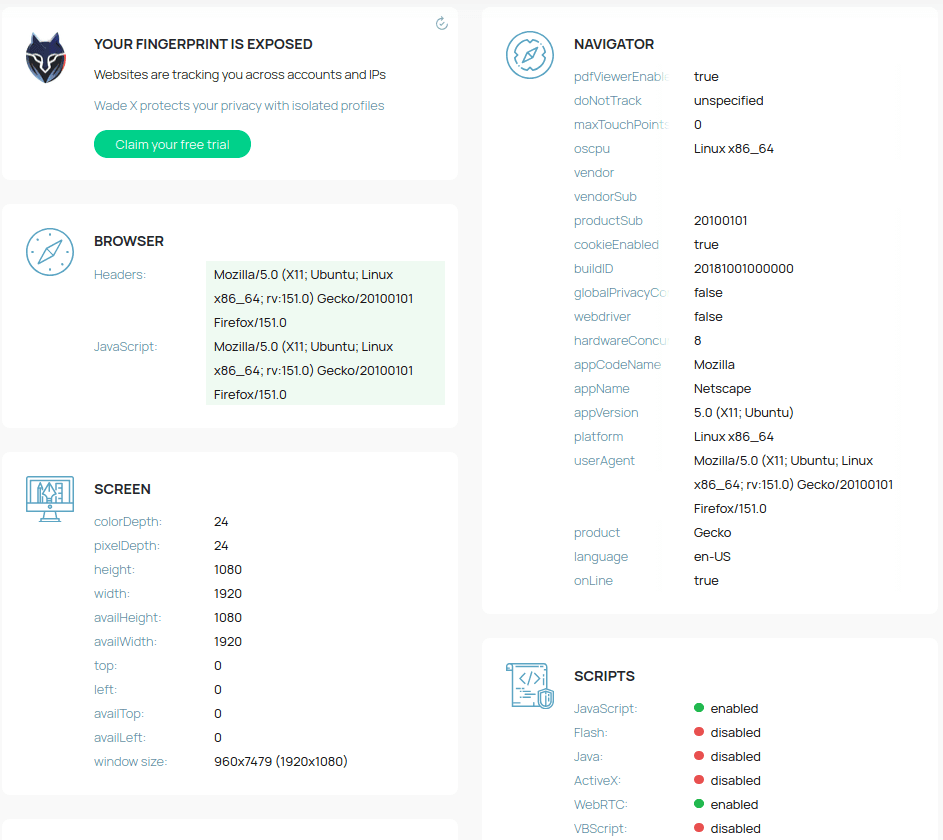
Running a fingerprint test helps confirm that the browser behaves as expected and that its reported characteristics remain consistent.
Which matters more: Canvas or WebGL?
There isn’t a single correct answer.
Modern anti-fraud systems don’t depend exclusively on Canvas or WebGL. Instead, both contribute to a much broader Browser Fingerprint alongside technologies such as ClientRects, Audio, WebGPU, and MediaDevices.
In 2026, successful browser identification comes from evaluating all of these signals together rather than relying on any single fingerprinting technique.