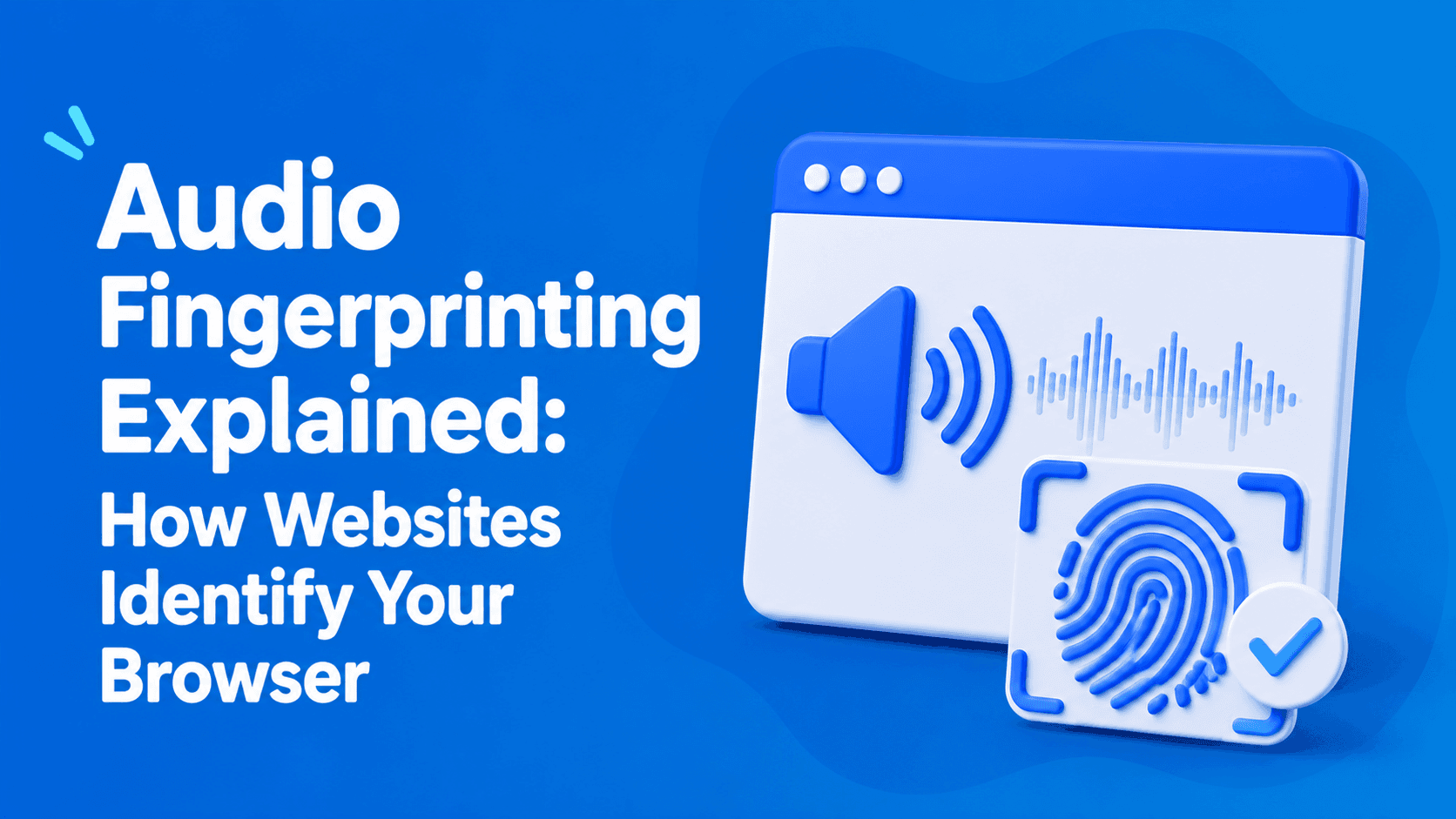
Audio Fingerprinting Explained: How Websites Identify Your Browser
Learn how Audio Fingerprinting works, why websites use the Web Audio API to generate browser fingerprints, and how audio signals fit into modern anti-fraud and browser identification systems.

Paul Jackson
Technology editor
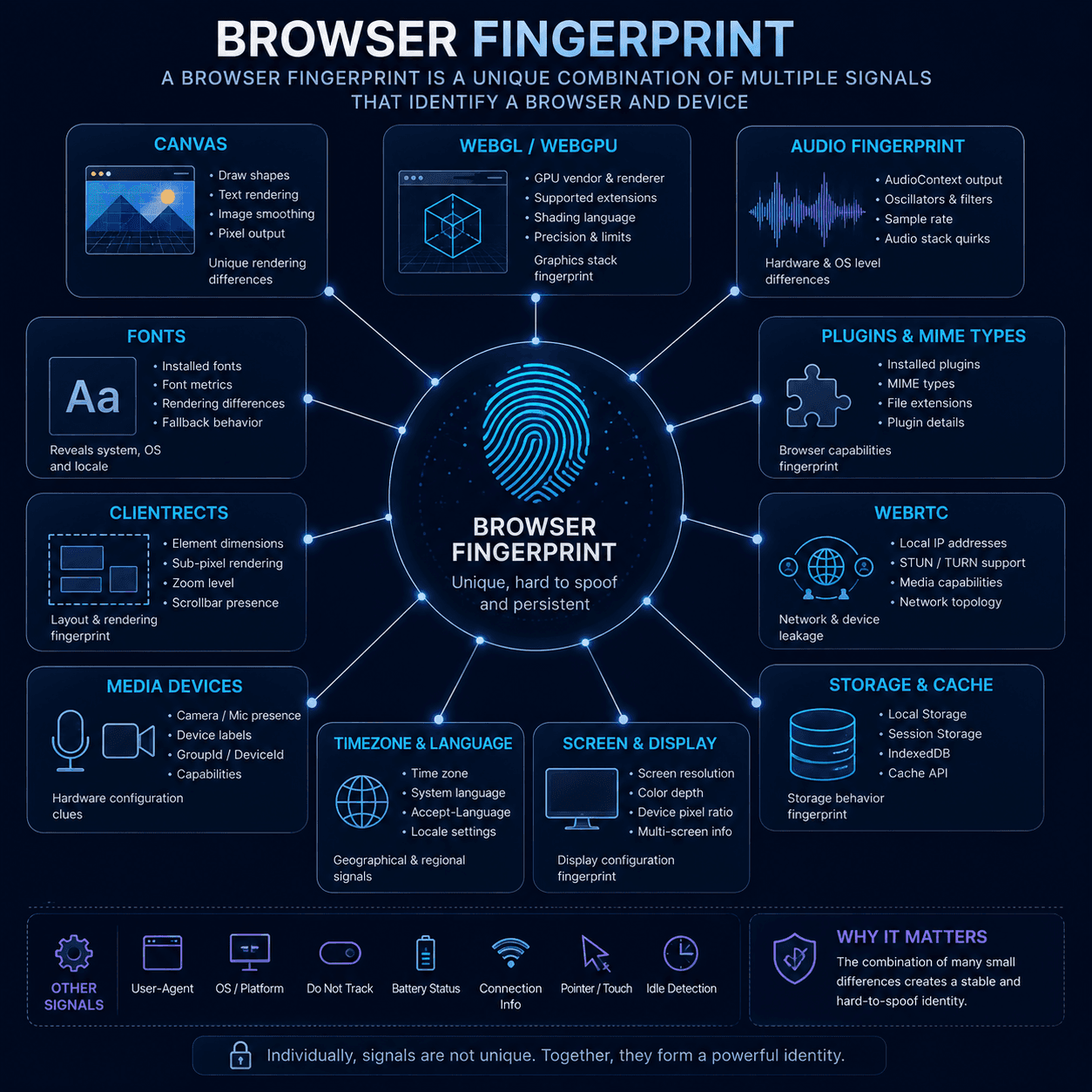
When people talk about browser fingerprinting, they usually think about Canvas, WebGL, fonts, or User-Agent strings.
However, modern websites can also analyze something far less obvious: your browser’s audio subsystem.
This technique is known as Audio Fingerprinting.
Despite the name, it has nothing to do with recording microphone input or listening to conversations.
Instead, websites use the browser’s built-in audio engine and analyze how your device processes a specially generated audio signal.
Like Canvas or WebGL, Audio Fingerprinting is only one component of a much larger Browser Fingerprint.
What is Audio Fingerprinting?
Audio Fingerprinting is a method of identifying browsers based on how they process audio.
The technique relies on the Web Audio API, a browser feature designed for audio generation and processing.
A website creates a virtual audio signal and lets the browser process it internally. The resulting output is then analyzed.
Even when no sound is played through speakers or headphones, the final calculations can vary slightly depending on the device and software environment.
Factors that may influence the result include:
- operating system;
- browser;
- browser version;
- Web Audio API implementation;
- CPU architecture;
- audio drivers.
These subtle differences contribute to an audio fingerprint.
How does Audio Fingerprinting work?
The process is surprisingly straightforward.
Step 1
A website creates a virtual audio signal using the Web Audio API.
Step 2
The signal is processed through an AudioContext.
Step 3
The resulting audio data is collected.
Step 4
The output is converted into a hash.
Step 5
That hash becomes one component of the Browser Fingerprint.
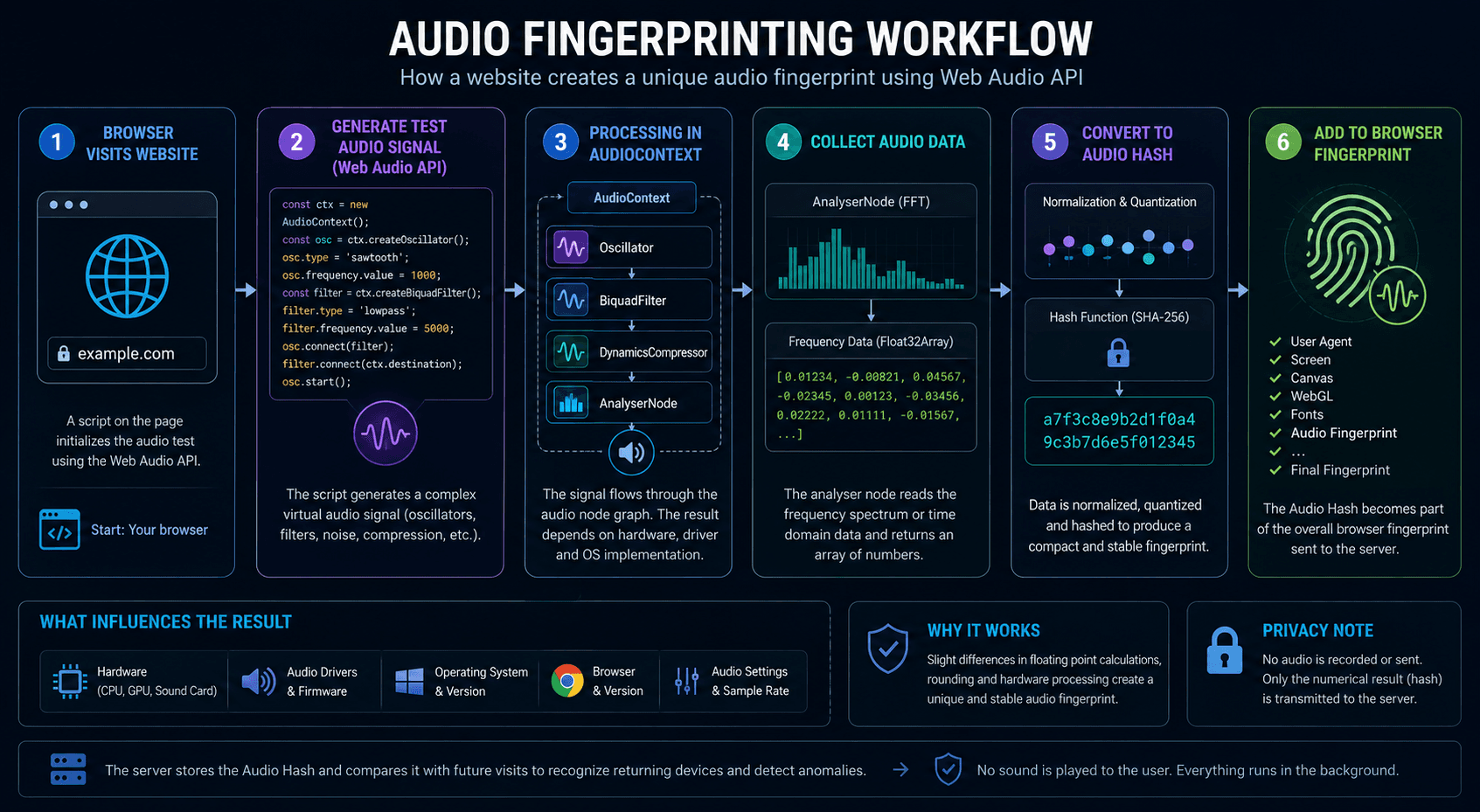
Importantly, microphone access is not required.
All calculations take place inside the browser’s audio engine.
Why do Audio Fingerprints differ between devices?
Different systems process audio calculations slightly differently.
These variations are invisible to users, but they can still be measured programmatically.
Common factors include:
- Windows, macOS, or Linux;
- Chrome, Firefox, or other browsers;
- browser versions;
- CPU architecture;
- floating-point calculation behavior;
- Web Audio API implementation details.
For example, the same audio signal may produce slightly different results in Chrome on Windows and Firefox on Linux.
Those small differences become part of the audio fingerprint.
How accurate is Audio Fingerprinting?
Many articles create the impression that Audio Fingerprinting can uniquely identify a user on its own.
In reality, that is rarely the case.
Audio Fingerprinting is usually not used as a standalone tracking mechanism.
Instead, it serves as one of many signals that contribute to a Browser Fingerprint.
Modern anti-fraud systems may analyze:
- Canvas;
- WebGL;
- Fonts;
- ClientRects;
- MediaDevices;
- Audio Fingerprint;
- User-Agent.
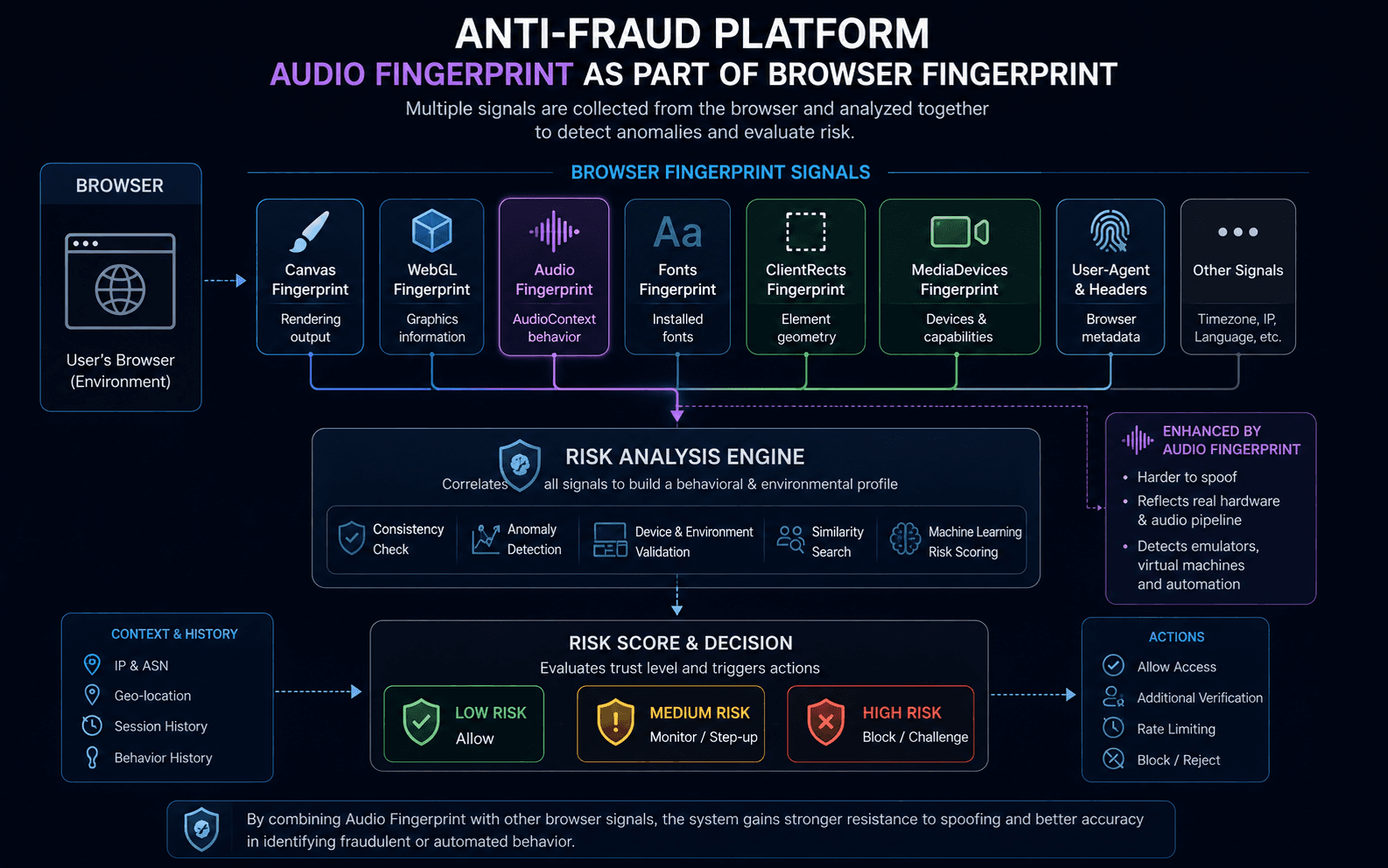
Each individual signal provides only a limited amount of information.
The real value comes from evaluating all of them together.
Audio Fingerprinting vs Canvas Fingerprinting
Both techniques contribute to Browser Fingerprinting, but they focus on different browser subsystems.
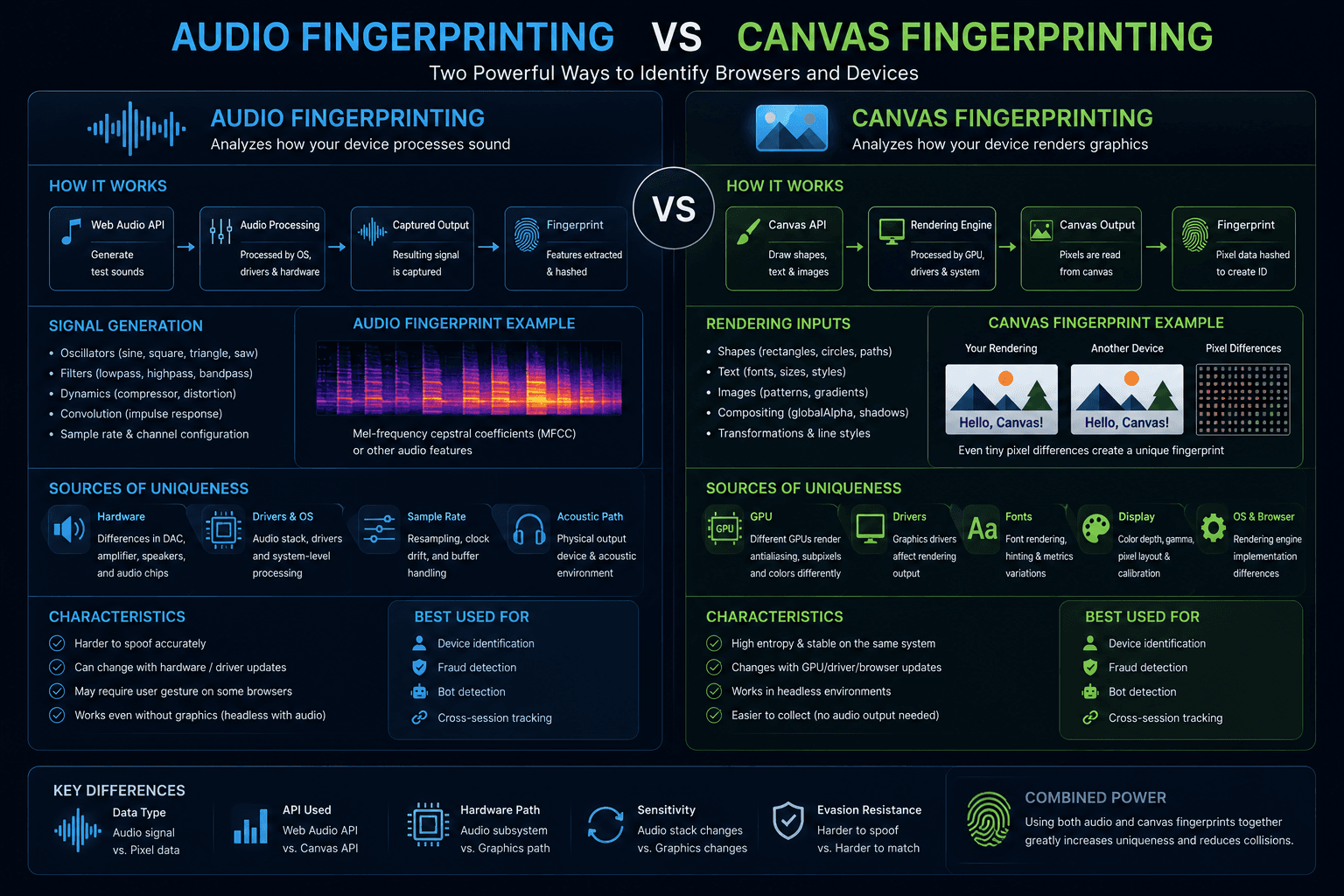
Modern websites often evaluate both at the same time.
Why do websites use Audio Fingerprinting?
The goal is usually not to identify a person solely through audio processing.
Instead, websites use it to determine whether the browser environment appears internally consistent.
Common use cases include:
- anti-fraud platforms;
- risk scoring systems;
- bot detection;
- account protection;
- multi-account detection.
Audio Fingerprints are compared with other browser characteristics to identify inconsistencies.
Audio Fingerprinting in anti-fraud systems
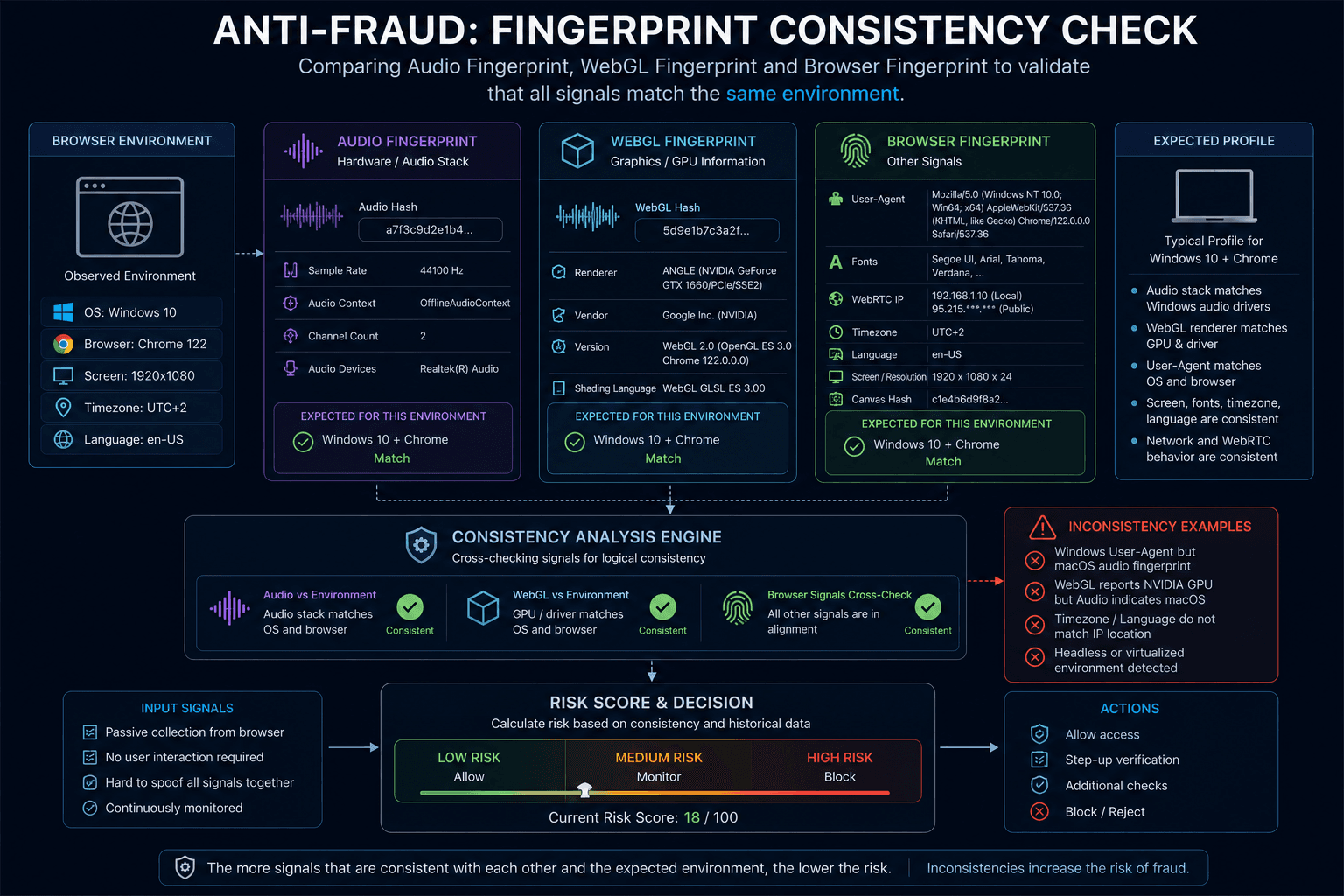
Modern anti-fraud platforms rarely rely on a single signal.
They are far more interested in how different signals fit together.
For example:
- Browser Fingerprint suggests Windows;
- WebGL indicates a particular hardware environment;
- Audio Fingerprint behaves like a completely different setup.
Such inconsistencies can increase a risk score.
When all signals align logically, the browser environment appears more natural.
Audio Fingerprinting and WadeX
Within anti-detect browser communities, the importance of Audio Fingerprinting is often overstated.
In practice, Audio Fingerprints tend to be very similar among users running the same operating system and browser version.
For that reason, modifying Audio Fingerprints is not always beneficial.
In most situations, WadeX recommends starting with Smart Mode, which preserves natural browser characteristics whenever possible.
When additional profile customization is required, more attention is typically given to:
- WebGL;
- ClientRects;
- WebGPU;
- MediaDevices.
Artificially modifying Audio Fingerprints without a clear reason can sometimes look less natural than preserving the native value.
The goal is not to change as many parameters as possible.
The goal is to maintain a realistic and internally consistent browser environment.
Can Audio Fingerprinting be blocked?
Partially.
Some browsers and privacy-focused extensions attempt to limit Web Audio API functionality or alter the generated output.
However, completely disabling audio-related APIs can itself become a fingerprinting signal.
For this reason, many privacy solutions focus on reducing entropy while preserving natural browser behavior.
As with Canvas and WebGL, there is often a balance between privacy and compatibility.
Is Audio Fingerprinting a privacy threat?
On its own, not really.
Audio Fingerprinting does not provide access to microphone recordings, personal files, or private content.
Its purpose is browser identification.
The real tracking power comes when audio data is combined with many other browser signals.
That is why Audio Fingerprinting should be viewed as one piece of the Browser Fingerprinting puzzle rather than a standalone tracking technology.