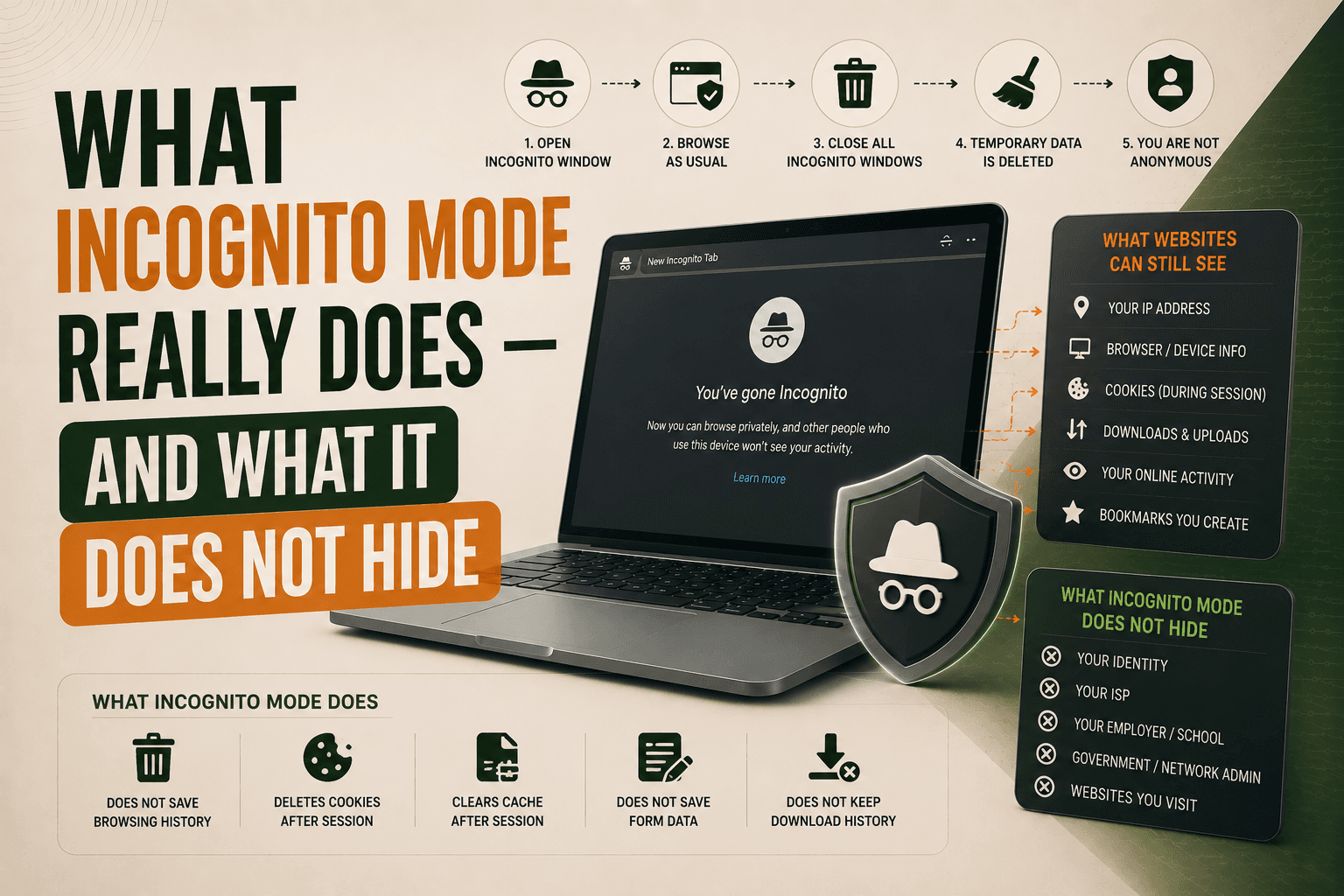
ClientRects Fingerprinting Explained: How Websites Detect Browser Geometry
Learn how ClientRects Fingerprinting works and how websites use element dimensions, coordinates, and rendering differences to identify browsers.

Paul Jackson
Technology editor

When browser fingerprinting is discussed, most attention usually goes to Canvas, WebGL, fonts, or Audio Fingerprinting.
Yet modern websites can collect information from another source that many users have never heard of: the browser’s layout engine.
This technique is known as ClientRects Fingerprinting.
Unlike Canvas or WebGL, it has nothing to do with graphics hardware, GPU rendering, or audio processing. Instead, it focuses on how the browser calculates the size and position of elements on a web page.
Like other fingerprinting techniques, ClientRects is just one piece of a much larger Browser Fingerprint.
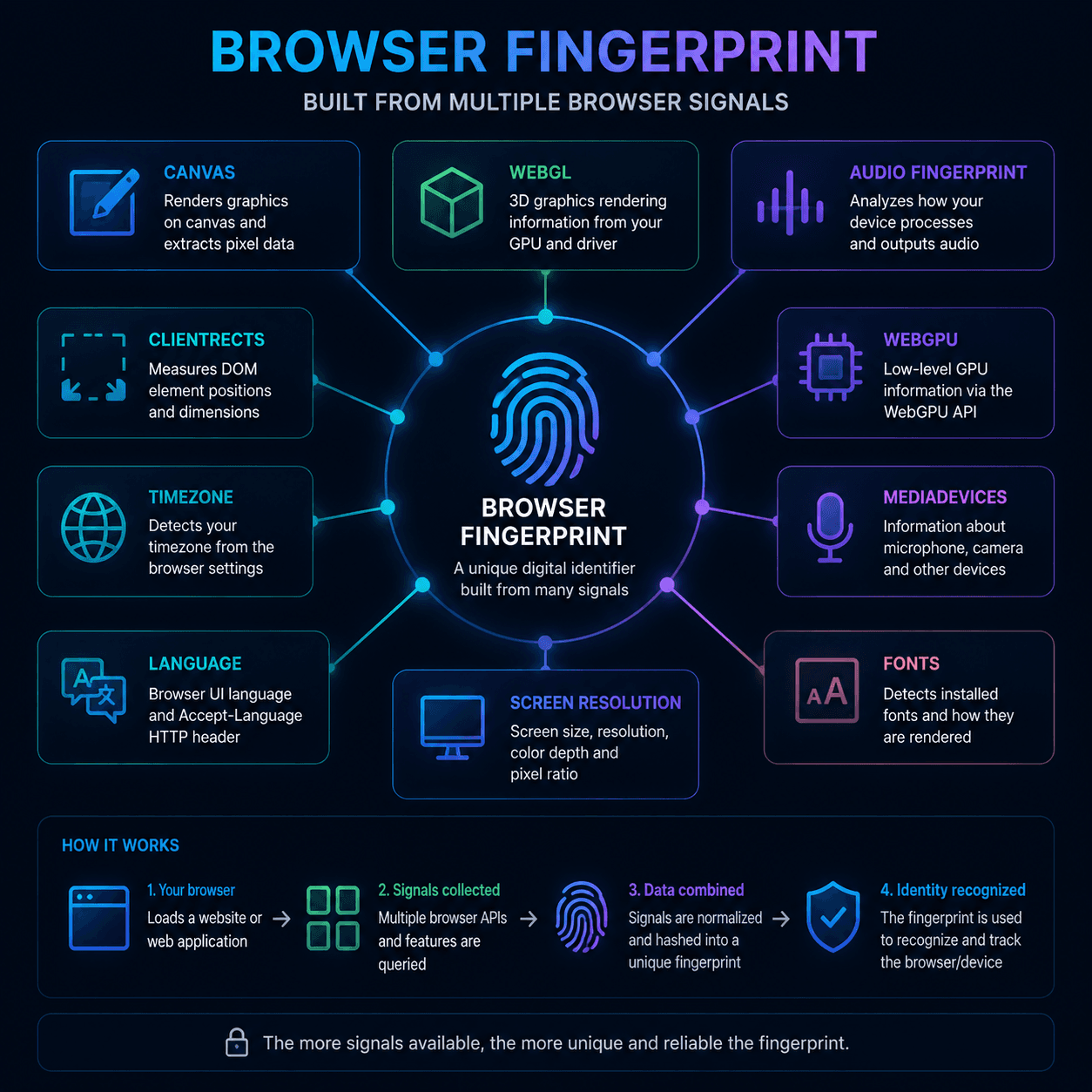
What is ClientRects?
Every browser must calculate where page elements appear on the screen.
To display a website correctly, it needs to determine:
- element width and height;
- coordinates;
- spacing and margins;
- text positioning;
- subpixel dimensions.
JavaScript can access these measurements through browser APIs such as:
getBoundingClientRect()getClientRects()
Web developers use these functions every day for layouts, animations, and interface interactions.
Fingerprinting systems simply use the same data for a different purpose.
How ClientRects Fingerprinting works
The mechanism itself is fairly straightforward.
Step 1
The website creates a collection of hidden HTML elements.
Step 2
The browser calculates their dimensions and positions.
Step 3
JavaScript reads the resulting measurements.
Step 4
The collected values are converted into a hash.
Step 5
The hash becomes part of the Browser Fingerprint.
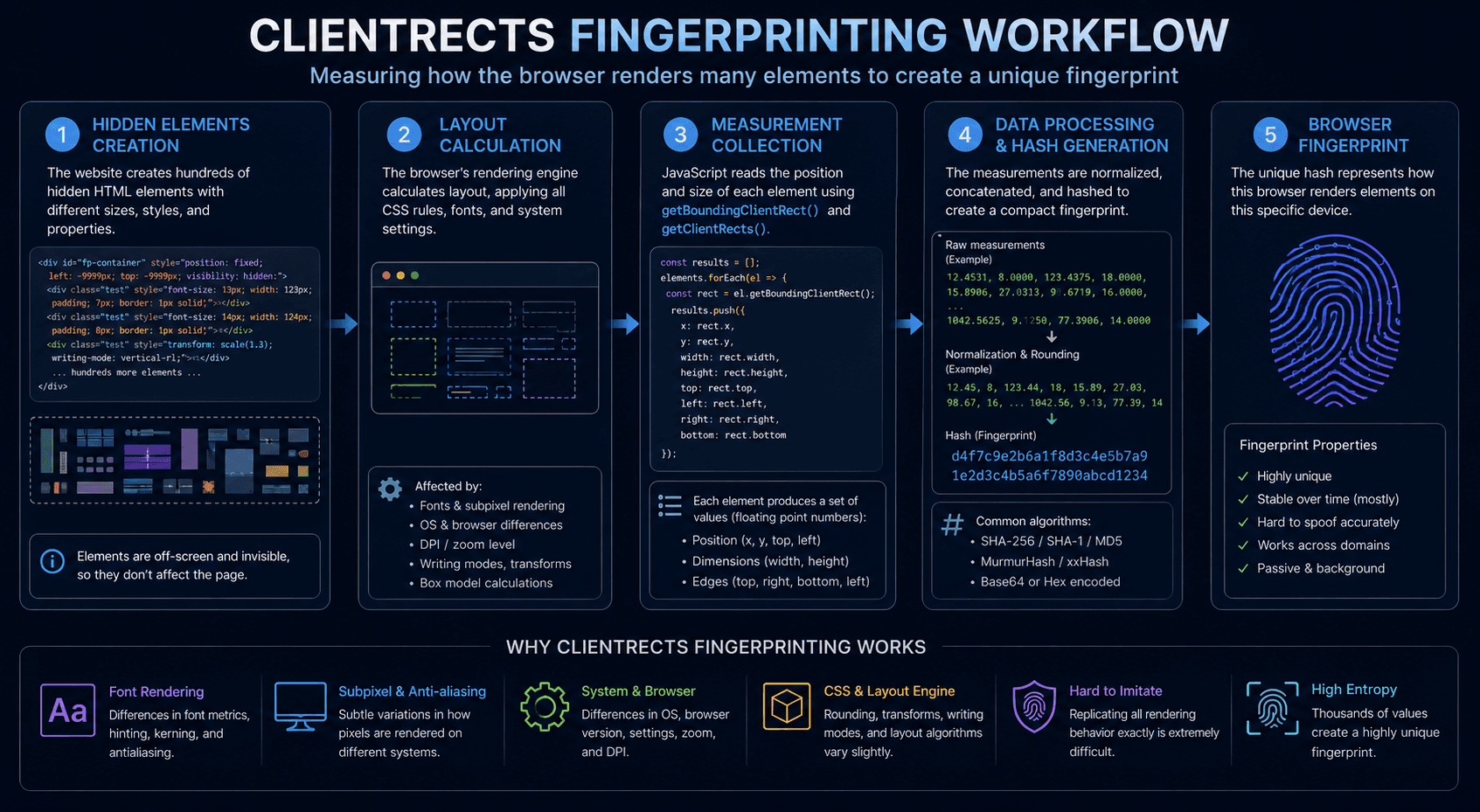
The user never sees these elements. Everything happens in the background while the page is loading.
Why do results differ between devices?
Different systems render page layouts slightly differently.
Most of these differences are too small for humans to notice, but they can still be measured programmatically.
Factors that may influence ClientRects measurements include:
- operating system;
- browser engine;
- display scaling;
- monitor DPI;
- installed fonts;
- text rendering behavior.
Even two devices running the same browser may produce slightly different results if their system settings differ.
Example of ClientRects differences
Imagine a website measuring the width of the same hidden element.
The results might look like this:
Chrome Windows 100%
Width = 200.31
Chrome Windows 125%
Width = 200.47
Firefox Windows
Width = 200.22
Safari macOS
Width = 199.98
Individually, these differences seem insignificant.
However, websites rarely measure just one element. Modern fingerprinting systems may analyze dozens or even hundreds of elements at once.
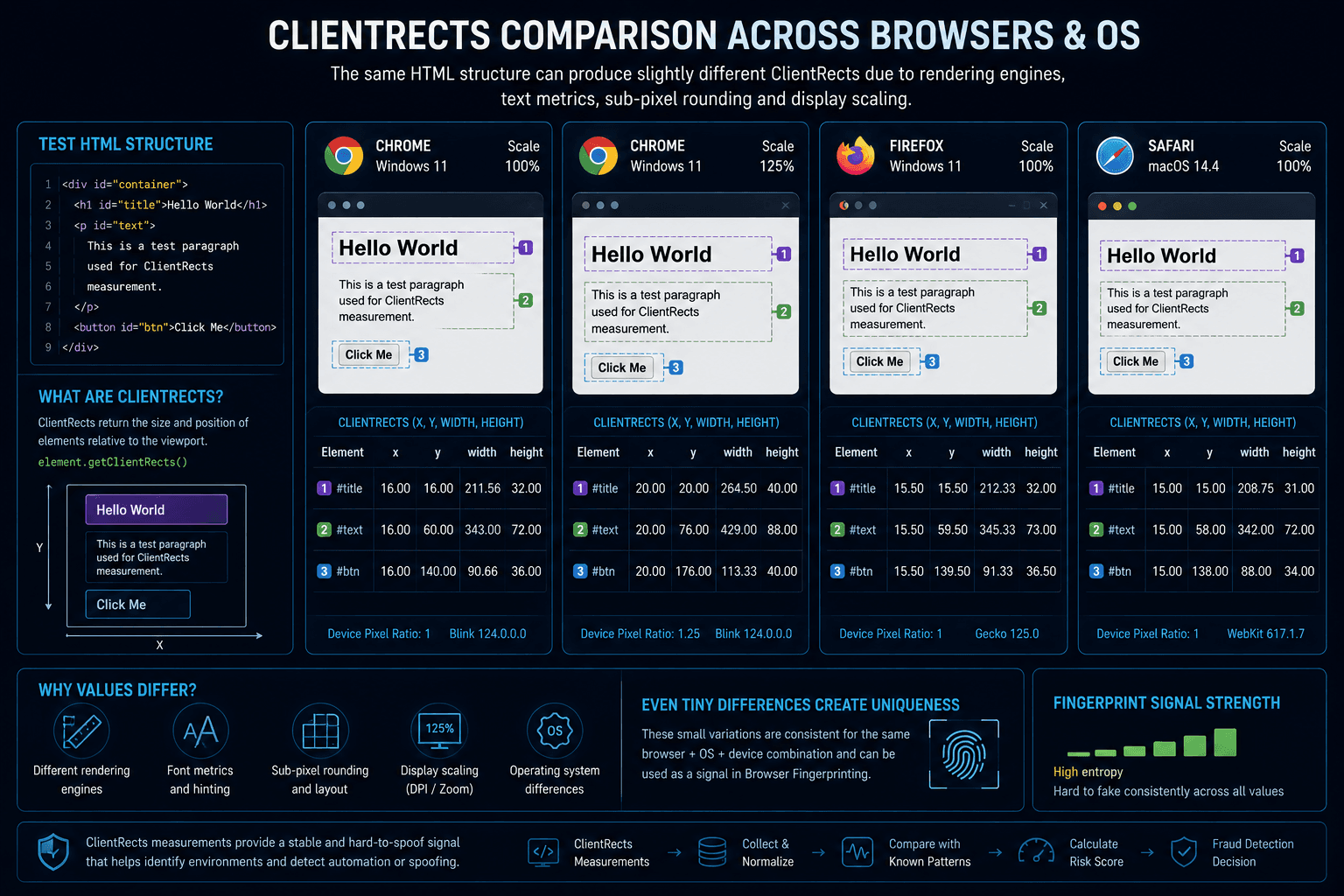
When enough measurements are combined, they become a useful fingerprinting signal.
Why websites use ClientRects Fingerprinting
ClientRects helps websites understand more about the browser environment behind a connection.
Common use cases include:
- improving Browser Fingerprint accuracy;
- detecting automation;
- identifying profile inconsistencies;
- supporting anti-fraud systems.
For example, a browser profile may claim to represent one operating system while producing ClientRects values that look more typical of another environment.
Such mismatches can increase suspicion.
ClientRects vs Canvas vs WebGL
Although these technologies are often grouped together, they analyze completely different browser components.
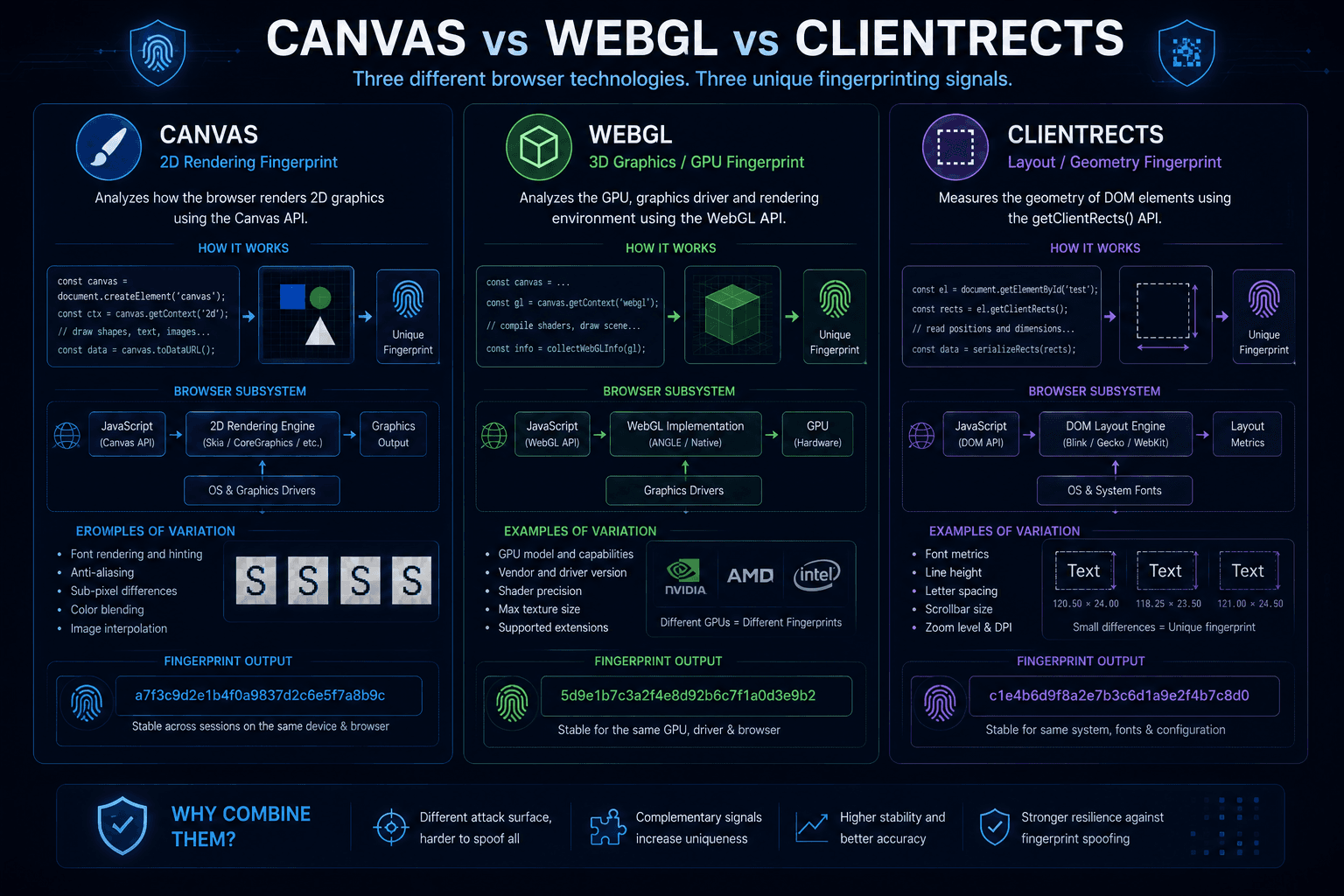
Canvas focuses on image rendering.
WebGL focuses on graphics capabilities and GPU-related behavior.
ClientRects focuses on how the browser calculates page layout.
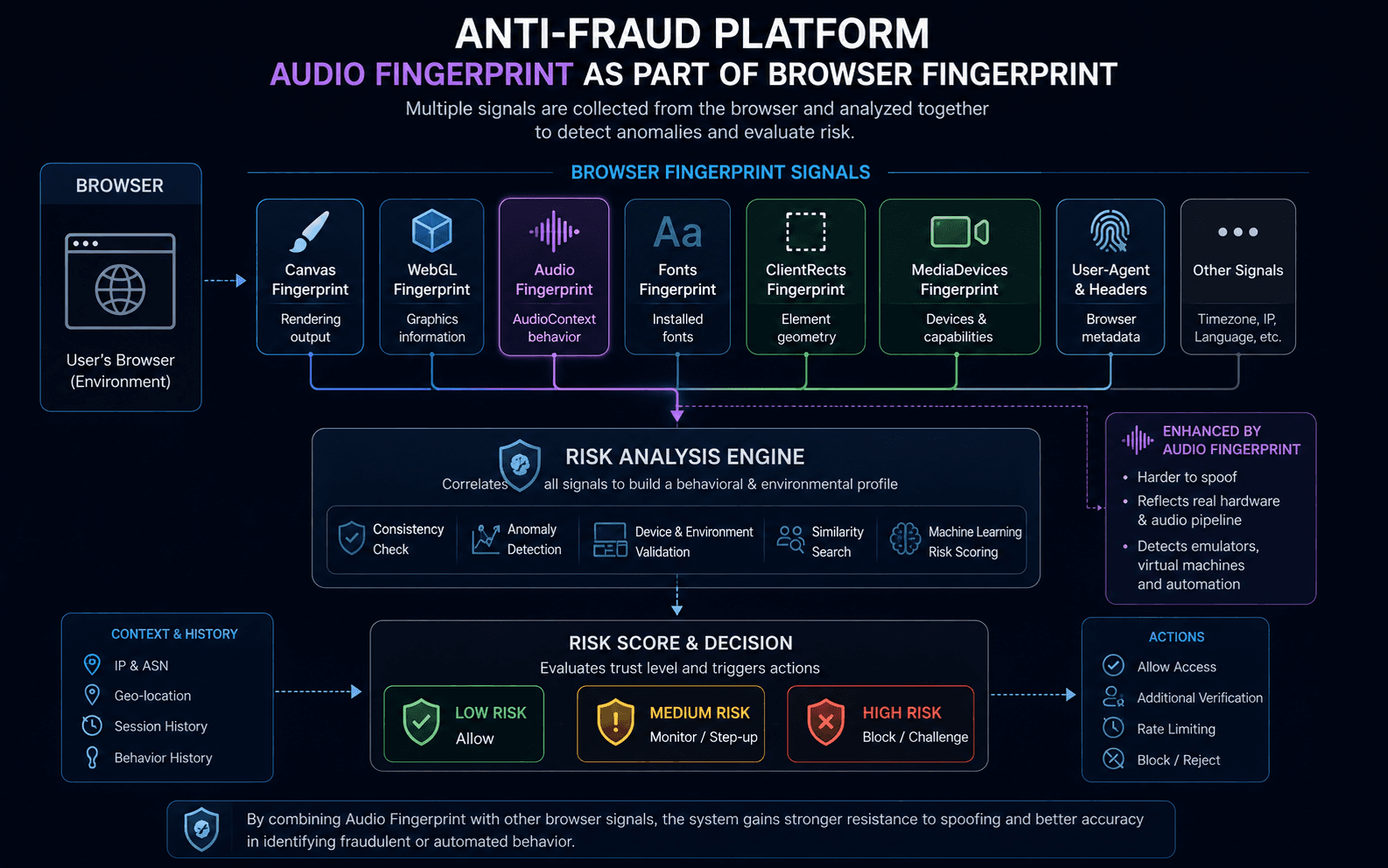
Because each technique measures a different subsystem, modern anti-fraud platforms often evaluate all three together.
How important is ClientRects today?
ClientRects is rarely considered a primary fingerprinting signal.
In practice, it usually sits somewhere between major signals such as:
- Canvas;
- WebGL;
and weaker signals such as:
- language settings;
- timezone;
- screen properties.
Its value comes from contributing another layer of information to the overall Browser Fingerprint.
Modern anti-fraud systems do not make decisions based on ClientRects alone. Instead, they combine dozens of browser and network signals into a single risk assessment.
ClientRects Fingerprinting and WadeX
ClientRects is one of the browser characteristics that modern anti-fraud systems may evaluate.
WadeX supports management of ClientRects-related fingerprint parameters as part of its browser profile system.
One notable difference compared to some other fingerprinting components is that ClientRects is generally considered safer to modify than aggressive Canvas noise injection.
Because of this, ClientRects adjustments are often used when additional profile customization is required.
A practical approach is usually:
- start with Smart Mode;
- preserve natural browser behavior whenever possible;
- make additional adjustments only when necessary;
- keep the entire Browser Fingerprint internally consistent.

As with other fingerprinting signals, the goal is not to modify as many values as possible.
The goal is to maintain a realistic browser environment that remains consistent across all fingerprint components.
Is ClientRects Fingerprinting a privacy risk?
On its own, usually not.
ClientRects rarely provides enough information to uniquely identify a user.
However, when combined with:
- Canvas;
- WebGL;
- Audio Fingerprinting;
- MediaDevices;
- User-Agent;
- IP information;
it becomes another useful signal that helps websites distinguish between browser environments.
This is why ClientRects remains a common component of modern Browser Fingerprinting systems.