SOCKS5 vs HTTP Proxy: Which One Should You Use?
Compare SOCKS5 and HTTP Proxy to understand their differences, use cases, advantages, and which protocol is best for browsing, automation, scraping, and multi-accounting.

Paul Jackson
Technology editor
If you’ve ever looked for a proxy, you’ve probably asked the same question: Should I choose HTTP or SOCKS5?
On the surface, they seem almost identical. Both hide your real IP address and route traffic through another server.
The difference is in how they handle that traffic. Choosing the right protocol can improve compatibility and make automation or multi-account workflows much easier.
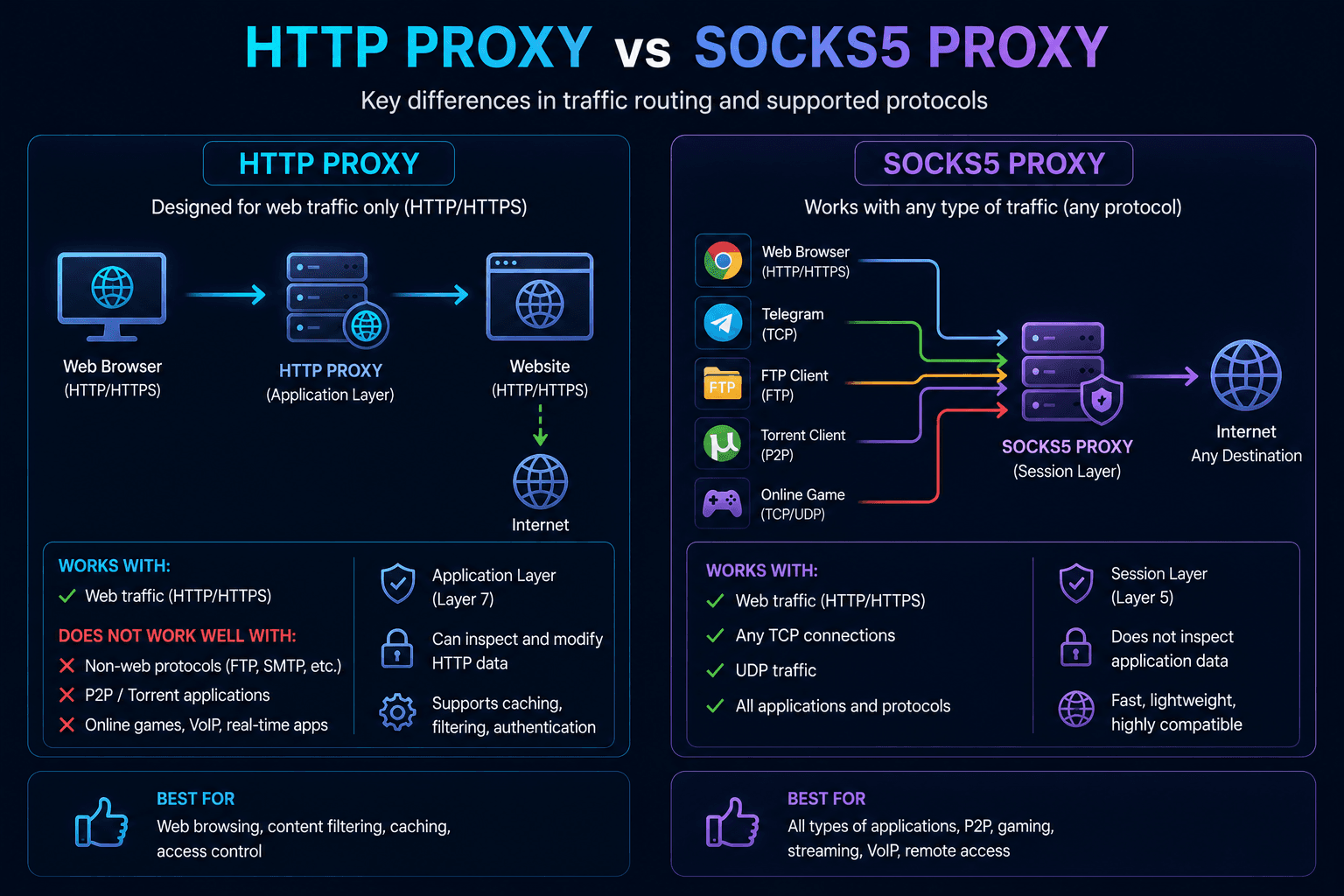
What is an HTTP Proxy?
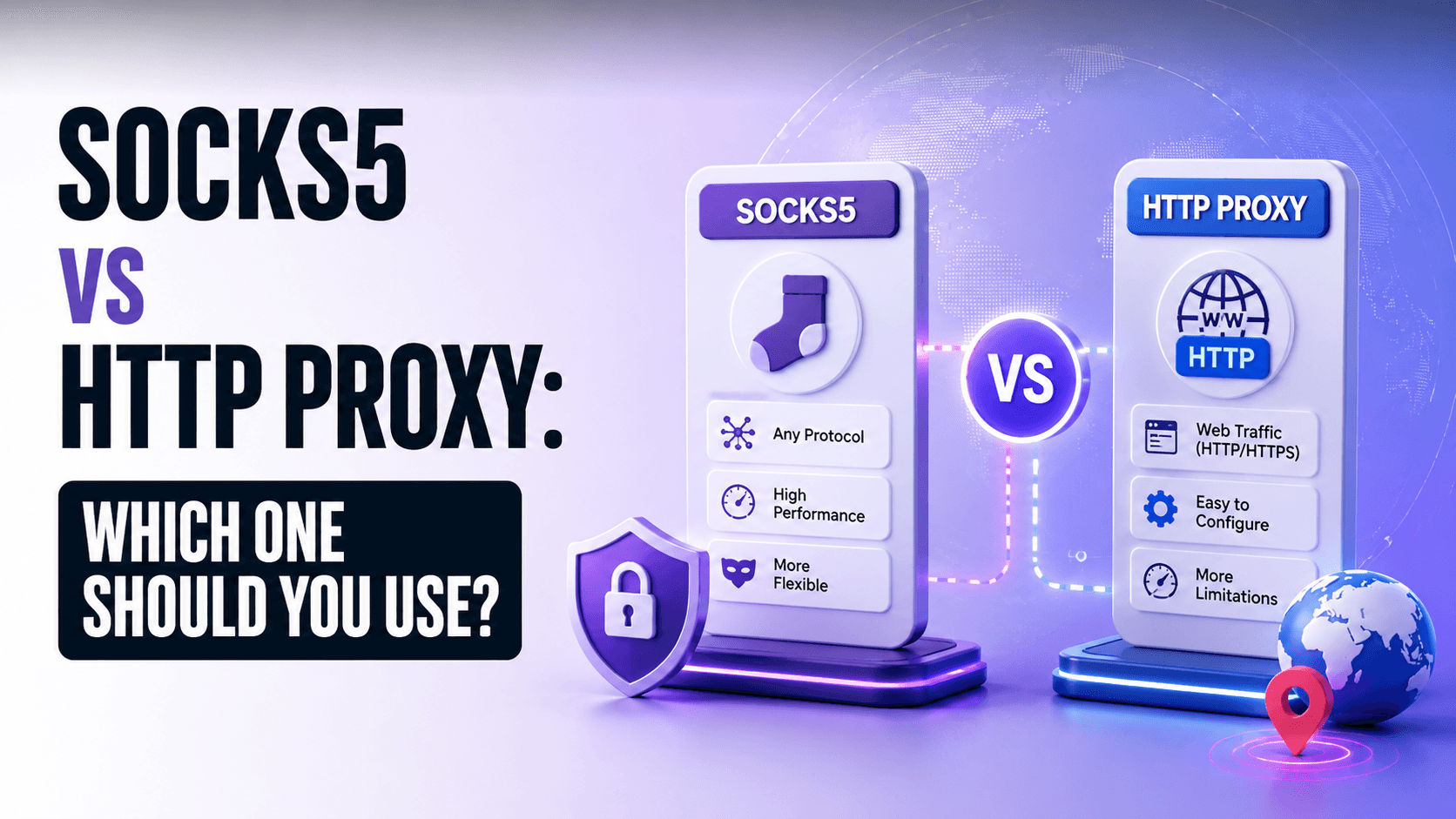
An HTTP Proxy is designed specifically for web traffic.
It understands HTTP and HTTPS requests and forwards them to websites on your behalf. Because it recognizes the protocol, it can inspect or modify certain request headers before sending them.
HTTP proxies are commonly used for:
- web browsing;
- viewing localized search results;
- simple web scraping;
- browser automation.
If nearly everything you do happens inside a browser, an HTTP proxy is often enough.
What is a SOCKS5 Proxy?
SOCKS5 works differently.
Instead of interpreting web requests, it simply relays network traffic between your device and the destination server.
That allows it to work with almost any application, including:
- browsers;
- desktop software;
- Telegram;
- FTP clients;
- torrent programs;
- games;
- automation tools.
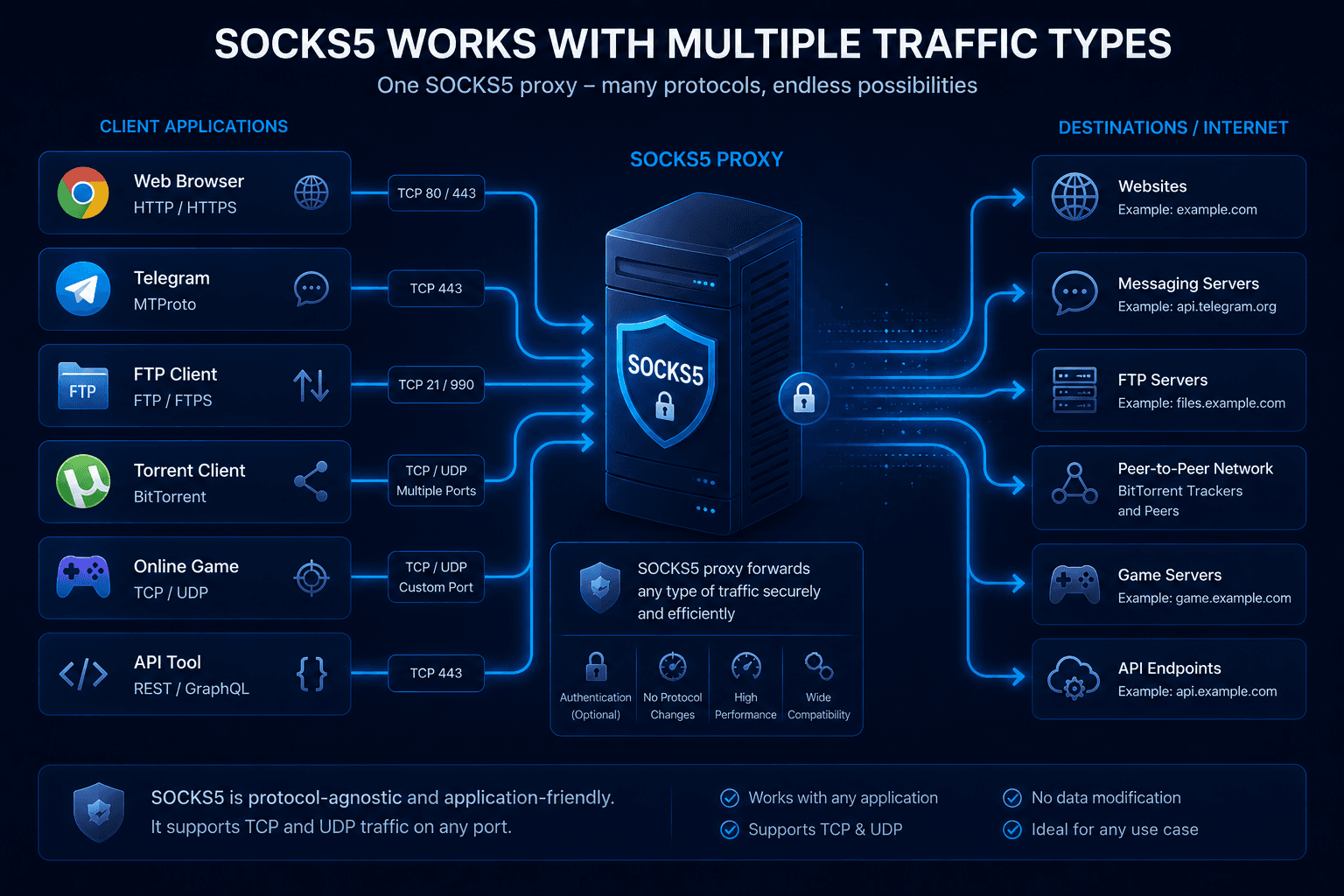
Because it is protocol-independent, SOCKS5 is usually the more versatile option.
HTTP Proxy vs SOCKS5
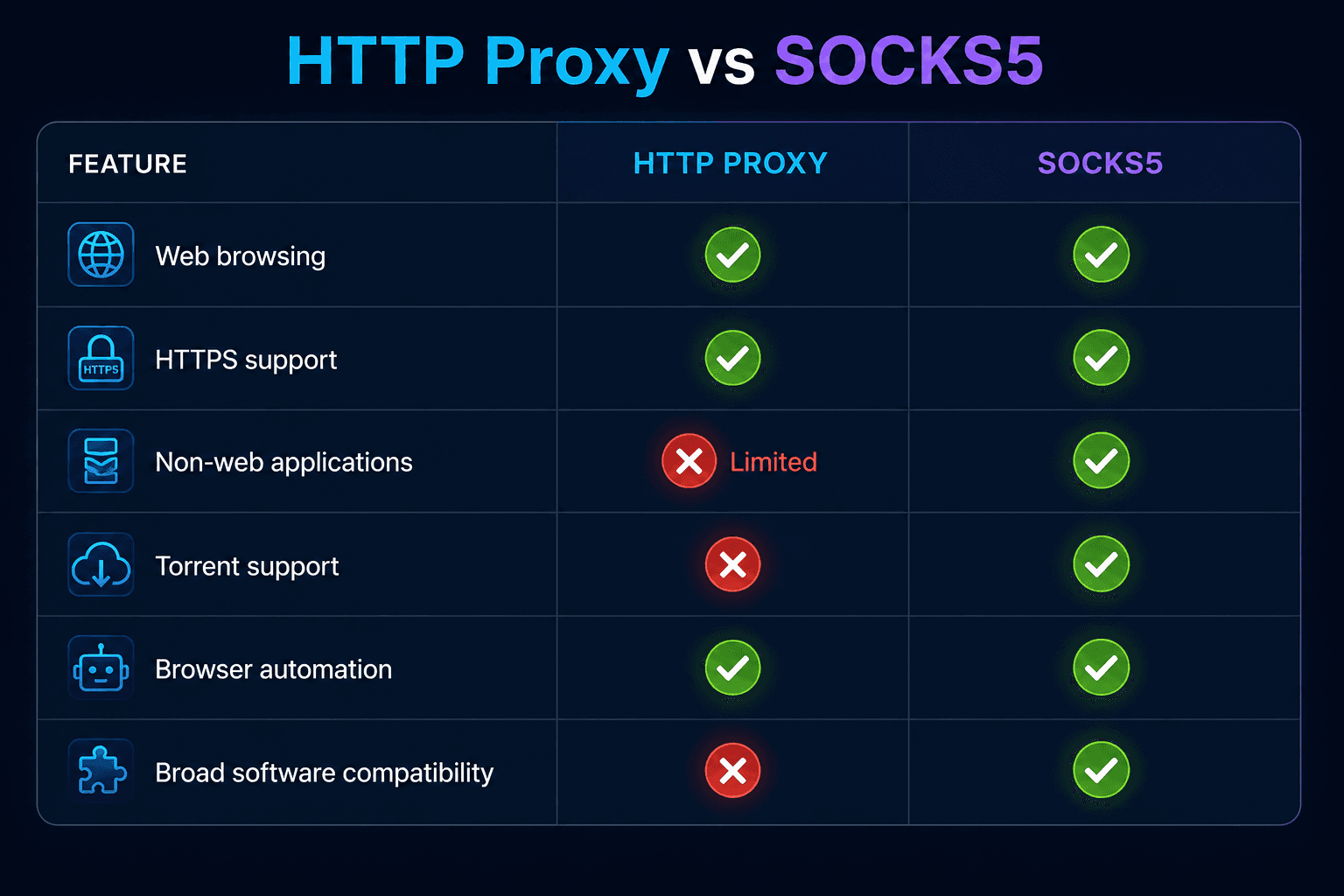
Neither protocol is universally better.
The right choice depends on what you plan to do.
When to use HTTP Proxy
HTTP proxies are ideal for browser-focused tasks.
Typical examples include:
- browsing websites;
- checking search results in another country;
- lightweight scraping;
- browser-based automation.
They’re easy to configure and perfectly suitable for many everyday scenarios.
When to use SOCKS5
If your workflow extends beyond the browser, SOCKS5 is usually the better fit.
It’s widely used with:
- desktop applications;
- messaging clients;
- automation frameworks;
- game launchers;
- torrent software;
- API tools.
Since SOCKS5 forwards virtually any kind of traffic, compatibility tends to be much broader.
Which proxy is better for web scraping?
For basic HTML scraping, either protocol will usually work.
Projects involving browser automation, JavaScript rendering, API calls, or media downloads often benefit from SOCKS5 because of its flexibility.
That’s one reason many automation tools support it by default.
What about multi-accounting?
Running multiple accounts requires more than changing an IP address.
Browser isolation is just as important.
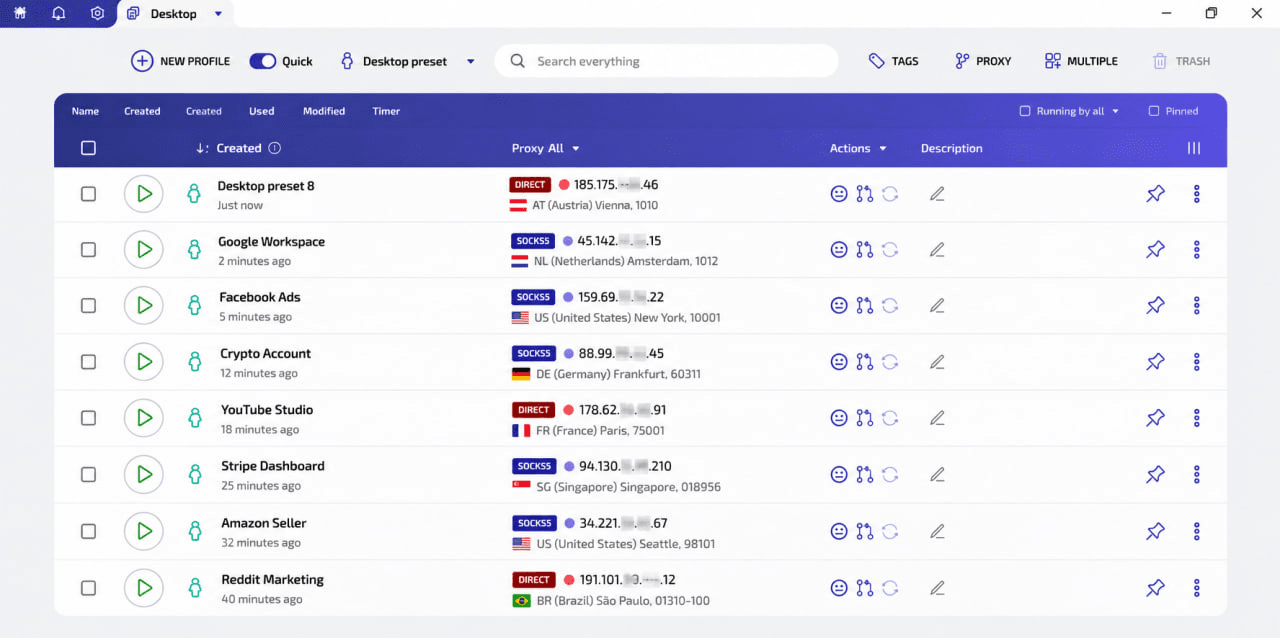
A common best practice is:
One browser profile → One dedicated proxy.
Using the same proxy across multiple identities makes it easier for platforms to associate those accounts.
Using HTTP and SOCKS5 proxies in WadeX
WadeX supports both HTTP and SOCKS5 proxies.
Users can choose the protocol that best matches their workflow while assigning an independent proxy configuration to every browser profile.
For browser-only tasks, HTTP may be sufficient. Applications requiring broader protocol support often work better with SOCKS5.
Wade Proxy: residential proxies for anti-detect workflows
Alongside external proxy support, WadeX includes Wade Proxy.
The service offers:
- residential dynamic proxies;
- more than 60 million IP addresses;
- coverage across 190+ countries;
- country and city selection where available;
- on-demand IP rotation;
- traffic-based billing.
For anti-detect browsers, keeping one permanent proxy assigned to each profile helps maintain a more consistent identity over time.
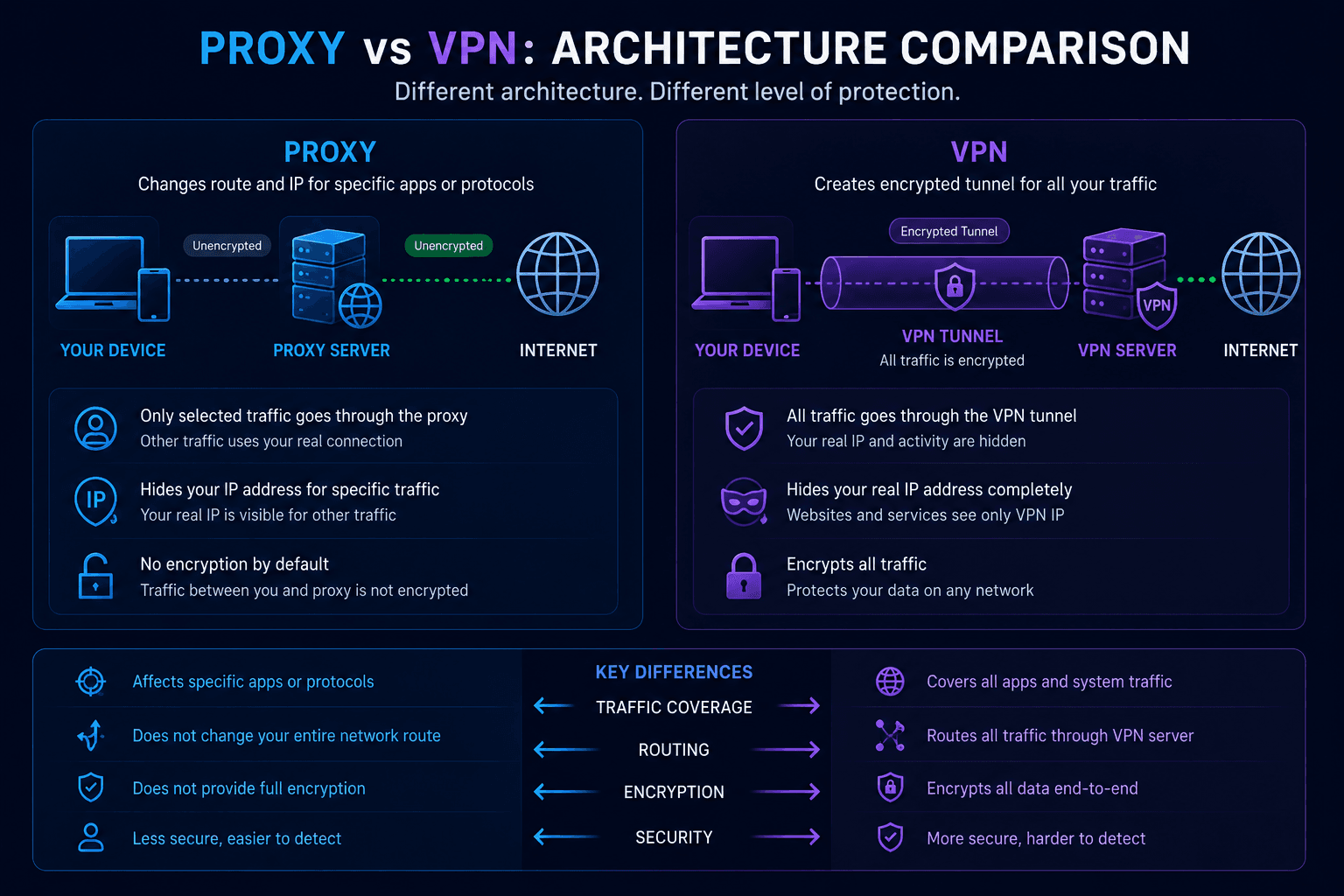
Is a proxy the same as a VPN?
No.
A proxy mainly changes how your traffic is routed and replaces your visible IP address.
A VPN creates an encrypted tunnel between your device and the VPN server, providing additional privacy and protecting data in transit.
Modern VPN services such as WhoX VPN also include:
- traffic encryption;
- DNS protection;
- ISP privacy;
- safer connections on public Wi-Fi.
A proxy should not be considered a complete substitute for a VPN.
How to verify your proxy
After configuring a proxy, it’s a good idea to check that it’s actually being used.
Whoer.net lets you verify:
- Public IP;
- DNS servers;
- WebRTC;
- IPv6 connectivity.
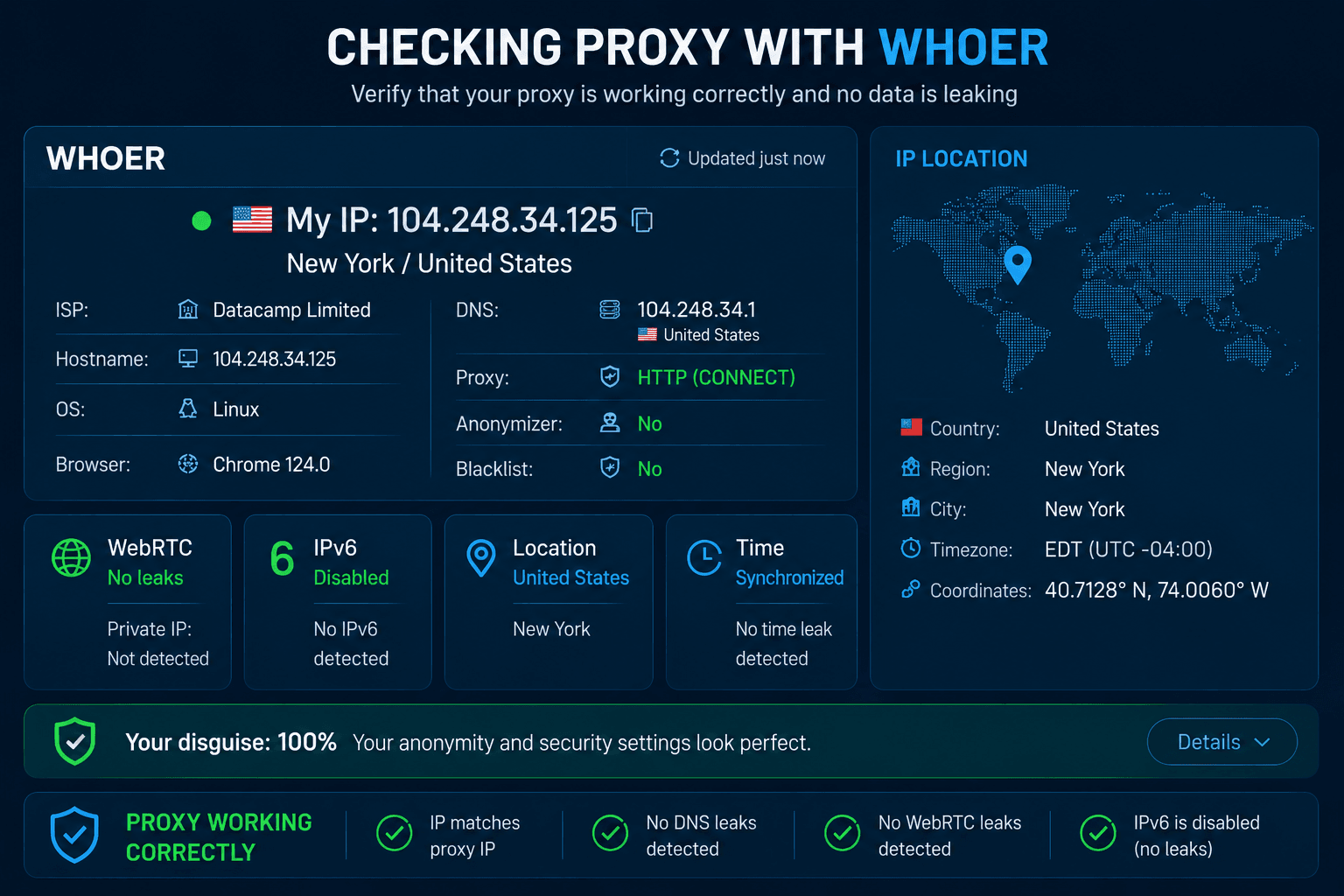
If the displayed IP matches your proxy and no unexpected leaks appear, the configuration is likely correct.
Which one should you choose?
For standard browsing and simple web tasks, HTTP Proxy is often all you need.
If your setup includes desktop applications, automation software, torrent clients, or anti-detect browsers, SOCKS5 generally provides greater flexibility.
Regardless of the protocol, maintaining isolated browser profiles and assigning a dedicated proxy to each one is often the most important step for reliable multi-account management.