What Is a Digital Footprint and How Is It Created?
A Digital Footprint is the information created through websites, apps, accounts, browsers, and network activity. Learn how it forms and how to reduce unnecessary data exposure.

Paul Jackson
Technology editor
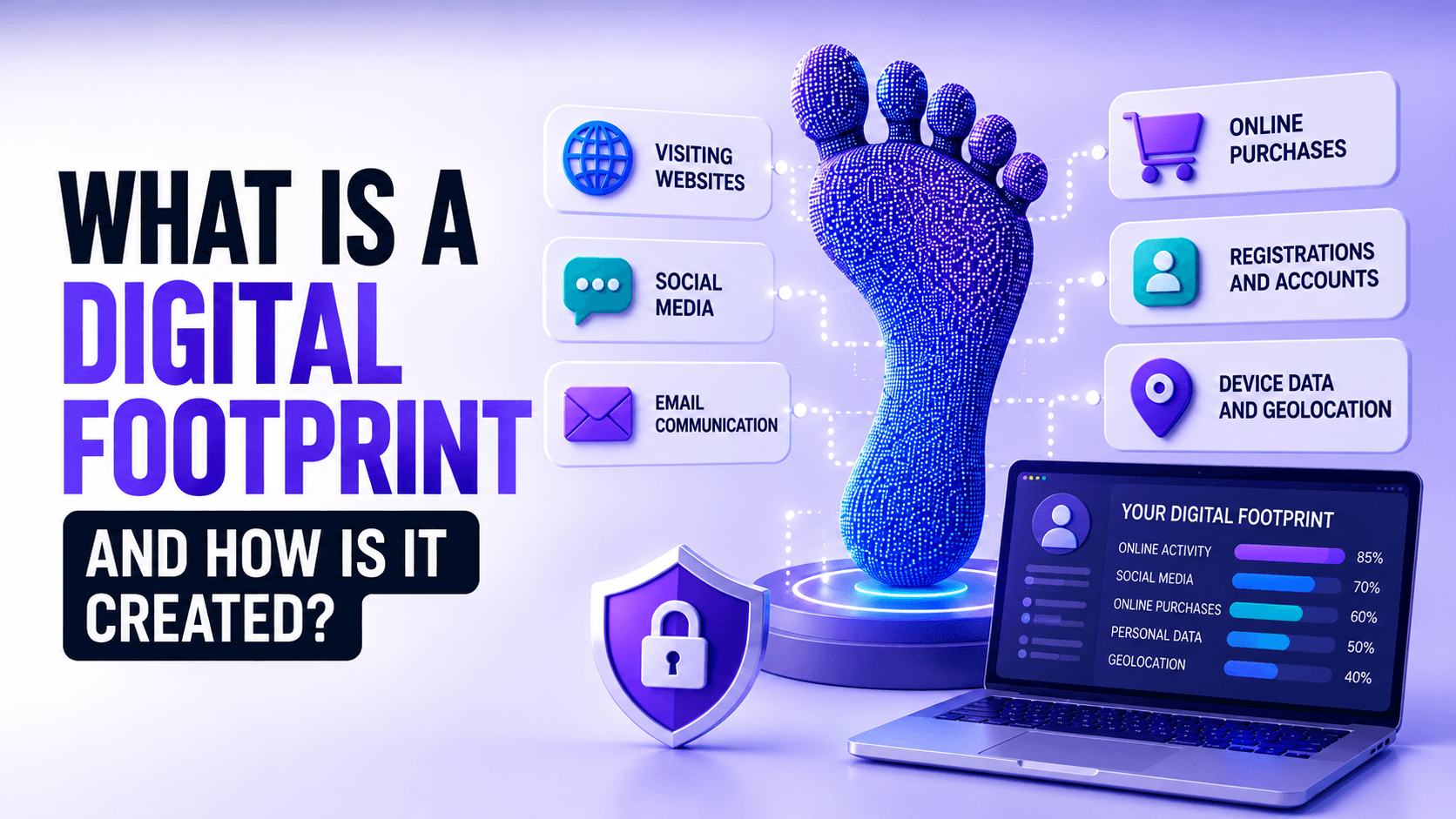
Every time you use the internet, you leave behind a Digital Footprint.
It does not matter whether you are opening a website, searching for information, creating an account, shopping online, or simply reading the news. Each of these actions can generate data.
Some of this information is shared deliberately. Other data is created automatically by your browser, device, applications, and network connection.
Together, these fragments form what is known as a Digital Footprint.
In this article, we will explain what a Digital Footprint is, how it is created, who can use this information, and what you can do to reduce the amount of data associated with your online activity.
What Is a Digital Footprint?
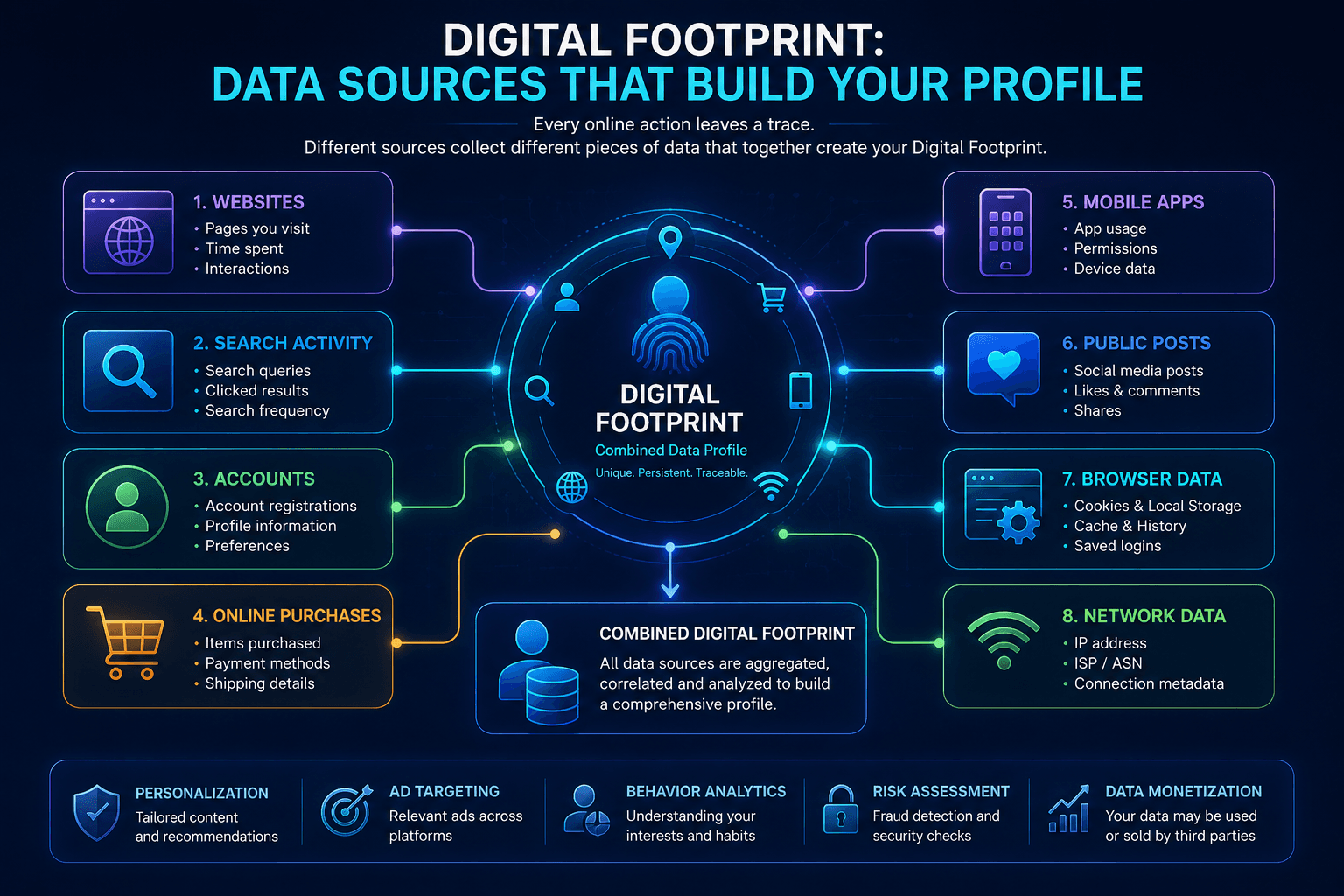
A Digital Footprint is the collection of information created or left behind when you use websites, apps, online services, and connected devices.
Almost every interaction with the internet can generate new data.
For example:
- visiting a website;
- entering a search query;
- creating an account;
- posting a comment;
- making an online purchase;
- watching a video;
- using a mobile application.
Some of this information may exist only briefly, while other data can remain stored for months or years.
A Digital Footprint is not usually created by one single action. It develops gradually as different websites, applications, and services collect separate pieces of information over time.
Active vs Passive Digital Footprint
Digital Footprints are commonly divided into two categories: Active and Passive.
Active Digital Footprint
An Active Digital Footprint consists of information that a user intentionally provides or publishes online.
Examples include:
- social media posts;
- comments;
- reviews;
- uploaded photos;
- account registrations;
- profile information;
- form submissions.
In these cases, the user consciously provides the information to an online service.
Passive Digital Footprint
A Passive Digital Footprint is generated automatically while you use websites, browsers, apps, and network services.
It may include:
- public IP address;
- Cookies;
- Browser Fingerprint;
- approximate location;
- browser language;
- device characteristics;
- analytics events;
- network metadata.
Users often do not actively enter this information. It is generated as a normal part of browsing and communication between the browser and remote services.
For many users, the passive Digital Footprint represents a significant part of the data produced during everyday web activity.
| Active Digital Footprint | Passive Digital Footprint |
|---|---|
| Social media posts | Public IP |
| Comments | Cookies |
| Reviews | Browser Fingerprint |
| Uploaded photos | Approximate location |
| Account registrations | Device data |
| Form submissions | Analytics events |
| Profile information | Network metadata |
How Is a Digital Footprint Created?
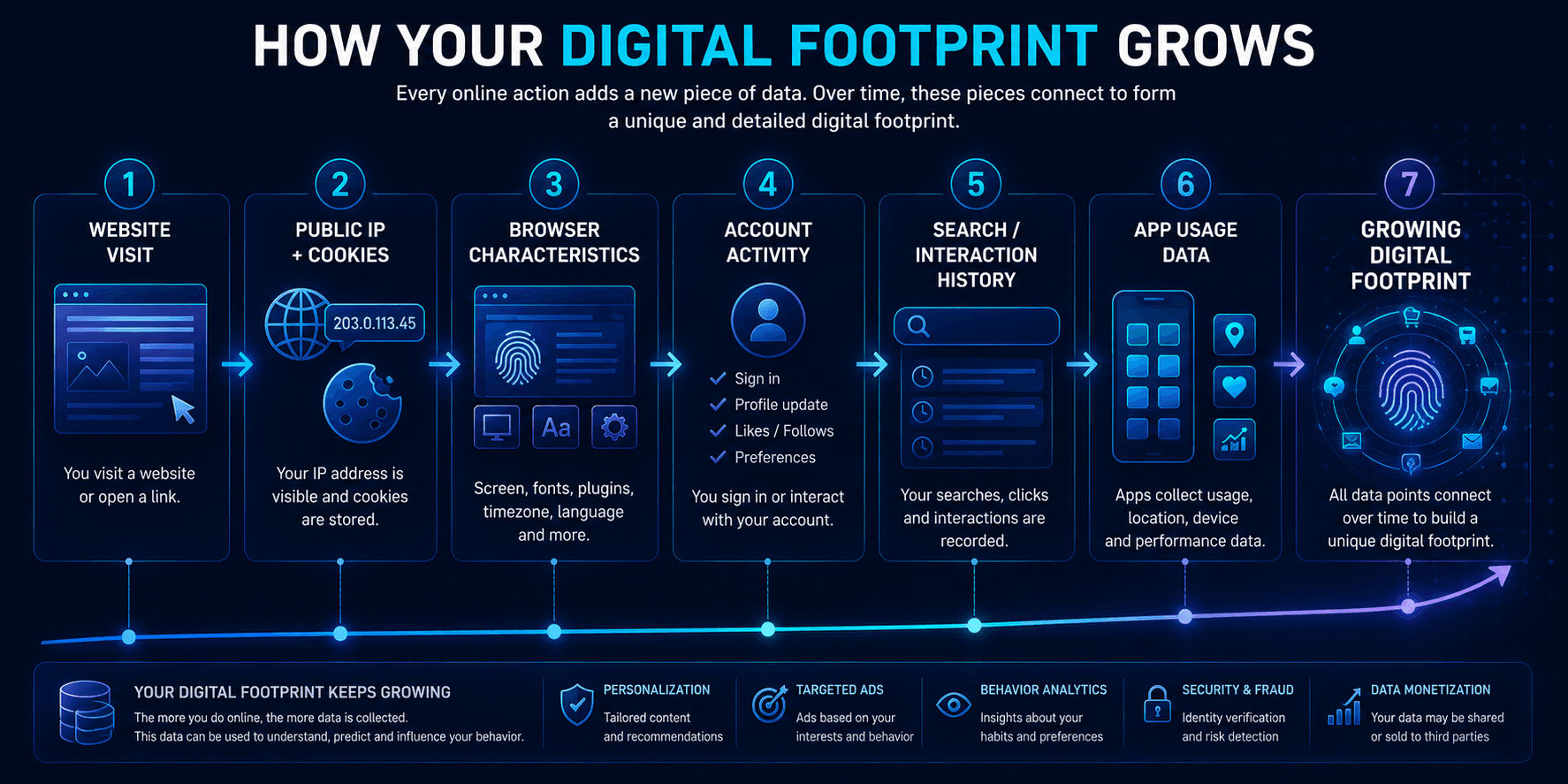
A Digital Footprint is built gradually.
Each interaction adds another small piece of information.
For example:
- a website sees the public IP address used for the connection;
- the browser may store Cookies;
- scripts may analyze technical browser characteristics;
- account activity can be associated with a registered user;
- search queries and actions inside a service can become part of account or analytics history;
- applications may generate device and usage data.
Individually, these signals may appear insignificant.
Combined over time, however, they can create a much broader picture of how a person uses the internet.
What Information Can Become Part of a Digital Footprint?
A Digital Footprint can include both personal and technical information.
Depending on the service, it may contain:
- names and usernames;
- email addresses;
- public posts and comments;
- purchase history;
- account activity;
- IP addresses;
- Cookies;
- Local Storage;
- Browser Fingerprint signals;
- device type;
- operating system;
- approximate location;
- search activity;
- interaction history.
Not every website or company has access to all of this information.
Different services usually collect different parts of the overall footprint.
| Category | Examples |
|---|---|
| Identity Data | Names, usernames, email addresses |
| Account Data | Purchase history, account activity |
| Public Content | Public posts, comments |
| Browser Data | Cookies, Local Storage, Browser Fingerprint signals |
| Network Data | IP addresses, approximate location |
| Device Data | Device type, operating system |
| Behavioral Data | Search activity, interaction history |
Who Uses Digital Footprint Data?
A Digital Footprint is not inherently negative.
Many online services use this information for legitimate operational purposes.
Examples include:
- websites;
- search engines;
- advertising platforms;
- analytics systems;
- anti-fraud services;
- e-commerce platforms;
- mobile applications.
The purpose depends on the service.
An online store may remember a shopping cart or interface language.
A search engine may use previous activity and location-related signals to improve results.
Analytics platforms help website owners understand which pages are popular and how visitors navigate through a site.
Anti-fraud systems may analyze IP information, device characteristics, account history, and other signals to detect unusual login attempts or suspicious activity.
Digital Footprint data can therefore be used for personalization, analytics, security, advertising, and service optimization.
Is a Digital Footprint the Same as Online Tracking?
Not exactly.
A Digital Footprint is the broader collection of information created through online activity.
Online tracking refers to the technologies and processes used to collect, connect, or analyze parts of that information.
For example, tracking technologies may include:
- Cookies;
- Tracking Pixels;
- Browser Fingerprinting;
- analytics scripts;
- advertising identifiers;
- account-based tracking.
These mechanisms can contribute to a Digital Footprint, but the footprint itself also includes information that users intentionally publish, such as profiles, posts, reviews, and uploaded content.
| Parameter | Digital Footprint | Online Tracking |
|---|---|---|
| What It Means | The broader collection of information created through online activity | Technologies and processes used to collect, connect, or analyze parts of that information |
| What It Includes | Personal, technical, account, browser, network, device, behavioral, and public information | Cookies, Tracking Pixels, Browser Fingerprinting, analytics scripts, advertising identifiers, and account-based tracking |
| Examples | Profiles, posts, reviews, uploaded content, account activity, browser and network data | Cookies, Tracking Pixels, Browser Fingerprinting, analytics scripts |
| Relationship | Can include information created intentionally or automatically during online activity | Tracking mechanisms can contribute information to a Digital Footprint |
Can a Digital Footprint Be Completely Deleted?
In practice, completely removing a Digital Footprint is extremely difficult.
Deleting old accounts, clearing browser history, and removing Cookies can reduce some information, but they do not erase every record that may already exist.
For example:
- some data may remain stored on service providers' servers;
- certain records may be retained for operational or legal reasons;
- backups may exist;
- public information may have been copied or indexed elsewhere;
- new technical data is generated whenever you go online again.
For this reason, it is more realistic to think about reducing and managing a Digital Footprint rather than completely eliminating it.
How to Reduce Your Digital Footprint
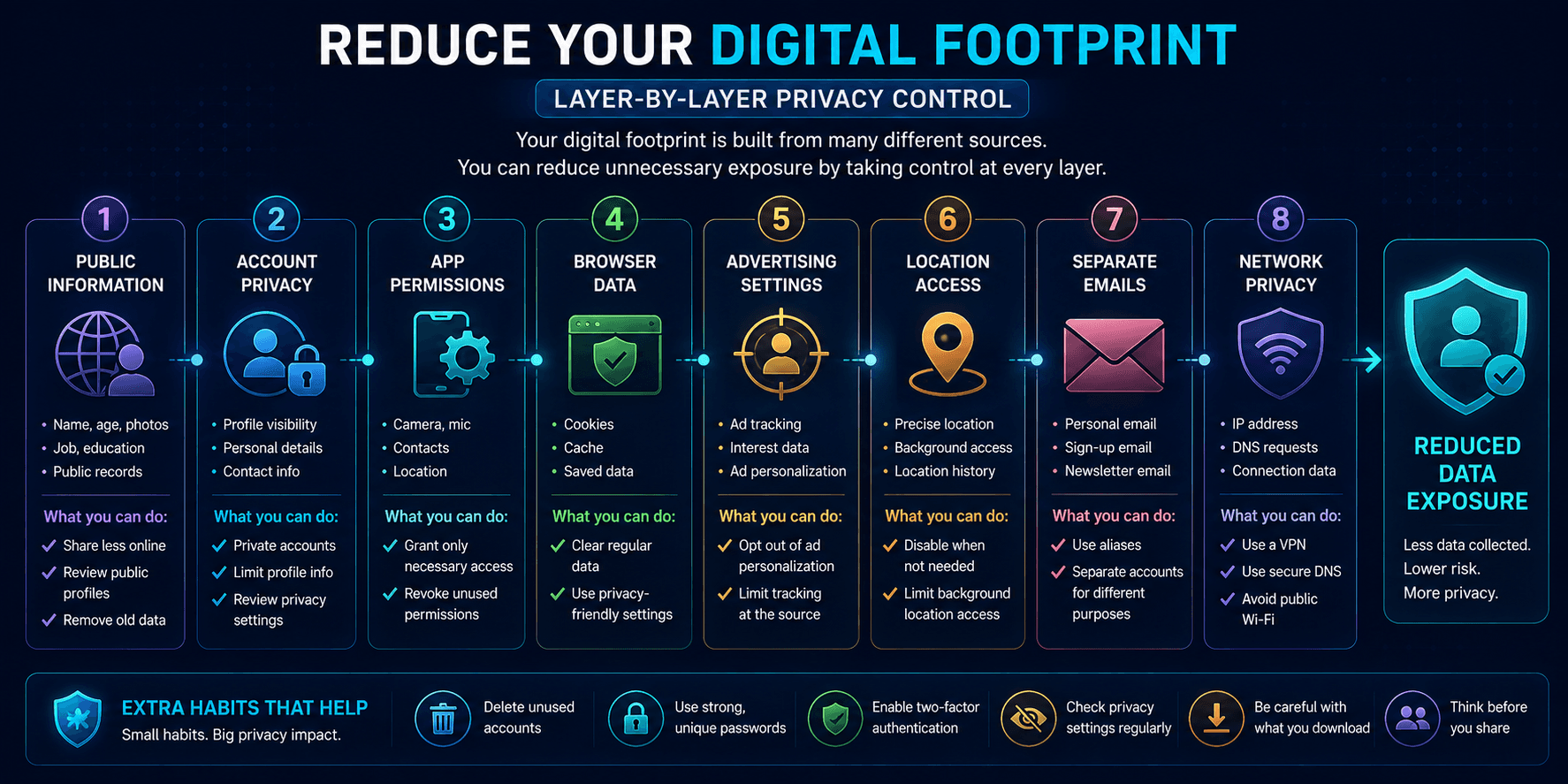
You cannot realistically use the modern internet without generating any data, but you can reduce unnecessary exposure.
Useful steps include:
- publish less personal information publicly;
- review privacy settings on important accounts;
- remove accounts you no longer use;
- limit unnecessary application permissions;
- clear Cookies when appropriate;
- restrict unnecessary advertising personalization;
- use browsers with stronger privacy controls;
- avoid granting location access unless it is required;
- use separate email addresses for different purposes;
- use a VPN when network privacy matters.
No single measure removes the entire Digital Footprint.
The most effective approach is to reduce unnecessary data exposure across several different layers.
How Does a VPN Affect Your Digital Footprint?
A VPN does not remove an existing Digital Footprint.
Its main effect is at the network layer.
When connected to a VPN, websites generally see the VPN server’s public IP instead of the original public IP of your connection.
A VPN service such as WhoVPN can help by:
- replacing the original public IP with the VPN server’s IP;
- routing supported traffic through an encrypted tunnel;
- handling DNS according to the VPN configuration;
- improving network privacy on home and public networks.
However, a VPN does not disable:
- Cookies;
- Local Storage;
- Browser Fingerprinting;
- Tracking Pixels;
- account tracking;
- analytics systems.
This means a VPN reduces some parts of the network-level Digital Footprint, but it does not eliminate browser-level or account-level data.
| Layer | Data | VPN Impact |
|---|---|---|
| Network Layer | Public IP, DNS, Routing | VPN can change or protect |
| Browser Layer | Cookies, Local Storage, Browser Fingerprint, Tracking Pixels | VPN does not remove |
| Account Layer | Login, Purchases, Searches, History | VPN does not remove |
How Does the Browser Affect Your Digital Footprint?
A significant part of the Digital Footprint is created inside the browser.
Websites can store or access different types of local state, including:
- Cookies;
- Local Storage;
- Session Storage;
- Browser Cache;
- login sessions;
- site permissions.
Browsers also expose technical characteristics that may contribute to Browser Fingerprinting.
If several independent browser environments are required, separating their local data can help prevent session information from being shared between profiles.
In WadeX, each profile uses its own isolated browser environment.
This allows local data such as:
- Cookies;
- Local Storage;
- Session Storage;
- Browser Cache
to remain separated between profiles.
This type of isolation can help keep browser sessions independent, but it does not remove data that websites, applications, or third parties have already collected elsewhere.
| Parameter | Shared Browser Environment | Isolated Browser Profiles |
|---|---|---|
| Cookies | Stored in one shared browser environment | Stored separately for each profile |
| Local Storage | Stored in one shared browser environment | Stored separately for each profile |
| Session Storage | Stored in one shared browser environment | Stored separately for each profile |
| Browser Cache | Stored in one shared browser environment | Stored separately for each profile |
| Login Sessions | Exist within the same browser environment | Remain separated between profiles |
| Profile Structure | One environment containing local browser state | Profile A / B / C with separate local storage and sessions |
Accounts Are an Important Part of Your Digital Footprint
It is also important to distinguish anonymous browsing signals from account-based activity.
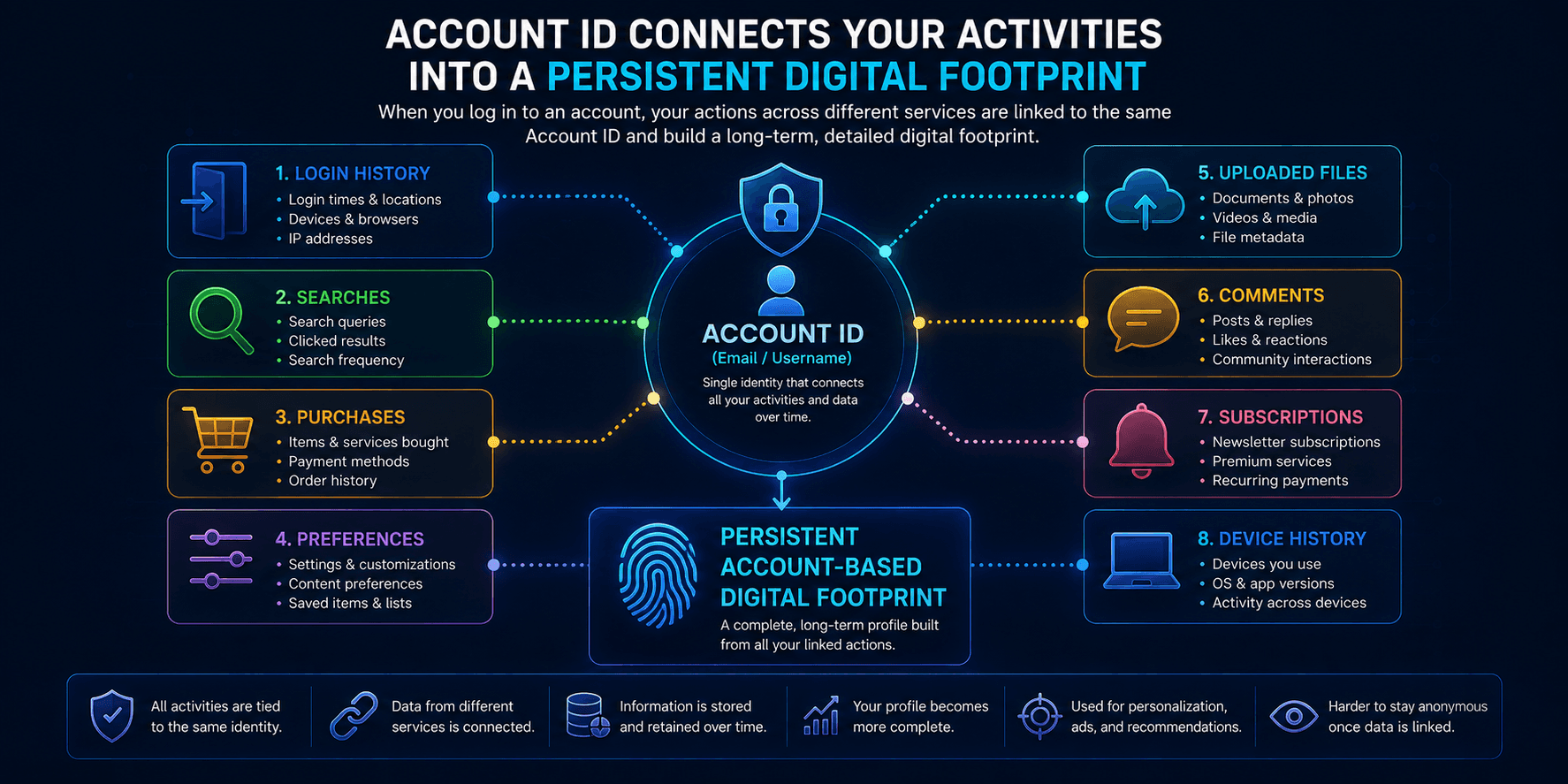
Once you sign in to an account, the service can often associate actions directly with that account regardless of whether your IP address changes.
For example, an account may contain:
- login history;
- searches;
- purchases;
- preferences;
- uploaded files;
- comments;
- subscriptions;
- device history.
This is why changing a browser or connecting to a VPN does not automatically create a new identity for a service where you are already signed in.
Account activity is one of the most persistent parts of a Digital Footprint.
Why Digital Footprints Matter
Understanding your Digital Footprint is useful because online privacy is not controlled by one setting.
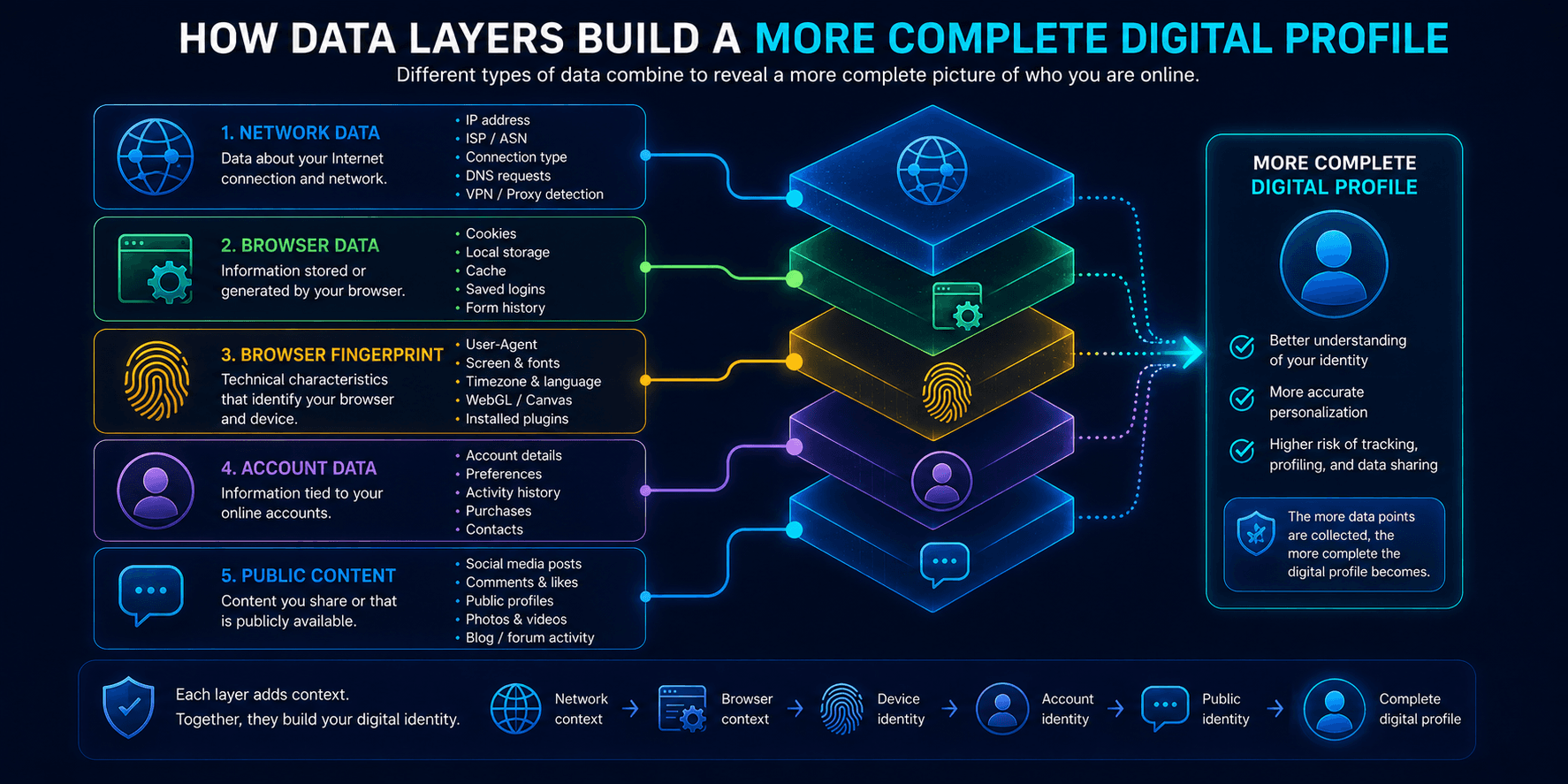
Different layers reveal different types of information:
- your network exposes IP and routing information;
- your browser stores Cookies and Local Storage;
- Browser Fingerprinting exposes technical characteristics;
- accounts connect activity to a persistent identity;
- public posts create information that may remain accessible for years.
The more of these layers that can be connected, the more complete the resulting profile may become.
This does not mean every website knows everything about you.
It means that different services can collect different fragments, and those fragments may remain available long after the original interaction.
Conclusion
A Digital Footprint is a natural consequence of using the internet.
Every website visit, search, account registration, purchase, app session, or comment can create new data.
Some of that information is shared intentionally. Other parts are generated automatically by browsers, devices, applications, and network connections.
Completely eliminating a Digital Footprint is unrealistic, but reducing unnecessary exposure is possible.
Reviewing privacy settings, limiting public information, managing browser data, removing unused accounts, restricting unnecessary permissions, and using tools such as VPNs can all reduce the amount of information exposed during future activity.
The first step is understanding that a Digital Footprint is not one file, identifier, or database. It is the combined result of many different interactions across the internet.