What Is Email Tracking and How to Block It
Learn how email tracking works, what tracking pixels and tracking links are, what information senders can collect after you open an email, and how to reduce tracking with privacy-focused email settings and tools.

Paul Jackson
Technology editor
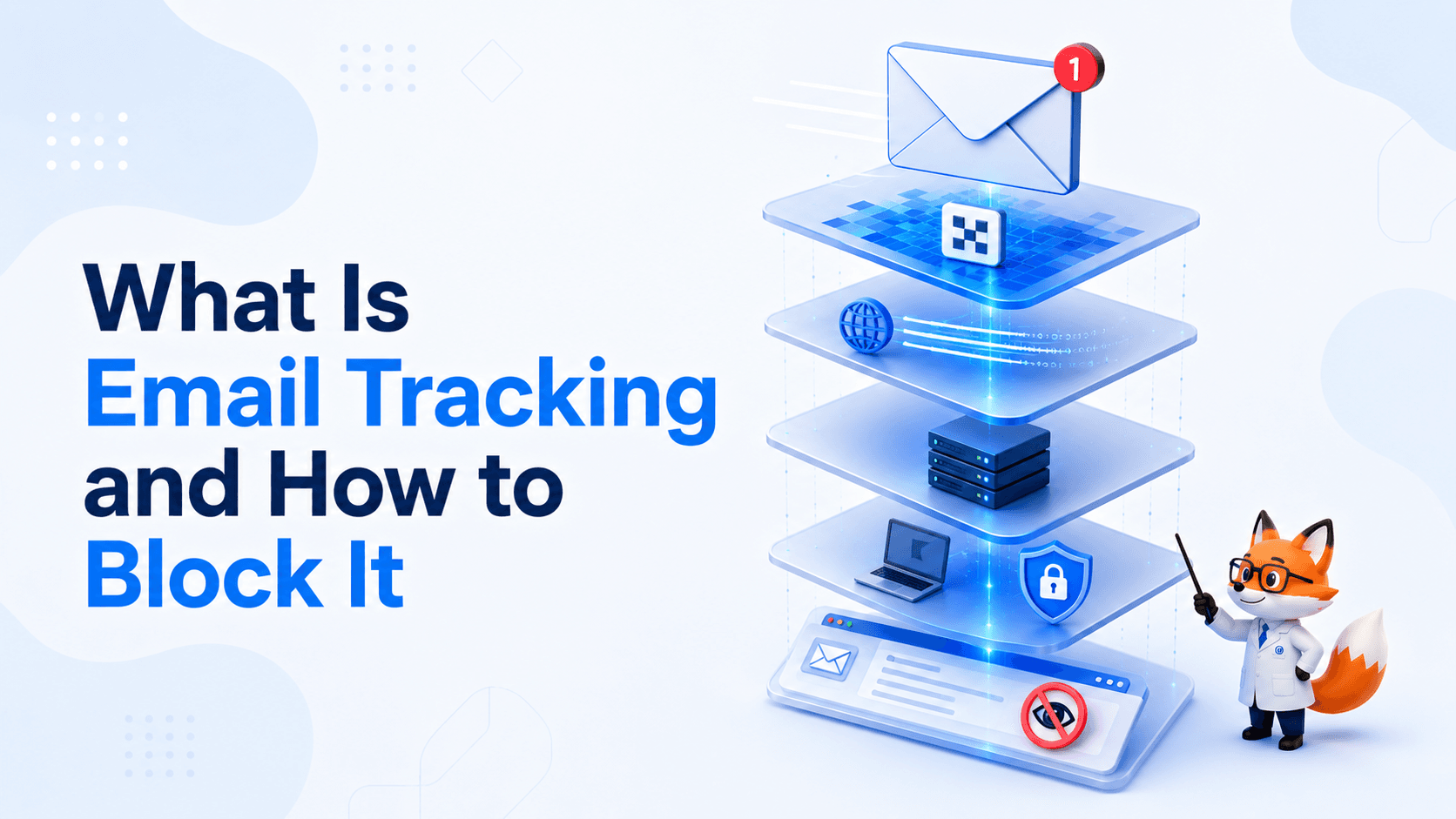
Many emails contain more than just text and images.
Marketing platforms, newsletters, and even some business emails often include technologies that let the sender measure how recipients interact with a message.
For example, they may learn whether an email was opened, when it happened, or whether someone clicked a link.
That doesn’t mean the sender can access your computer or read your files.
Email tracking is simply a collection of technologies designed to collect analytics about email engagement.
This guide explains how modern email tracking works, what information it can reveal, and how to reduce it.
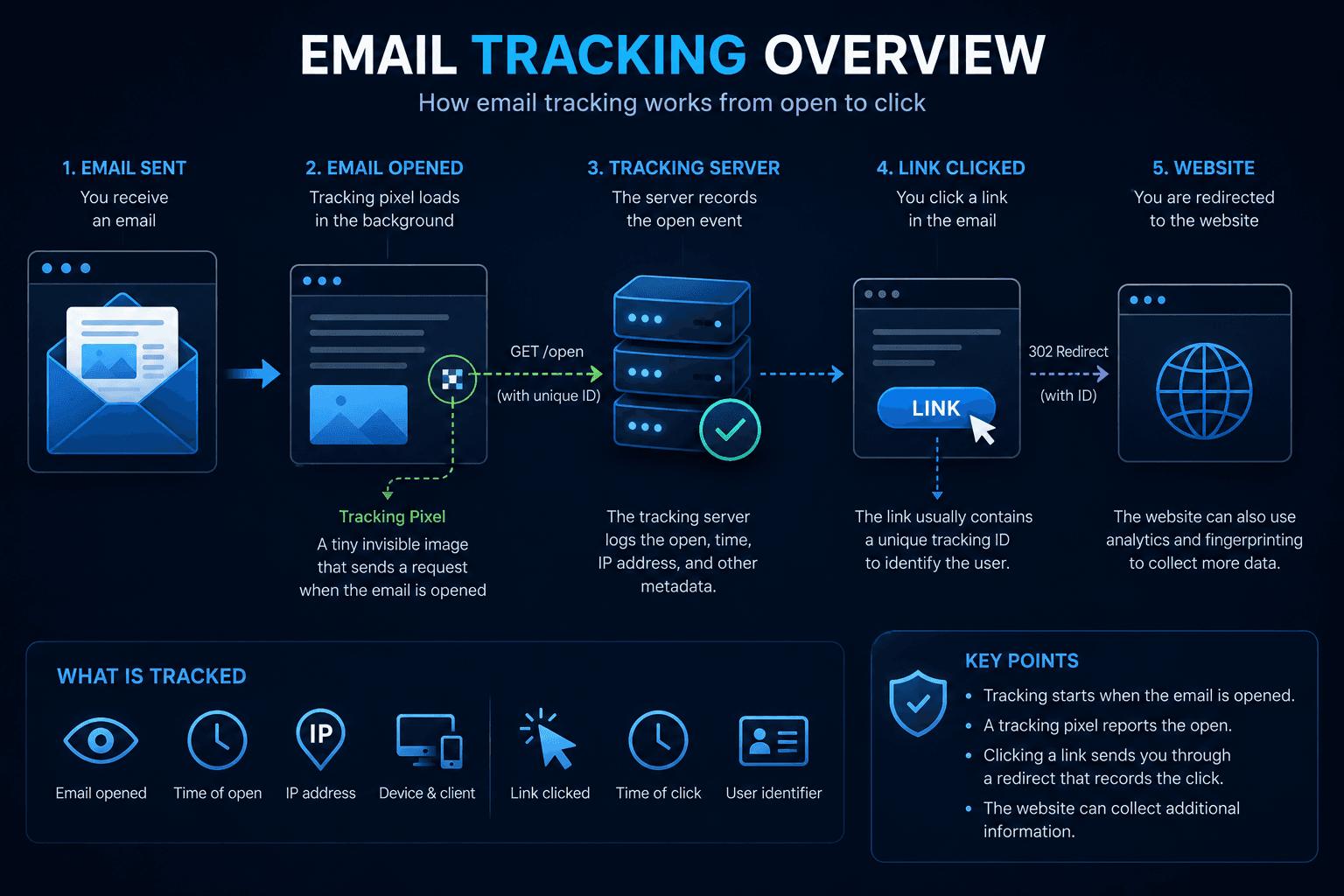
What is Email Tracking?
Email Tracking refers to technologies that measure how recipients interact with emails.
It’s widely used by:
- email marketing platforms;
- CRM systems;
- newsletter services;
- sales automation tools;
- corporate email providers.
Typical metrics include:
- whether an email was opened;
- when it was opened;
- how many times it was opened;
- which links were clicked.
Businesses use this information to understand how effective their emails are—not to gain access to a recipient’s device.
Common Email Tracking Techniques
Modern email tracking usually combines several methods.
Some begin working as soon as the email is opened, while others continue after you click a link.
Tracking Pixels
The most common technique is the tracking pixel.
A tiny invisible image—typically just 1×1 pixel—is embedded inside the email.
When your email client loads that image, it sends a request to the sender’s server.
This allows the sender to determine:
- whether the email was opened;
- when it was opened;
- how many times it was viewed;
- your IP address (or your email provider’s proxy IP);
- approximate location;
- device and browser information.
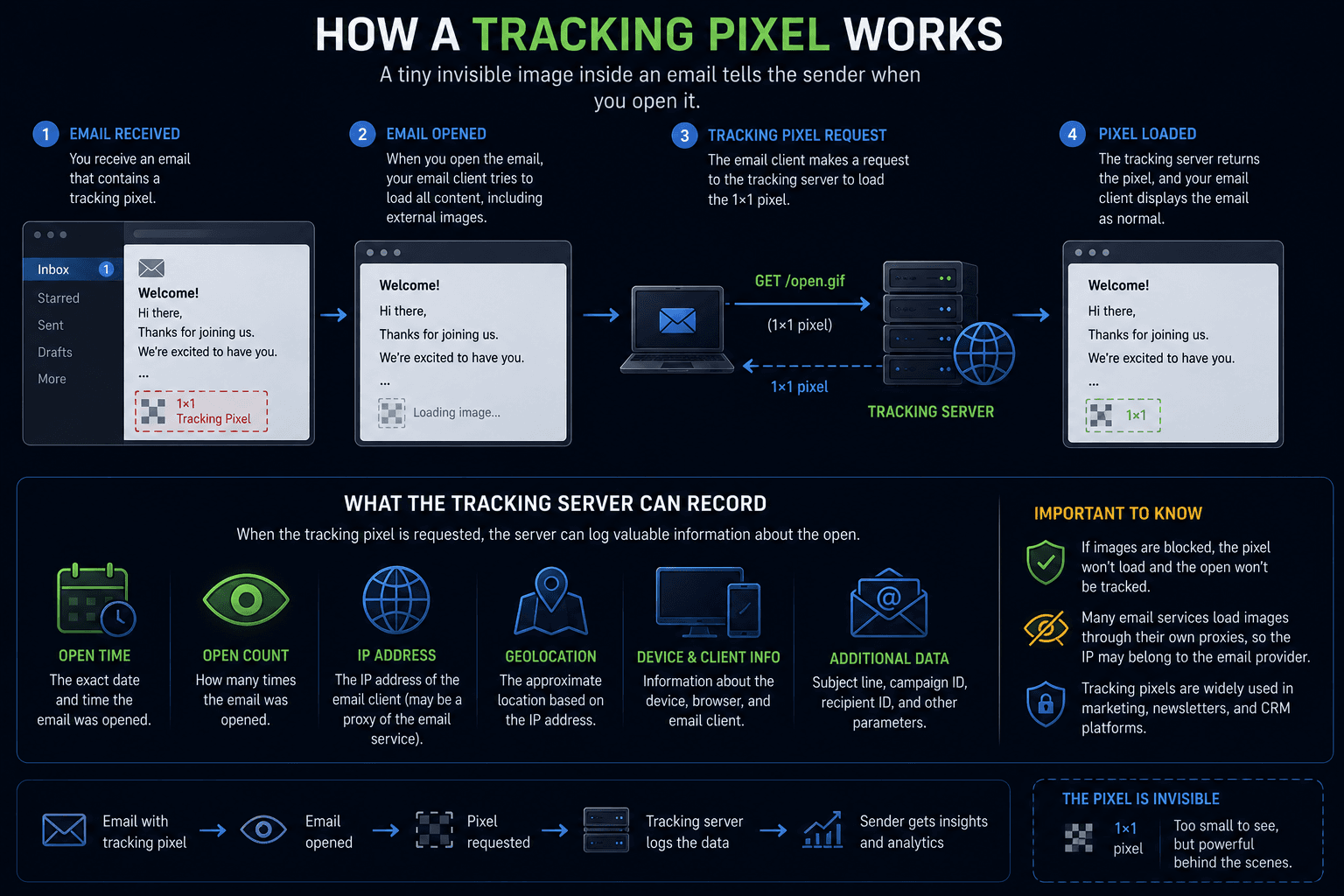
If remote images are blocked, this tracking method usually cannot work.
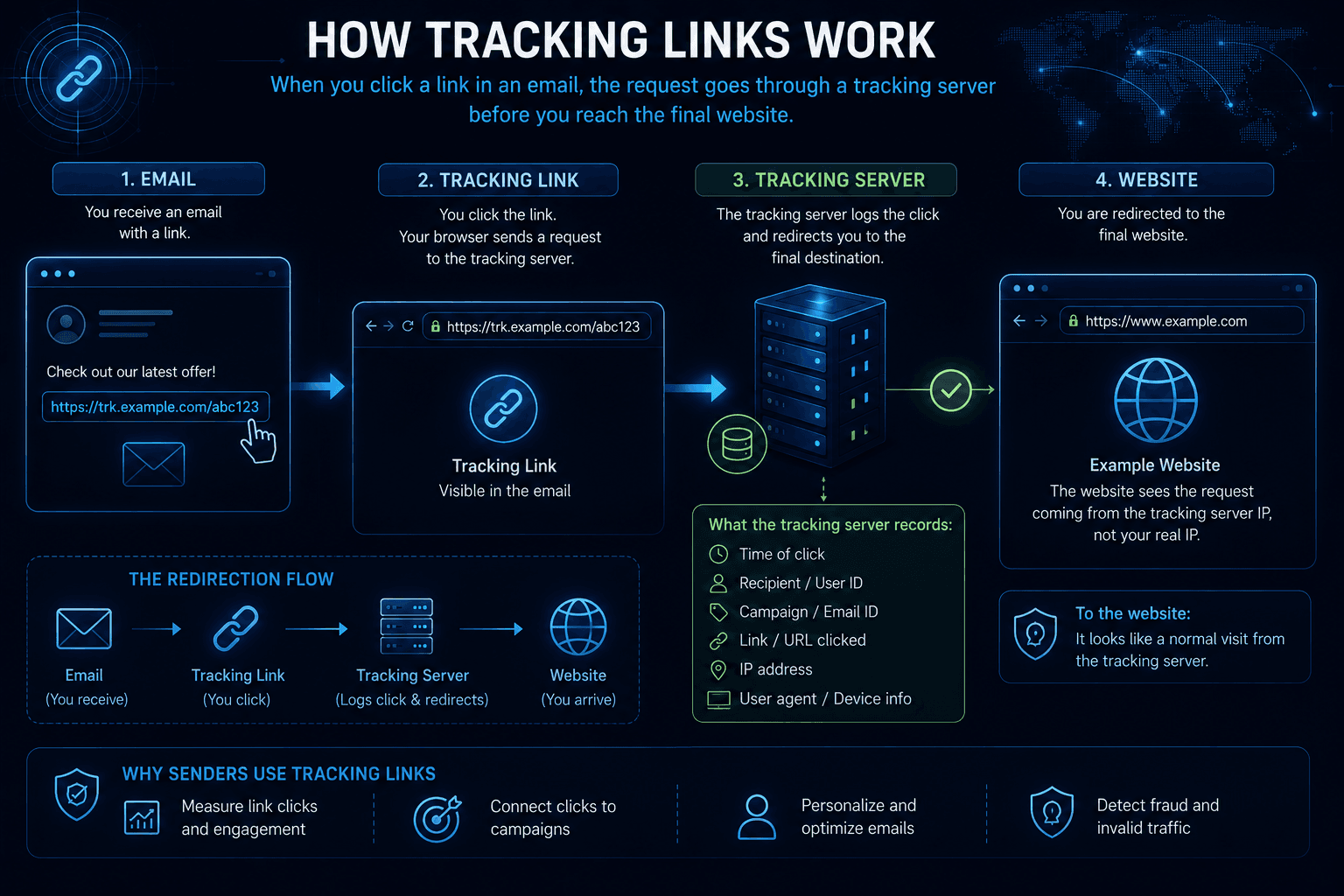
Tracking Links
Many emails don’t contain direct links.
Instead, they first redirect you through a tracking server before opening the final website.
The sender can record:
- which link was clicked;
- when the click happened;
- which email campaign generated it;
- which recipient clicked it.
Only after that are you redirected to the destination page.
Unique Tracking IDs
Most email platforms generate a unique identifier for every recipient.
It may appear inside:
- links;
- image URLs;
- tracking pixels;
- URL parameters.
Because every recipient receives a different ID, opens and clicks can be associated with a specific email.
Browser Fingerprinting after clicking a link
Tracking often continues after you leave your inbox.
Once the destination website opens, it can use standard web technologies such as:
- Browser Fingerprinting;
- cookies;
- IP Reputation;
- Behavioral Biometrics.
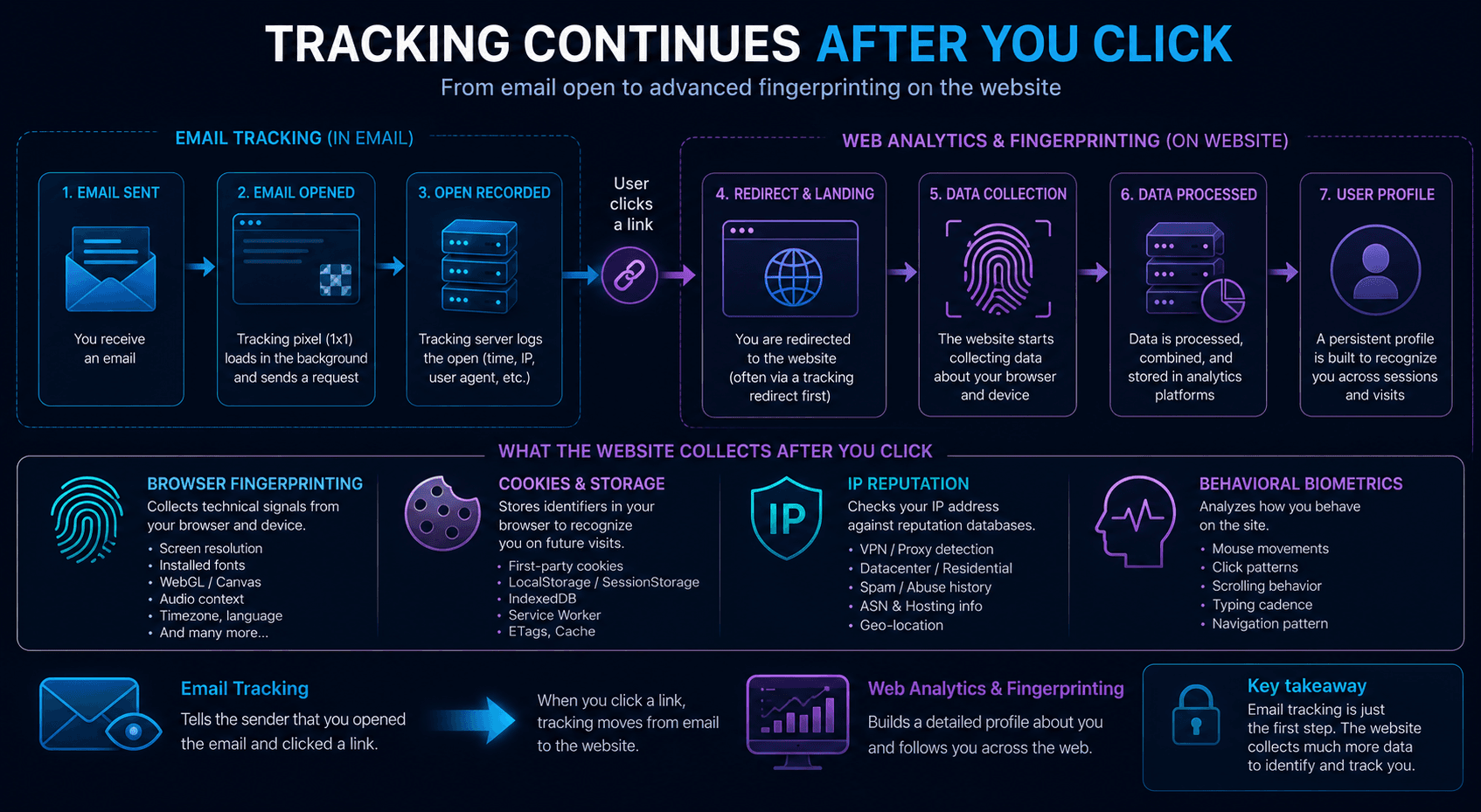
In other words, email tracking doesn’t necessarily end when you click a link—it often becomes ordinary website analytics.
What information can the sender collect?
Depending on your email client and privacy settings, the sender may learn:
- whether the email was opened;
- the time it was opened;
- how many times it was viewed;
- your approximate location;
- device type;
- operating system;
- browser information;
- which links were clicked.
However, email tracking cannot access:
- your files;
- passwords;
- other emails;
- personal documents;
- data stored on your computer.
The collected information is limited to your interaction with that email and, after clicking a link, the information normally available to the destination website.
Why tracking results aren’t always accurate
Not every email client behaves the same way.
Some automatically load remote images, while others ask for permission first.
Many providers, including Gmail, retrieve images through their own proxy servers, hiding your real IP address from the sender.
Privacy features like these make open tracking less accurate than it used to be.
How to reduce Email Tracking
Completely blocking email tracking is difficult, but you can reduce the amount of information you share.
Some practical tips include:
- disable automatic image loading where possible;
- use an email client with privacy protection features;
- avoid clicking unnecessary links;
- block remote content if your email client supports it;
- browse with strong privacy settings.
These steps won’t stop every tracking method, but they significantly reduce what senders can learn.
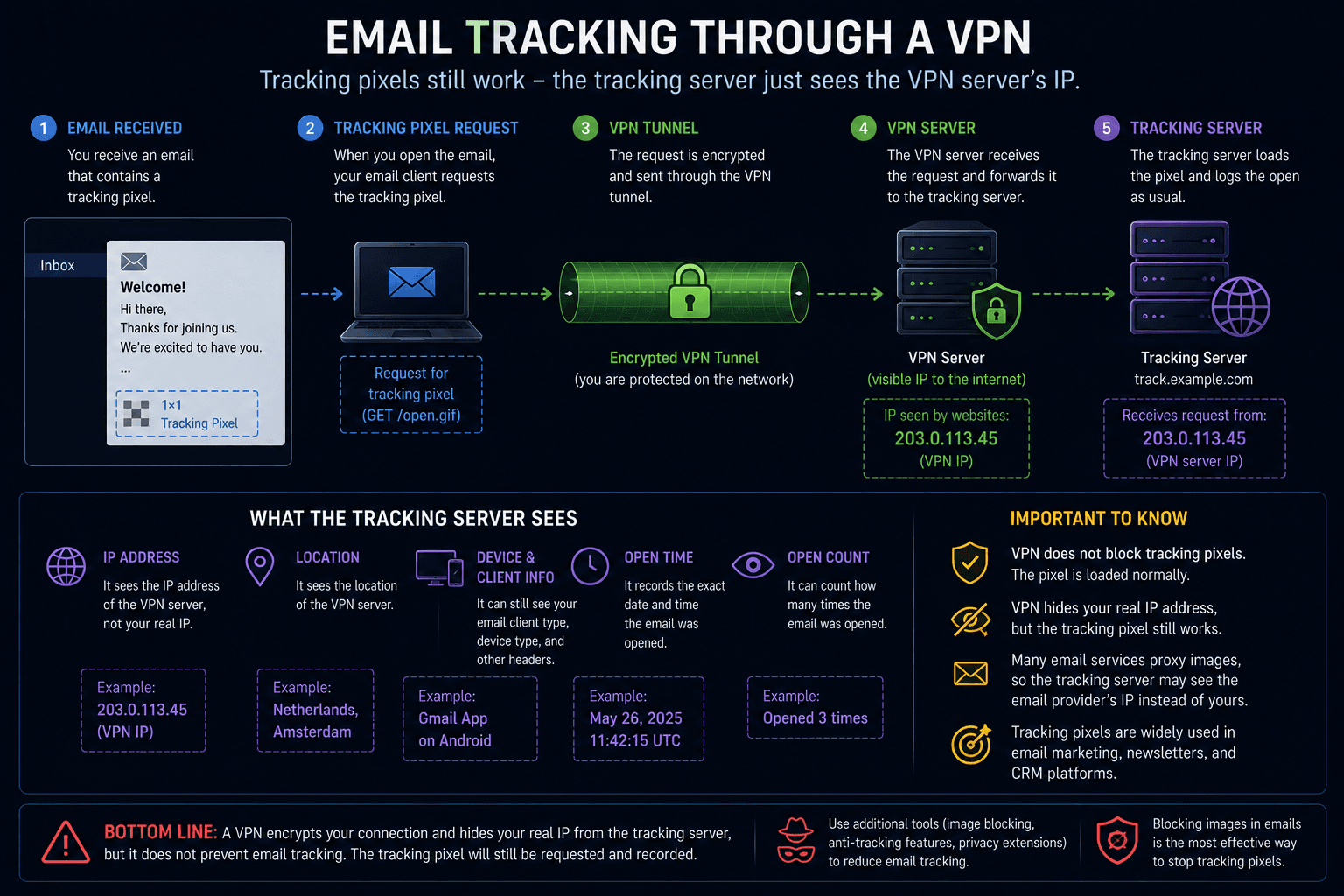
Where a VPN helps
A VPN doesn’t block email tracking, but it does hide your real IP address.
If a tracking pixel loads or you click a tracking link, the tracking server still receives a request.
The difference is that it sees the VPN server’s IP instead of your home connection.
For example, WhoX VPN replaces your public IP address with the VPN server’s address, making it harder to determine your actual location.
A VPN does not:
- block tracking pixels;
- stop tracking links;
- prevent websites from collecting analytics after you click a link.
Its purpose is to protect your network identity—not to disable email tracking.
Can you completely stop Email Tracking?
Not entirely.
Modern email tracking combines multiple technologies.
Blocking images doesn’t stop tracking links, and avoiding tracking links doesn’t prevent websites from collecting data after you arrive.
The goal isn’t to eliminate every tracking method—it’s to reduce the amount of information available to the send