What Happens After a Data Breach? How Stolen Credentials Are Used
Discover what happens after a data breach, how stolen credentials are sold and reused in automated attacks, and why password reuse puts multiple accounts at risk.

Paul Jackson
Technology editor
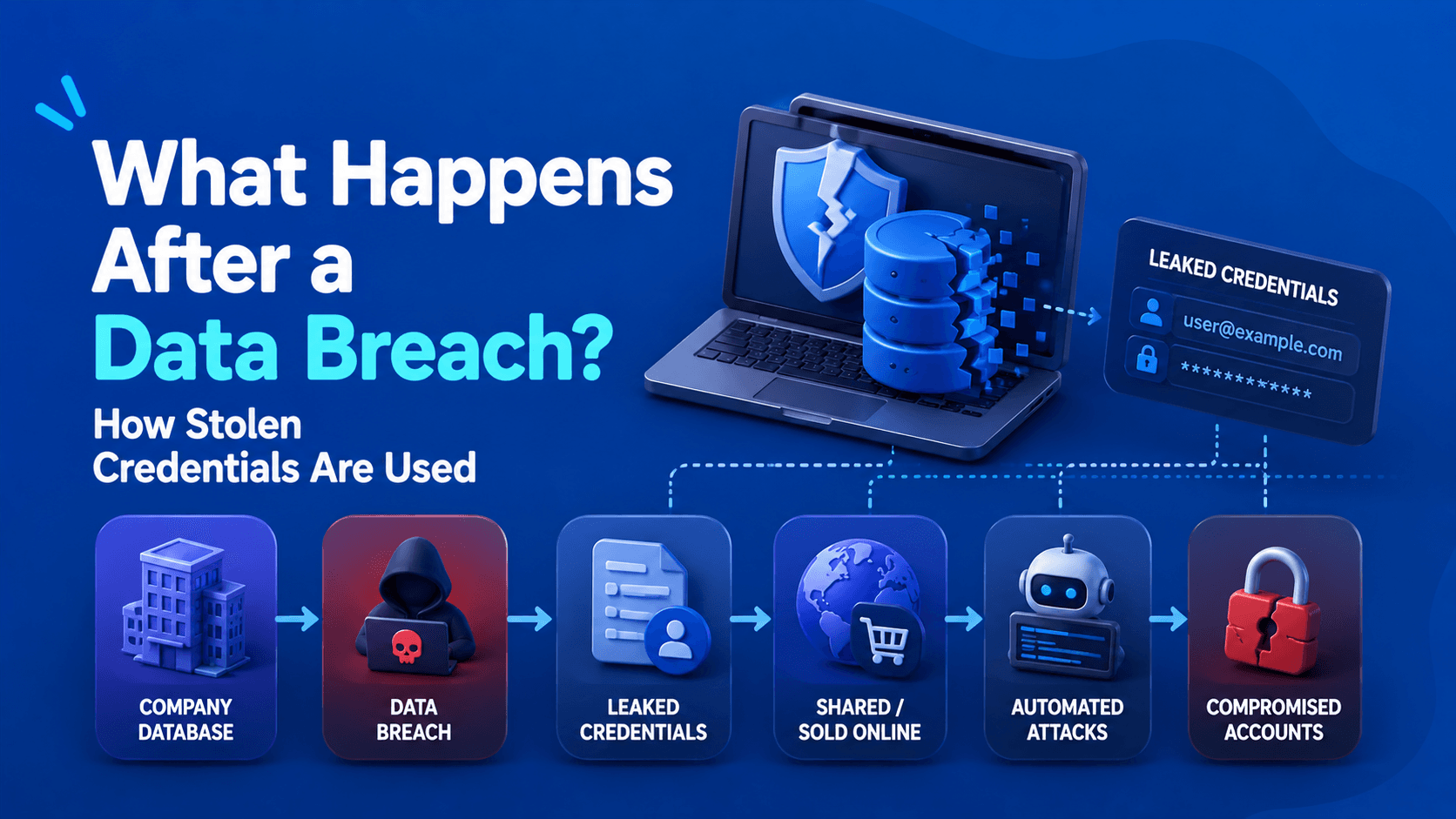
Every year, data breaches expose millions of email addresses, usernames, and passwords.
Most people imagine that attackers manually log into stolen accounts one by one. In reality, that’s almost never how modern cyberattacks work.
Once a database is leaked, the credentials usually become part of an automated ecosystem where they’re copied, shared, sold, and tested against countless online services.
For most users, the greatest risk isn’t the breach itself—it’s using the same password on multiple websites.
This article explains what happens after a data breach, how stolen credentials are reused, and why password reuse remains one of the leading causes of account compromise.
What Happens After a Data Breach?
A leaked database rarely stays with the original attacker.
Instead, stolen credentials usually follow a predictable lifecycle.
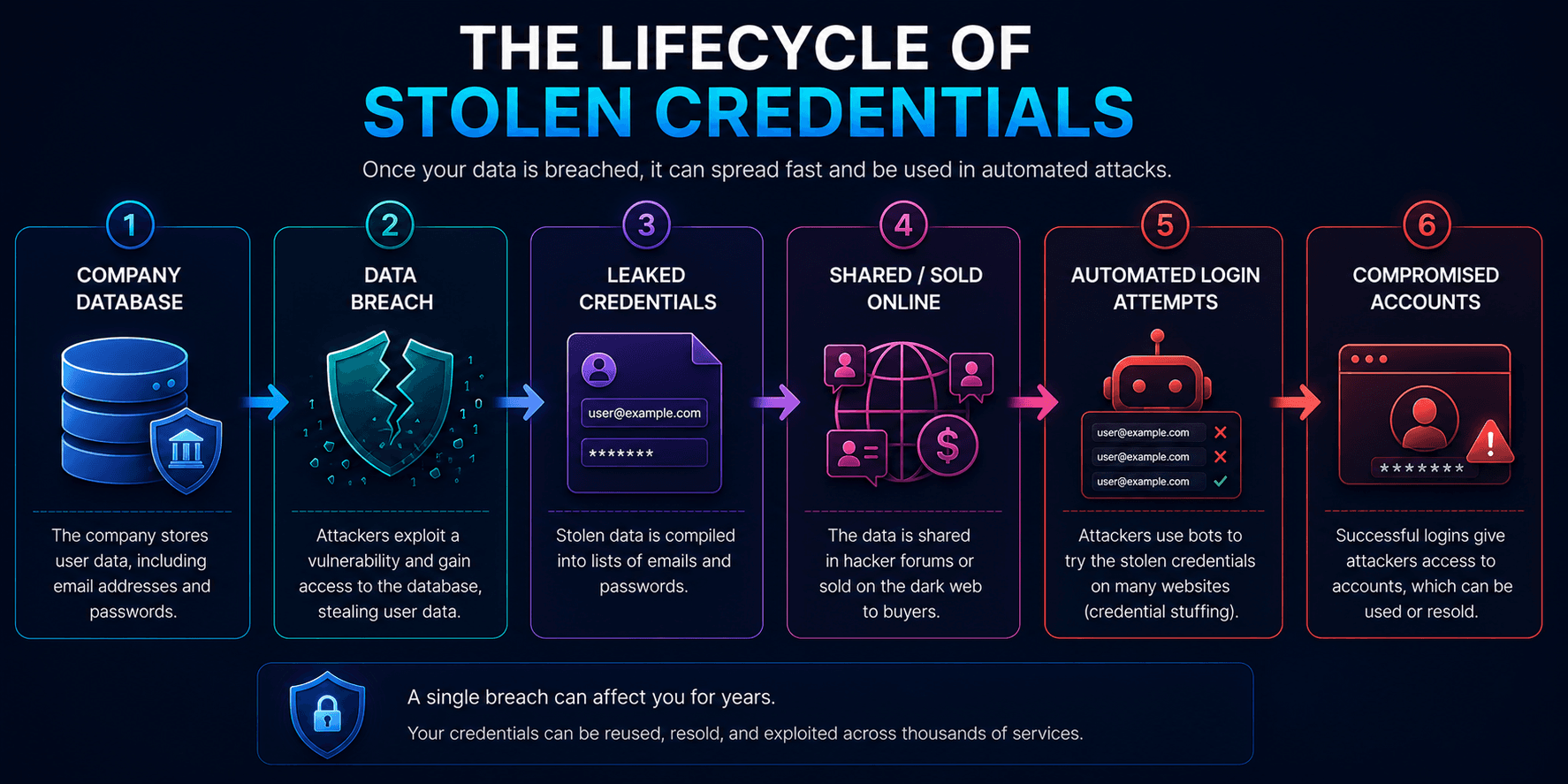
Instead of testing accounts manually, attackers import leaked credentials into automated tools capable of checking thousands—or even millions—of login combinations in a short time.
These attacks target popular services such as email providers, streaming platforms, cloud storage, online marketplaces, and social networks.
Why Do Old Data Breaches Still Matter?
Many users assume that once a breach becomes old news, it stops being a threat.
Unfortunately, leaked credentials often remain available for years.
A single breach may be:
- shared on underground forums;
- merged into larger breach collections;
- resold multiple times;
- reused in future automated attacks.
Attackers don’t care when a password was stolen. They only care whether it’s still valid.
If you’re still using the same password today that appeared in a breach several years ago, that credential may continue to be tested against other websites.
Why Password Reuse Creates the Biggest Risk
A leaked password becomes dangerous when it’s reused elsewhere.
Consider a simple example.
You created an account on an online forum several years ago using the same password you later used for your email account and a streaming service.
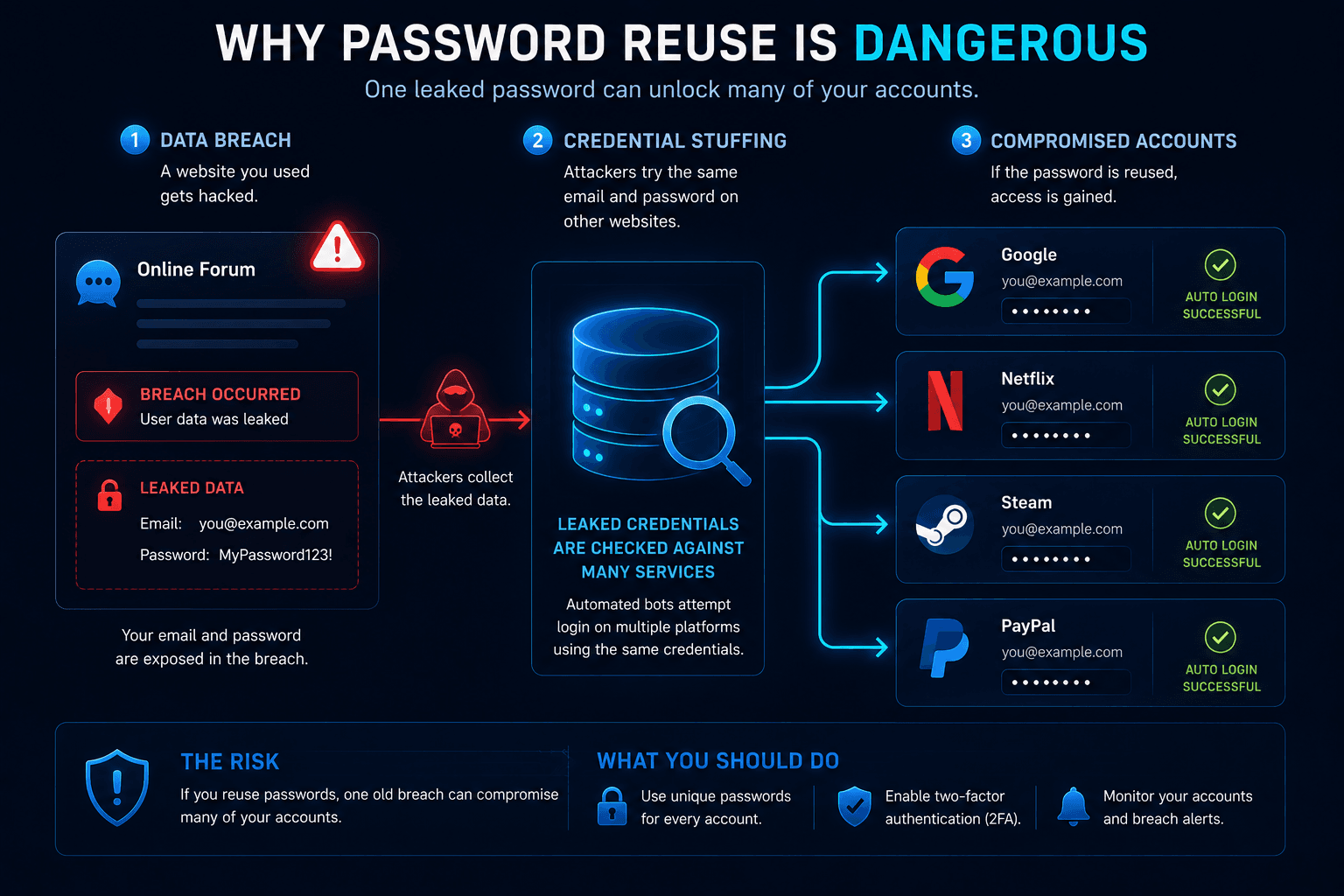
Even if the original forum is no longer active, attackers can try those same credentials on dozens of other websites.
One forgotten account can eventually put much more valuable accounts at risk.
What Is Credential Stuffing?
One of the most common attacks after a data breach is Credential Stuffing.
Instead of guessing passwords, attackers use credentials that were already exposed in previous breaches.
Specialized software automatically attempts to sign in using known email and password pairs across many online services.
If the same password has been reused, the login may succeed immediately.
Credential Stuffing doesn’t break passwords or bypass encryption.
It simply takes advantage of password reuse.
This is why security experts recommend using a unique password for every account.
Credential Stuffing vs Password Spraying
Although the names sound similar, these attacks work differently.
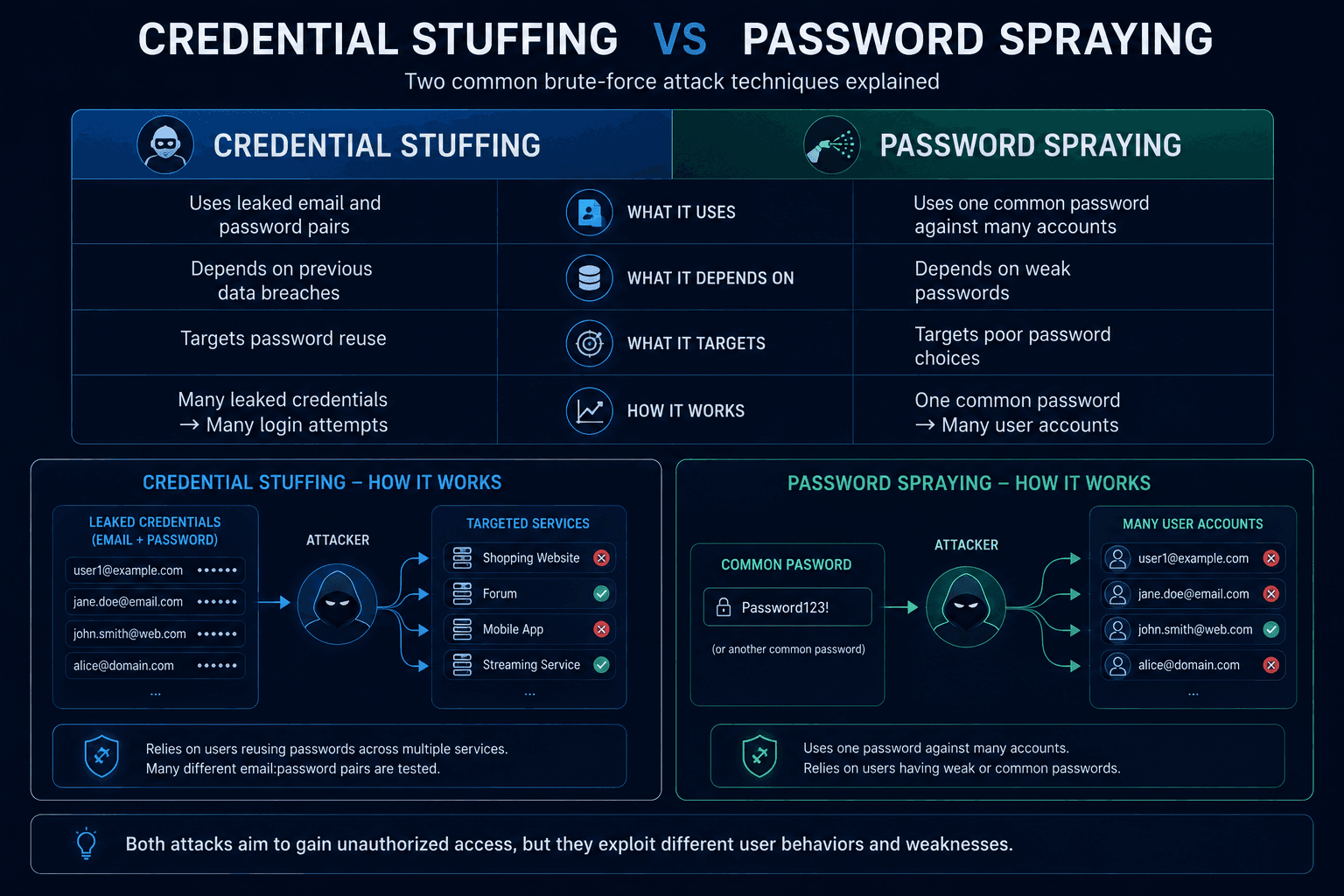
Understanding this difference helps explain why unique passwords are far more effective than simply creating a “strong” password and using it everywhere.
What Happens After an Account Is Compromised?
A successful login is usually only the beginning.
Once attackers gain access, they may attempt an Account Takeover (ATO).
Common actions include:
- changing the account password;
- replacing the recovery email address;
- disabling multi-factor authentication if possible;
- stealing personal information;
- sending phishing or spam messages;
- using the account for fraud.
Email accounts are particularly valuable because they often allow attackers to reset passwords for many other online services.
For this reason, compromising a single email account can sometimes lead to several additional accounts being taken over.
Which Accounts Are Most Frequently Targeted?
Attackers usually focus on accounts that contain valuable information or provide access to other services.
The most common targets include:
- email accounts;
- social media platforms;
- cloud storage;
- online shopping accounts;
- gaming services;
- financial platforms.
The more connected an account is to your digital life, the more attractive it becomes to attackers.
How to Protect Yourself After a Data Breach
You can’t prevent companies from experiencing security incidents, but you can significantly reduce the consequences if your information is exposed.
Good security habits include:
- using a different password for every account;
- storing passwords in a trusted password manager;
- enabling multi-factor authentication (MFA);
- using passkeys whenever they’re available;
- changing passwords immediately after learning about a breach;
- checking your email periodically with trusted breach notification services.
A unique password for every website remains the most effective defense against Credential Stuffing.
Final Thoughts
A data breach doesn’t usually end when the stolen database appears online.
That’s often when automated attacks begin.
Leaked credentials can continue circulating for years, giving attackers repeated opportunities to test them against new services.
For most users, the greatest risk isn’t that a company experienced a breach—it’s continuing to reuse the same password long afterward.