Mobile vs Desktop tracking
See what signals apps and websites can use to recognize mobile and desktop users. We compare device identifiers, browser fingerprints, and other tracking methods across both environments.

Paul Jackson
Technology editor
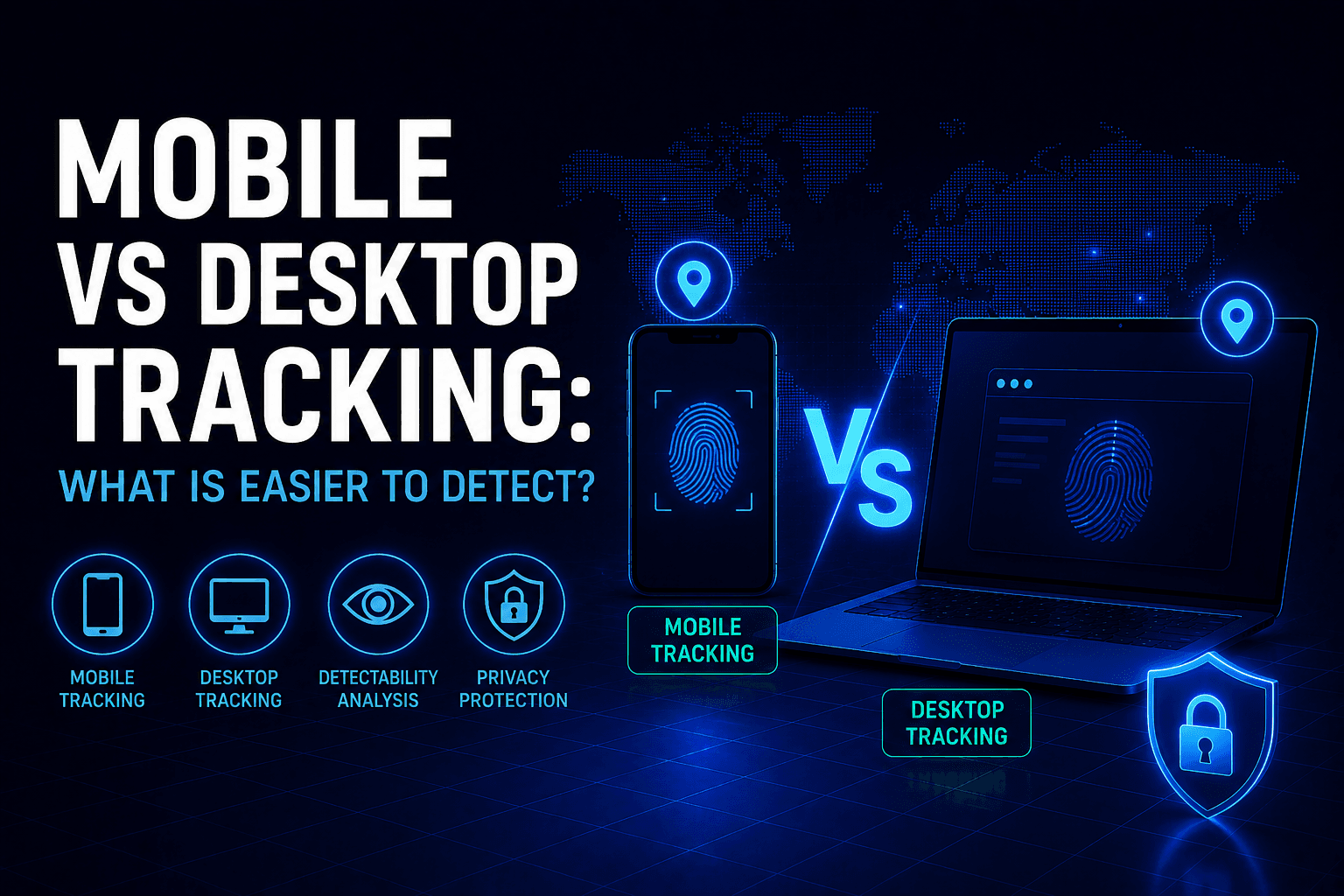
People usually assume mobile devices are more private.
Smaller apps. Different operating systems. No “traditional PC viruses”.
In reality, mobile tracking in 2026 is often more aggressive than desktop tracking.
Modern platforms collect much more than cookies now.
They analyze:
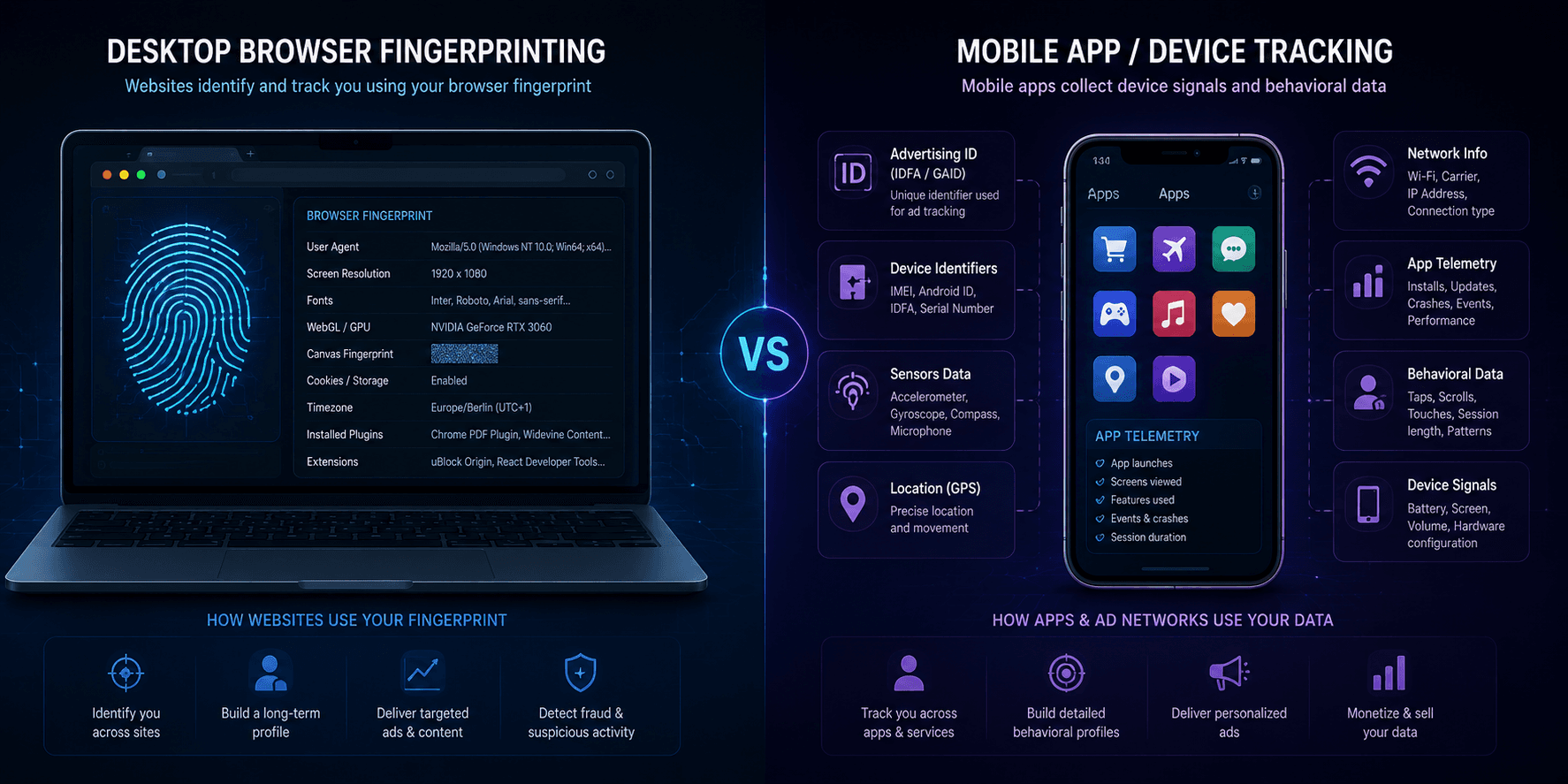
- device fingerprints
- IP address
- behavior patterns
- advertising identifiers
- sensors
- app activity
- browser characteristics
And the way this tracking works is very different on desktop and mobile.
So which is actually easier to detect:
mobile users or desktop users?
The answer depends on what exactly is being tracked.
Why websites track users differently now
Tracking systems changed a lot over the last few years.
Old-school cookie tracking is no longer enough.
Browsers block third-party cookies more aggressively:
- Safari
- Firefox
- Brave
- Chrome (partially)
As a result, companies moved toward fingerprinting and behavioral analysis.
Instead of asking:
“Who is this cookie?”
Platforms now ask:
“Does this device look like the same person as before?”
That shift changed everything.
Why desktop tracking is powerful
Desktop browsers expose a huge amount of information.
Especially Chromium-based browsers.
A typical desktop setup reveals:
- monitor size
- operating system
- graphics card
- installed fonts
- rendering behavior
And many users accidentally make their fingerprint even more unique by:
- installing many extensions
- changing browser settings
- modifying privacy flags
- using unusual resolutions
Ironically, “privacy tweaking” often makes users easier to identify.
But desktop still gives more control
Desktop systems also allow better privacy protection.
Users can:
- disable WebRTC
- isolate browsers
- use separate profiles
- block scripts
- change DNS
- use advanced VPN setups
This flexibility matters.
A properly configured desktop browser is still harder to track consistently than most mobile devices.
Especially with hardened browsers and isolated sessions.
Why mobile devices are easier to track
Most mobile users:
- stay permanently logged in
- rarely clear app data
- use the same apps every day
- keep Bluetooth and GPS enabled
- use default settings
That creates extremely consistent behavioral patterns.
Mobile operating systems also centralize identity heavily.
For example:
- Google services on Android
- Apple ecosystem synchronization on iPhone
Your activity across apps may become linked indirectly through:
- advertising SDKs
- analytics systems
- shared identifiers
This makes long-term tracking easier.
Apps are more aggressive than browsers
Many users trust apps more than websites.
In practice, apps often collect much more data.
Some applications monitor:
- app open frequency
- battery state
- motion sensors
- network changes
- nearby devices
- location history
This data helps build behavioral fingerprints.
Even without GPS enabled, platforms can often estimate location through:
- IP
- Wi-Fi environment
- timezone
- mobile network metadata
Browser fingerprinting on mobile
Mobile browsers also fingerprint users.
But mobile fingerprints are usually less unique than desktop ones.
Why?
Because mobile ecosystems are more standardized.
Millions of users share:
- same device models
- same screen sizes
- same fonts
- same rendering engines
This slightly reduces uniqueness.
However, mobile tracking compensates through:
- app ecosystems
- account synchronization
- advertising identifiers
So the overall tracking level is still very high.
What is actually easier to detect?
In most cases:
mobile users are easier to track consistently over time.
Not because mobile fingerprinting is technically stronger.
Because mobile ecosystems are more centralized and persistent.
Users rarely:
- rotate identities
- isolate sessions
- clear application storage
- separate activities
Desktop users at least have the option to compartmentalize activity.
VPN on desktop vs mobile
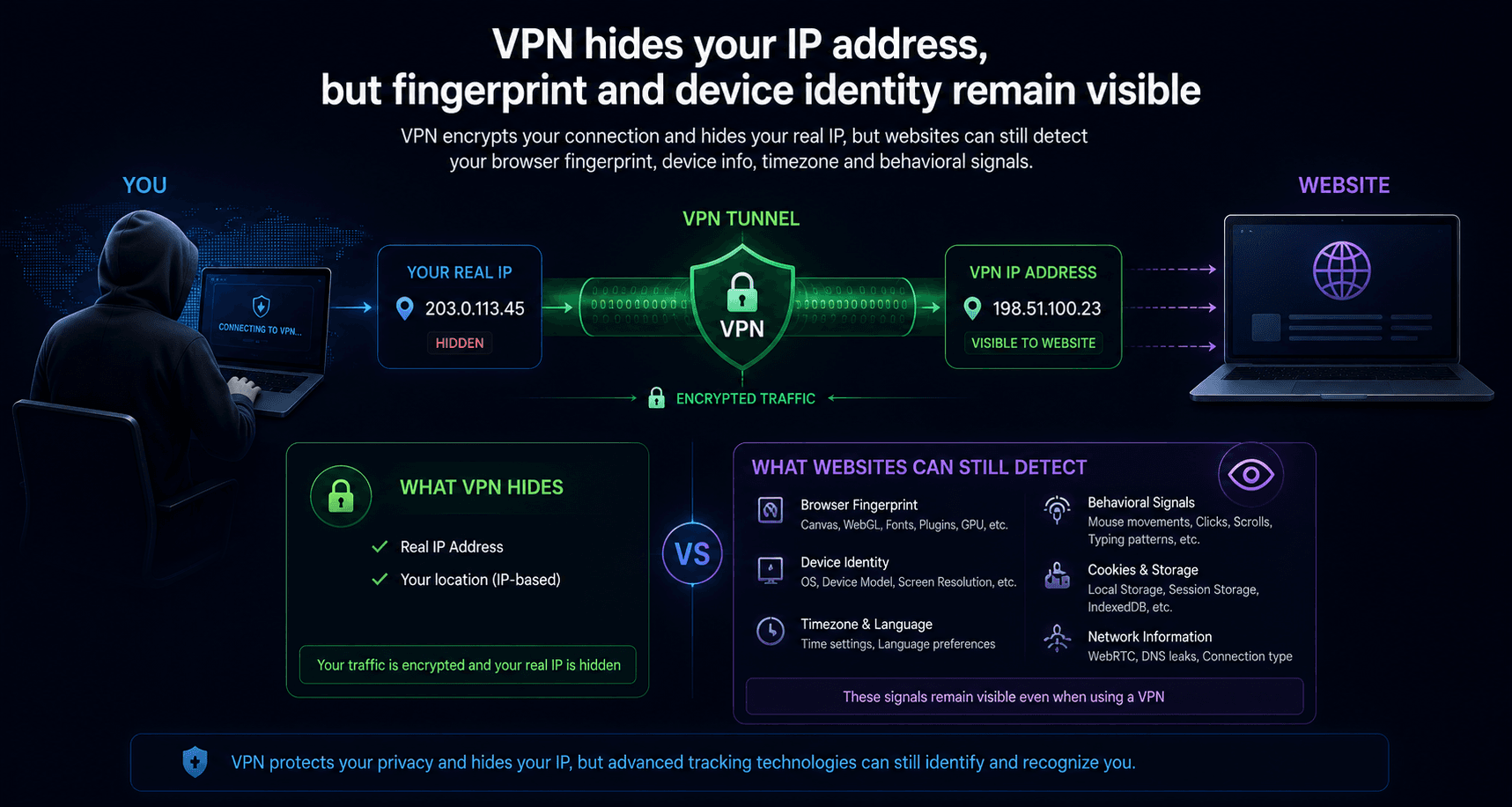
VPN changes IP on both desktop and mobile.
But the surrounding environment still matters.
On desktop:
- browser isolation is possible
- fingerprint control is easier
- separate sessions are manageable
On mobile:
- apps still maintain persistent identifiers
- device identity often survives IP changes
- ecosystem telemetry remains active
This is why changing IP alone does not fully solve tracking anymore.
If you check your connection through a service like Whoer, you can immediately see how many signals remain exposed even with VPN enabled.
Antidetect browsers and mobile fingerprints
Most people associate antidetect browsers only with desktop Chrome profiles.
But modern anti-fraud systems increasingly compare desktop and mobile environments differently.
Some websites expect:
- desktop users to have desktop-like hardware
- mobile users to have mobile fingerprints
- touch-device behavior
- mobile viewport sizes
- Android or iPhone-specific rendering
This is where advanced antidetect setups become important.
Tools like WadeX can work with both desktop and mobile browser parameters:
- desktop fingerprints
- Android and iOS environments
- mobile screen profiles
- mobile user agents
- touch-related browser behavior
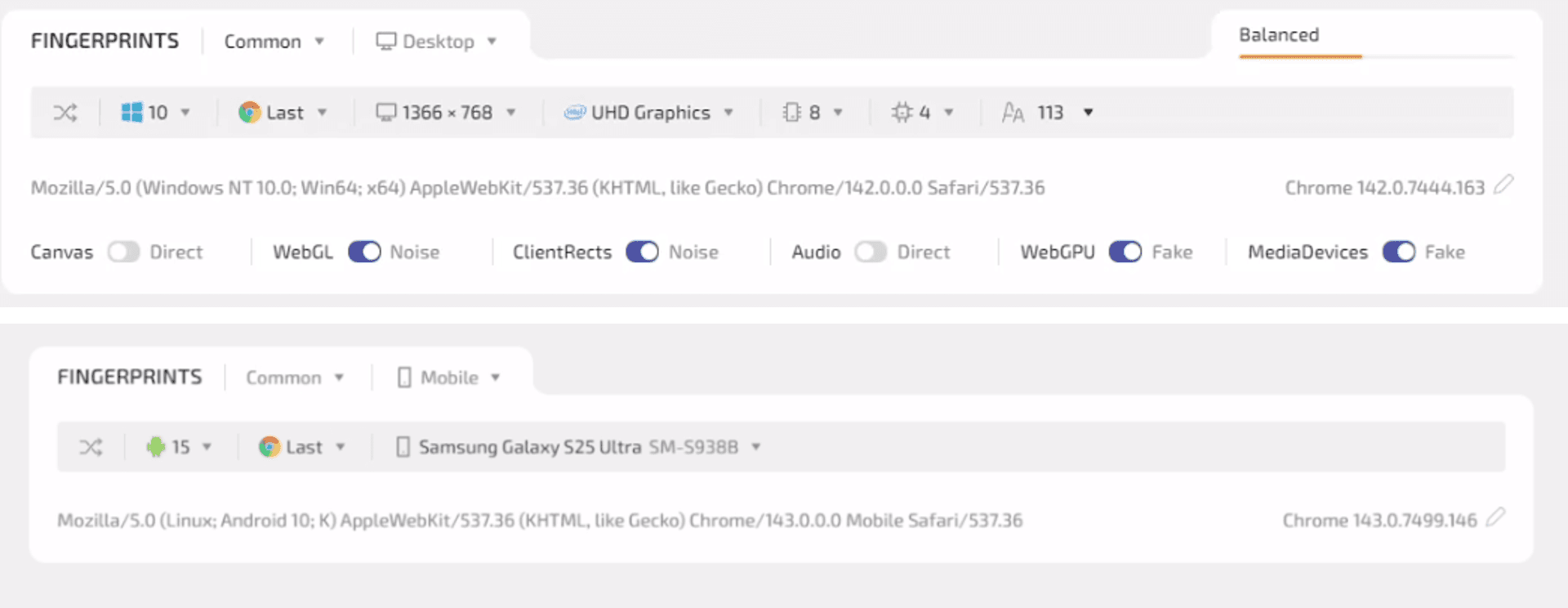
That matters because many platforms now compare whether the entire environment looks realistic, not just the IP address.
For example:
- mobile proxy + desktop fingerprint
- iPhone user-agent + Windows rendering behavior
can immediately trigger anti-fraud systems.
Why mobile emulation matters now
Some platforms already treat mobile traffic differently from desktop traffic.
Especially:
- TikTok
- mobile-first ad platforms
A realistic mobile environment often behaves differently:
- different screen sizes
- touch events
- different rendering pipelines
- different browser APIs
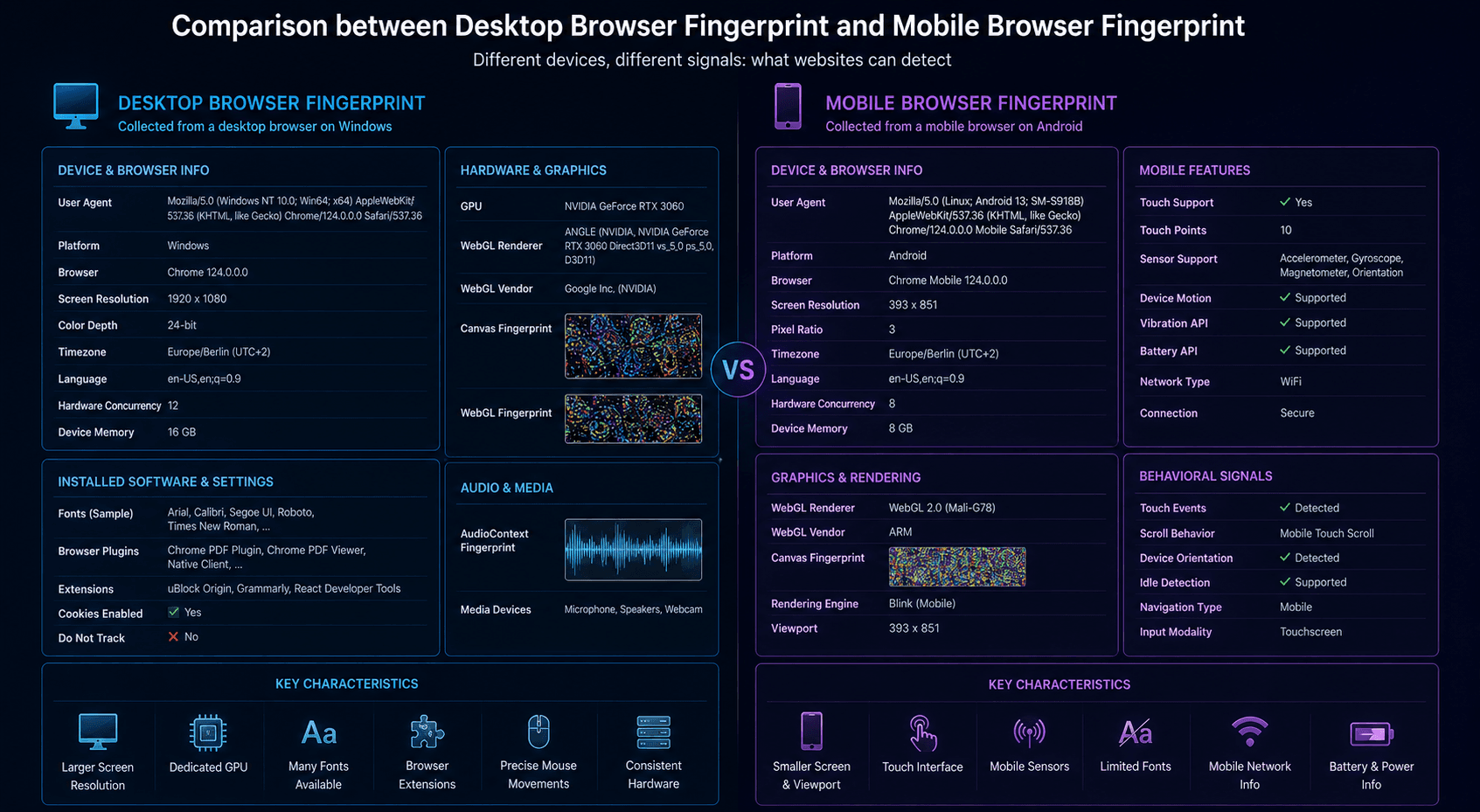
This is why advanced browser isolation tools increasingly support both desktop and mobile-style browser environments.
Where desktop is easier to detect
Desktop becomes easier to detect when users create highly unique setups.
Examples:
- dozens of extensions
- unusual Linux configurations
- custom browser flags
- rare resolutions
- modified rendering behavior
That creates an uncommon fingerprint.
Some anti-fraud systems actually flag “overprotected” browsers faster than default ones.
Where mobile is easier to detect
Mobile is easier to detect in:
- long-term account tracking
- app ecosystems
- advertising tracking
- behavioral profiling
Especially because users rarely separate identities on phones.
Everything often runs through the same device:
- social networks
- banking
- messaging
- browsing
That creates a very connected profile.
What actually improves privacy in 2026?
For desktop:
- separate browser profiles
- fewer extensions
- isolated sessions
- VPN
- hardened browser settings
For mobile:
- limiting app permissions
- disabling advertising ID personalization
- reducing unnecessary apps
- avoiding permanent logins
- using VPN on untrusted networks
Services like WhoX VPN help hide IP traffic, but IP masking alone is no longer enough for full anonymity.
Modern tracking systems analyze the entire environment together.