How to Hide Your IP Address: What Really Works
Learn how to hide your IP address with VPNs and proxies, why changing your IP isn't always enough, and which signals websites still use to identify your browser.

Paul Jackson
Technology editor
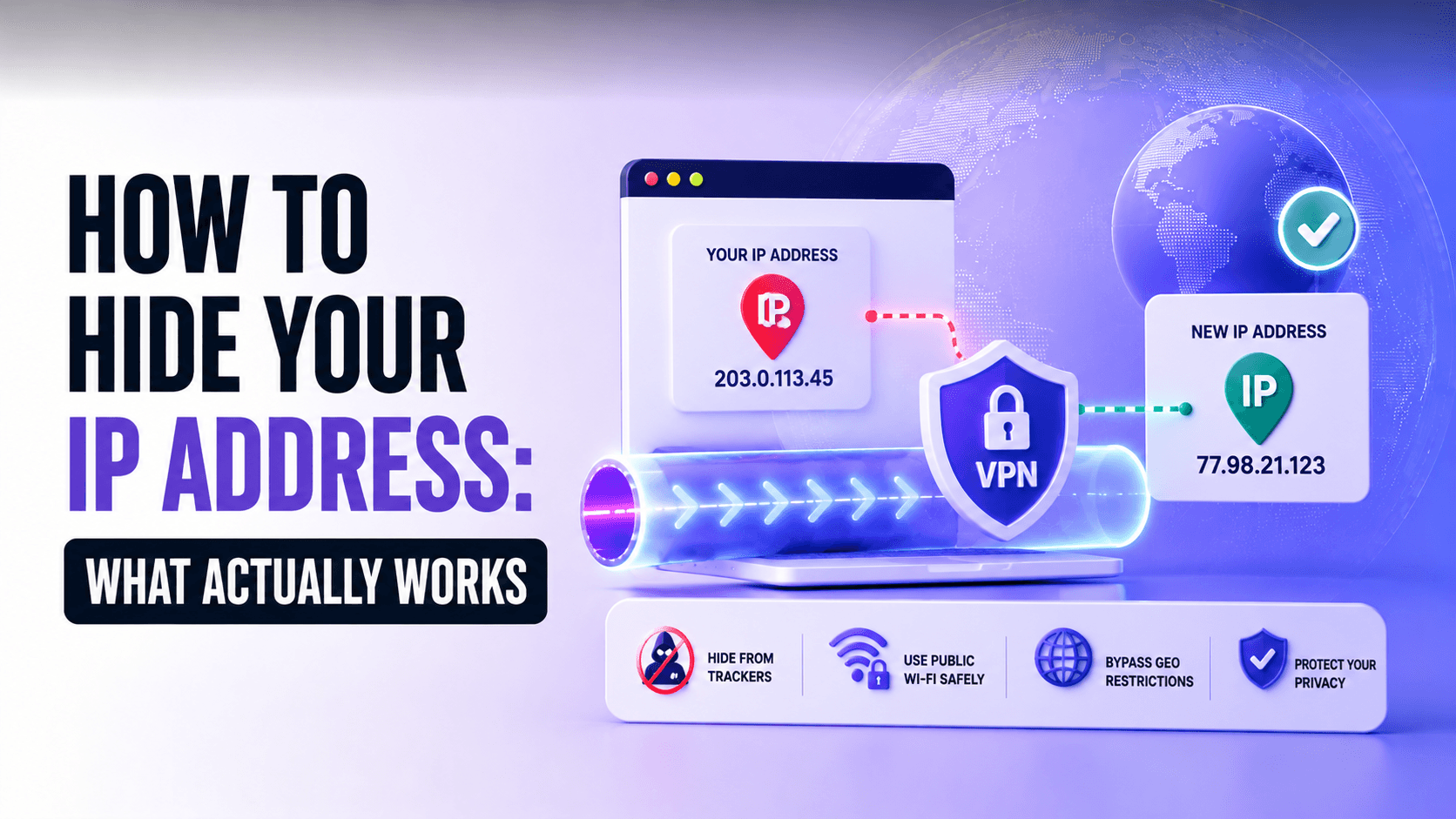
Every website you visit immediately receives your public IP address.
Because of this, many people believe that changing or hiding their IP address is enough to browse privately. In reality, your IP is only one part of the information websites use to identify and analyze visitors.
Modern websites can also evaluate DNS requests, WebRTC, browser settings, cookies, and browser fingerprinting techniques. Even if your IP changes, inconsistencies between these signals may still reveal valuable information about your browsing environment.
In this guide, you’ll learn what hiding your IP address actually means, how VPNs and proxy servers differ, and what really improves online privacy.
What Does It Mean to Hide Your IP Address?
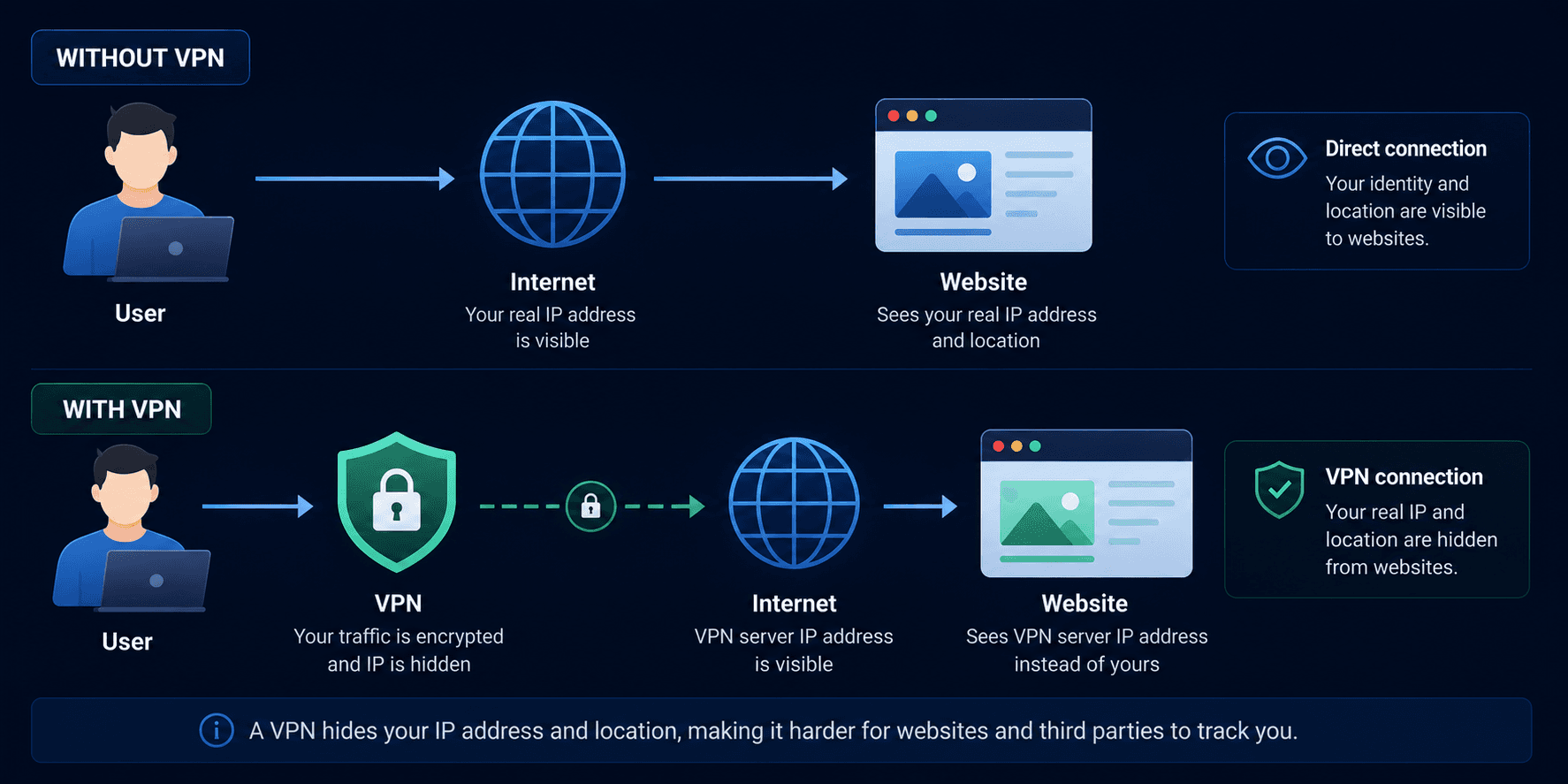
An IP address is a unique network identifier assigned to your internet connection.
Whenever you open a website, your browser sends requests that include your public IP address. Websites use it to deliver content, estimate your location, and establish a connection with your device.
When you hide your IP address, websites no longer see your home connection. Instead, they see the address of another server, such as a VPN or proxy server.
Changing your IP improves privacy, but it doesn’t automatically make you anonymous. Websites can still collect many other technical signals about your browser and network.
Proxy Servers: The Simplest Way to Change Your IP
A proxy server forwards your traffic through an intermediary before it reaches the destination website.
The connection looks like this:
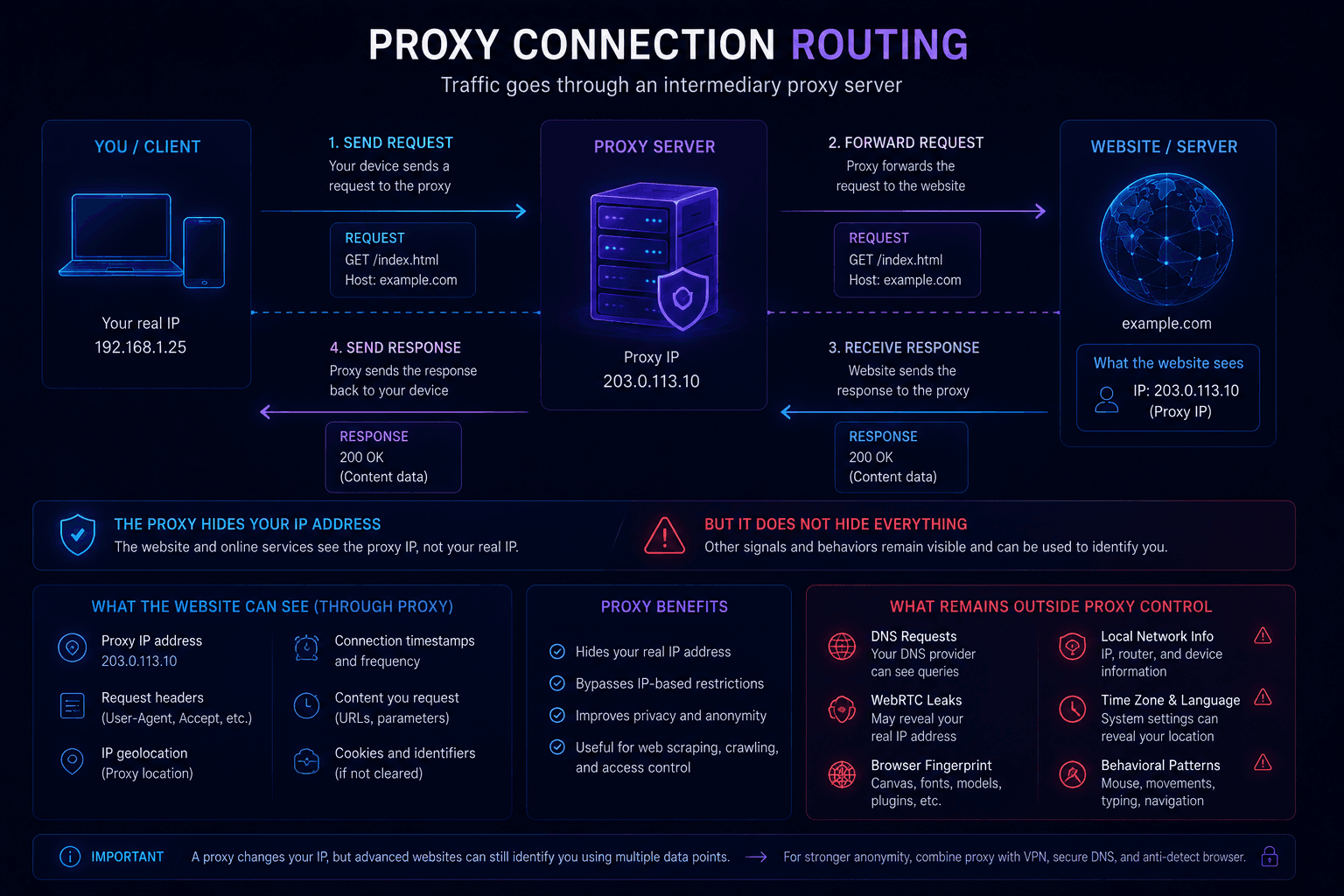
Instead of your own IP address, the website sees the IP address of the proxy server.
For basic tasks, this is often enough. However, most proxies only replace the visible IP address. They usually don’t encrypt traffic or control how other parts of your connection behave.
Depending on your configuration, DNS requests, WebRTC traffic, or browser information may still reveal additional details about your environment.
A proxy changes your network endpoint, but it doesn’t necessarily improve overall privacy.
VPNs Protect More Than Your IP Address
A VPN creates an encrypted tunnel between your device and a VPN server.

When configured correctly, a VPN can:
- replace your public IP address;
- encrypt traffic on local networks;
- route DNS requests through the VPN;
- reduce the risk of DNS leaks.
Unlike a proxy, a VPN protects network traffic while it travels across the internet.
However, even a VPN doesn’t hide every aspect of your browsing session.
Why Changing Your IP Isn’t Enough
Many users focus only on whether their IP address has changed.
Modern websites rarely do.
Instead, they analyze multiple signals together, including:
- public IP address;
- DNS configuration;
- WebRTC;
- browser fingerprint;
- language;
- time zone.
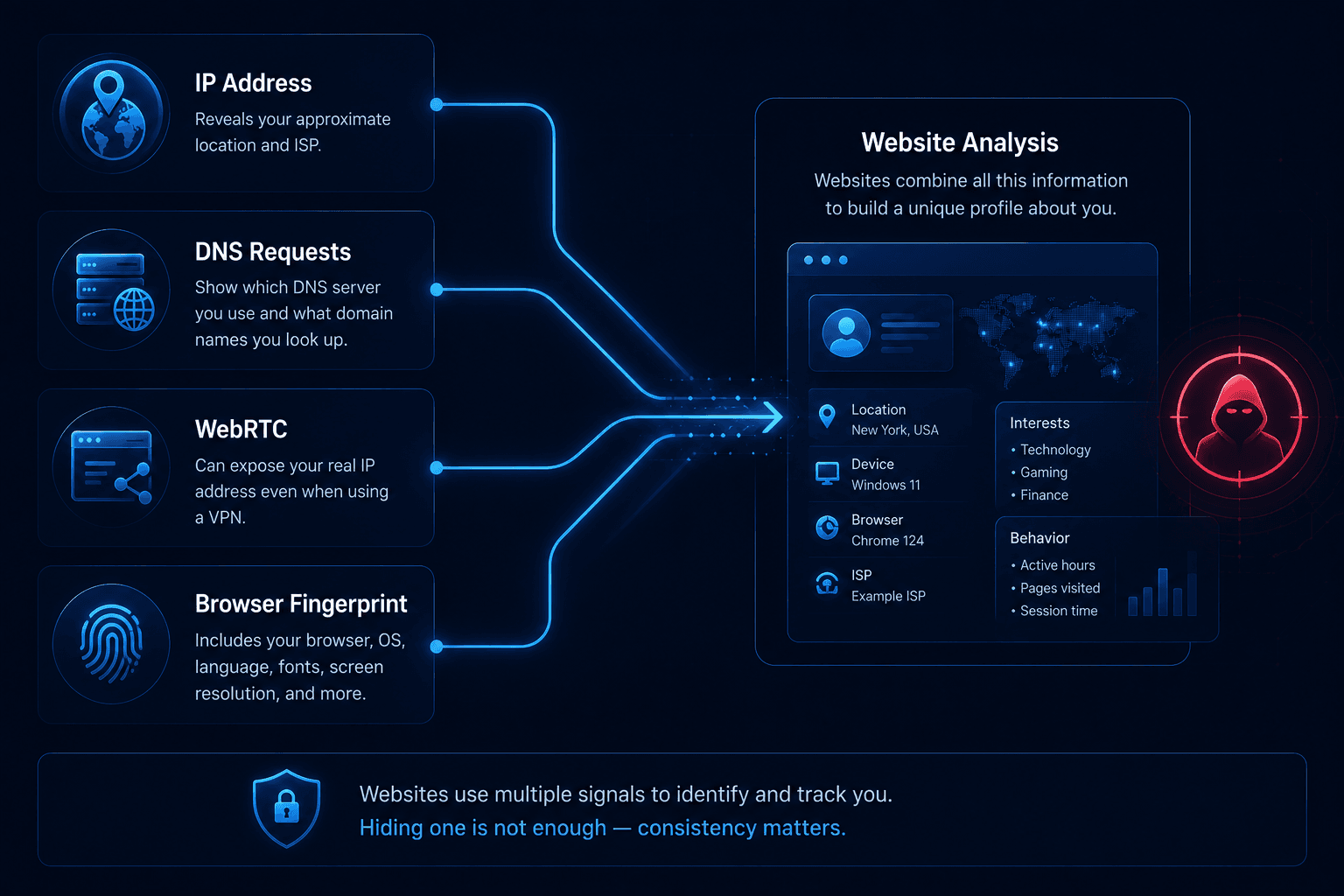
These signals should appear consistent.
For example, if your IP address belongs to Germany but your browser reports a different time zone or exposes your local network through WebRTC, the browsing environment may appear inconsistent.
This doesn’t automatically mean you’ll be blocked, but many security and fraud prevention systems use such inconsistencies when assessing connection quality.
Browser Fingerprints Matter Too
Changing your IP address doesn’t change your browser.
Websites can still recognize technical characteristics such as:
- installed fonts;
- Canvas and WebGL rendering;
- screen resolution;
- operating system;
- browser version;
- hardware characteristics.
Together, these parameters form a browser fingerprint that helps distinguish one browsing environment from another.
That’s why changing only your IP address often isn’t enough for situations where browser consistency matters.
Why Antidetect Browsers Use Proxies
Professional browser environments typically combine proxies with isolated browser profiles.
The reason is simple: websites don’t evaluate the IP address in isolation.
An antidetect browser helps keep multiple technical parameters consistent by managing:
- browser fingerprint;
- time zone;
- language;
- WebRTC;
- local browser storage.
For example, WadeX keeps every browser profile isolated, so cookies, Local Storage, cache, and other browser data aren’t shared between profiles.
Instead of changing only one parameter, the browsing environment remains more consistent overall.
What Actually Improves Your Privacy?
No single tool can completely hide your identity online.
Instead, privacy comes from combining several technologies correctly.
For most users, the best approach includes:
- using a reliable VPN;
- routing DNS through the VPN;
- preventing WebRTC leaks;
- checking the connection regularly;
- avoiding unnecessary browser tracking.
If you work with multiple independent browser identities, isolated browser profiles can provide an additional layer of separation.
The goal isn’t simply to replace your IP address—it’s to avoid exposing conflicting technical information that websites can analyze.
Check What Websites Can See
Changing your IP address is only the first step.
It’s equally important to verify what your browser still exposes.
Using Whoer.net, you can check:
- your public IP address;
- DNS servers;
- WebRTC;
- IPv6;
- other network parameters.
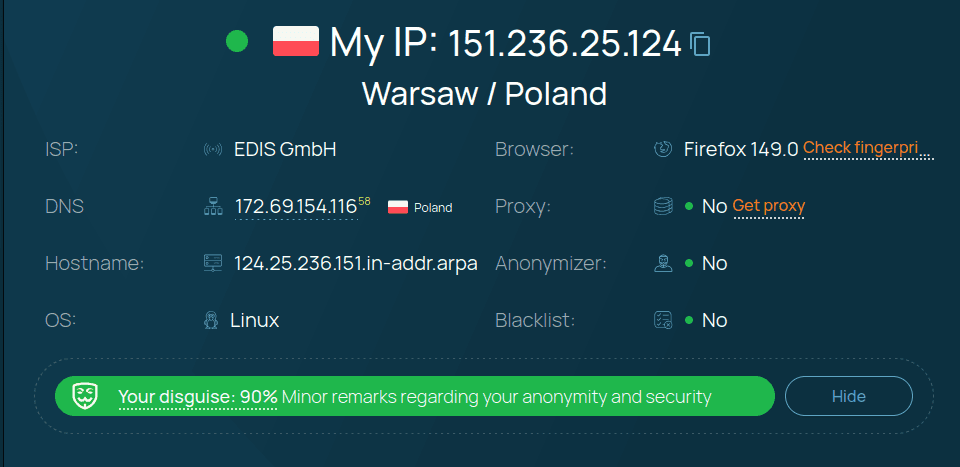
If you’re connected to WhoX VPN, these checks help confirm that your connection is working as expected and that common network leaks aren’t exposing additional information.
Final Thoughts
Hiding your IP address improves privacy, but it doesn’t make you invisible online.
Modern websites evaluate much more than your IP address. Browser fingerprints, DNS requests, WebRTC, cookies, and other technical signals all contribute to how your browsing environment is perceived.
For everyday privacy, a properly configured VPN is usually the most effective solution. For more advanced use cases, browser isolation and consistent browser settings become equally important.
The strongest privacy isn’t achieved by changing a single parameter—it’s achieved by making your entire browsing environment consistent.