FINGERPRINTING
example_example
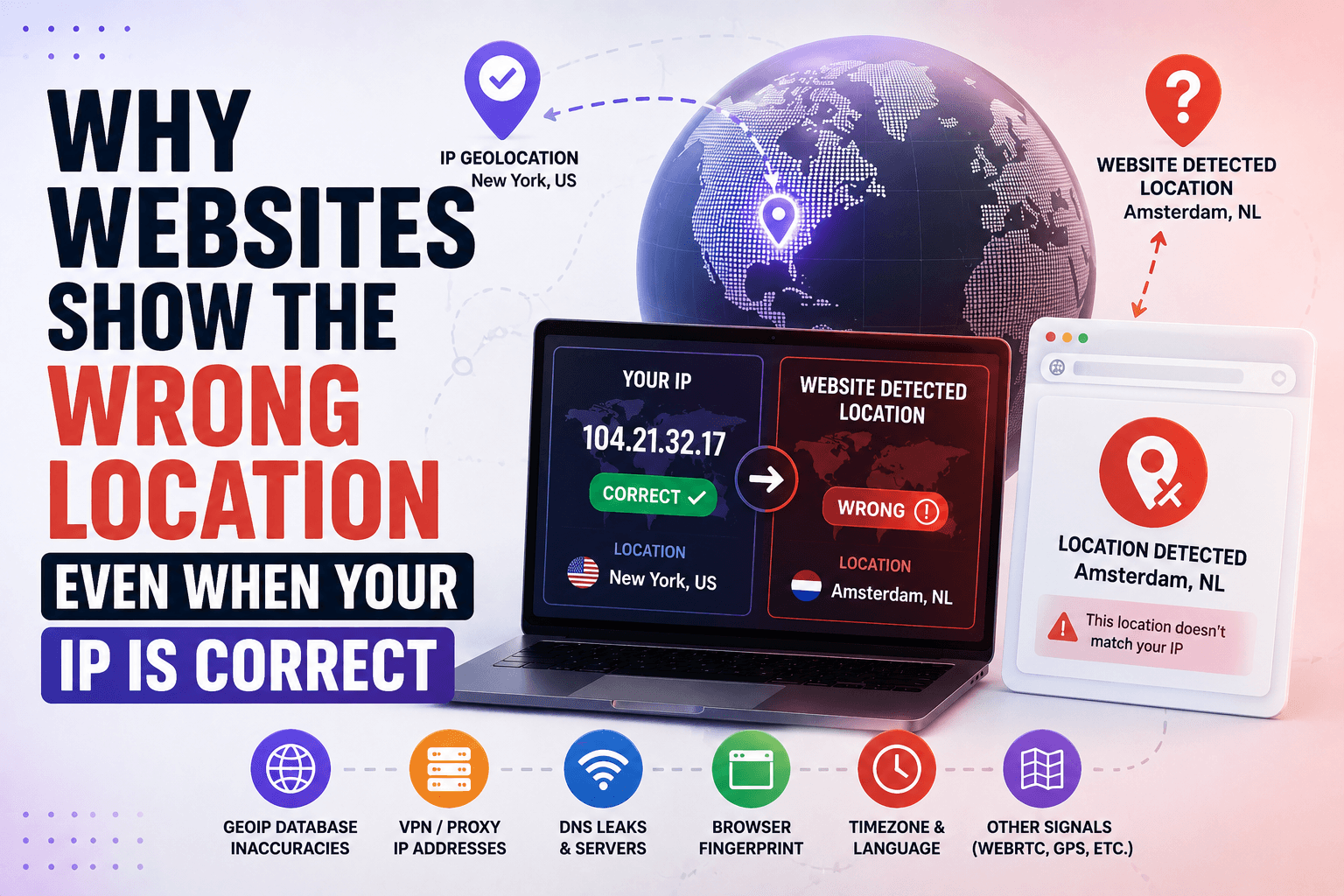
Why Websites Show the Wrong Location Even When Your IP Is Correct
A common VPN-related problem looks like this:
- your VPN is connected;
- your IP address matches the selected country;
- IP checkers show the expected location;
yet websites still think you are somewhere else.
Google may show search results for another country. An online store may display the wrong currency. A streaming service may identify a different region than the one shown by your VPN.
At first glance, this looks like a VPN problem. In many cases, however, the issue comes from geolocation databases, browser signals, cached information, or location data maintained by the website itself.
[Image: website queries geolocation database to determine user location]
What Are IP Geolocation Databases?
Most websites do not determine a visitor's location on their own. Instead, they use third-party geolocation databases that map IP addresses to countries, regions, cities, ISPs, and network operators.
When a user opens a website, the site can check the IP address against one of these databases and receive location information. That data may then be used for localization, advertising, fraud detection, analytics, or content restrictions.
The important thing to understand is that websites often rely on different providers. Two services looking at the same IP address may receive different location data.
The Largest Geolocation Providers
Several companies provide geolocation data used across the internet.
MaxMind
MaxMind is one of the most widely used providers. Its GeoIP databases are integrated into websites, analytics systems, security products, and anti-fraud platforms.
[Link to MaxMind]
IP2Location
IP2Location is commonly used by SaaS platforms, marketing tools, and web services.
[Link to IP2Location]
DB-IP
DB-IP is another provider frequently used in APIs and custom integrations.
[Link to DB-IP]
IPinfo
IPinfo offers geolocation information along with ASN, company, and network ownership data.
[Link to IPinfo]
Because each provider collects and updates information differently, the same IP address may appear in different locations depending on which database a website uses.
[Image: one IP checked against multiple geolocation databases producing different locations]
Why the Same IP Can Show Different Locations
There is no single global database that defines where every IP address is located.
For example, a VPN IP may appear as:
- Berlin in one database;
- Hamburg in another;
- Germany only in a third.
All three results can be technically valid because geolocation databases often work with estimates rather than precise physical locations.
This becomes even more noticeable with VPN services. Providers regularly add servers, acquire new IP ranges, and move infrastructure between data centers. Some databases update quickly, while others may continue showing older information for weeks or months.
As a result, a VPN server physically located in France may still appear as being in the Netherlands on certain websites.
Why Google May Show a Different Location
Google uses far more than IP geolocation.
In addition to your current IP address, Google may consider browser settings, account activity, Android location history, Wi-Fi information, GPS data, and other signals connected to your device.
[Image: Google combines IP, GPS, Wi-Fi and browser signals]
That is why an IP checker may show Germany while Google continues displaying results for another country. In many cases, Google is using information collected from previous activity rather than relying exclusively on the current IP address.
A useful test is opening Google in a private browsing window, disabling location permissions, or using a clean browser profile.
How to Check What Location Websites See
If a website shows the wrong location, start by checking the basics.
Whoer allows you to verify:
- public IP address;
- country detection;
- ISP information;
- DNS configuration;
- browser-related signals.
[Link to Whoer]
[Image: Whoer displaying IP, ISP and location information]
Next, compare your IP across multiple geolocation providers such as MaxMind, IPinfo, IP2Location, and DB-IP. If they report different locations, the issue is likely related to geolocation data rather than the VPN itself.
For example, one database may show Warsaw while another reports Kraków. Websites using those providers will display different results even though your IP has not changed.
What to Do If the Location Is Wrong
Before assuming your VPN is leaking, work through a few simple checks:
- Verify the IP location using several geolocation services.
- Check for DNS leaks.
- Check for WebRTC leaks in your browser.
- Open the website in a private or incognito window.
- Disable browser location permissions.
- Log out of Google or test with a clean browser profile.
- Try another VPN server in the same country.
- Contact your VPN provider if the problem affects many websites.
If only one or two websites show the wrong location while most IP checkers report the expected country, the issue usually points to outdated geolocation data rather than a VPN failure.
Can Geolocation Databases Be Corrected?
Yes. Most major providers accept correction requests.
Examples include:
- MaxMind;
- IP2Location;
- DB-IP;
- IPinfo.
Updates are not immediate. Depending on the provider, changes may take anywhere from a few days to several weeks to appear across all services that use the database.
This is especially common with newly assigned VPN IP ranges and recently deployed servers.
Conclusion
A wrong location with a correct IP address does not automatically mean your VPN is broken or leaking information.
In many cases, websites are simply relying on outdated or inconsistent geolocation databases. Different services may use different providers, which is why the same IP can appear in multiple locations across the internet.
Before troubleshooting the VPN itself, compare results across several geolocation databases, check for DNS and WebRTC leaks, and test the website in a clean browser environment. These steps usually reveal whether the problem comes from the VPN connection or from the location data used by the website.
FAQ
Why does my VPN show the wrong location?
Often the VPN location is correct, but the website is using outdated geolocation data associated with that IP address.
Does this mean my real IP is leaking?
Not necessarily. A location mismatch alone is not evidence of a leak. Check your IP, DNS, and WebRTC information before drawing conclusions.
Why does Google show a different location than my IP checker?
Google uses additional signals such as browser data, account history, Wi-Fi information, and device location services.
Can IP geolocation databases be corrected?
Yes. Most major providers offer correction forms for inaccurate IP location records.
Should I switch VPN servers?
If a specific website shows the wrong location, testing another server in the same country can help determine whether the issue is tied to a particular IP range.