How to Check If Your Personal Data Has Been Leaked
Find out whether your email or personal information has appeared in a known data breach, what it means for your accounts, and how to reduce the risk of compromise.

Paul Jackson
Technology editor
Data breaches have become a regular part of the modern internet.
Every year, thousands of companies report security incidents that expose customer information. Some breaches affect only a few thousand users, while others leak millions of records.
If you’ve used online services for several years, there’s a good chance that at least one of your accounts has appeared in a public breach.
The good news is that finding your email in a breach database doesn’t automatically mean your accounts have been hacked.
In this guide, you’ll learn how data breaches happen, how to check whether your information has been exposed, and what steps to take if your email appears in a leaked database.
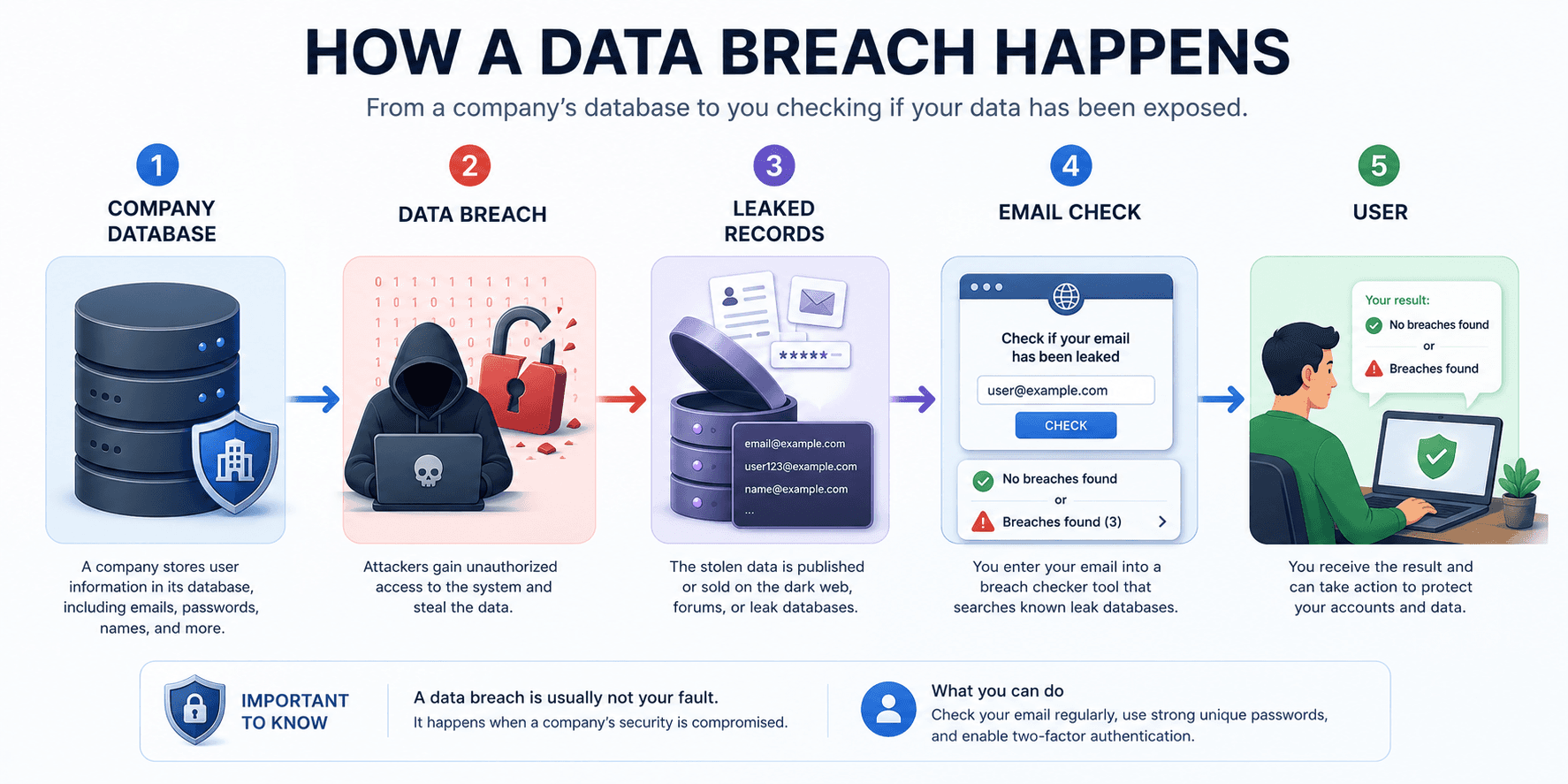
What Is a Data Breach?
A data breach happens when information stored by a company becomes accessible to people who shouldn’t have access to it.
In most cases, the problem occurs on the company’s servers—not on your own computer.
Common causes include:
- cyberattacks;
- software vulnerabilities;
- cloud storage misconfigurations;
- insider threats;
- accidentally published databases.
Because companies store customer information, a security incident on their side can affect users even if they followed every security recommendation.
What Information Can Be Leaked?
Every breach is different.
Some only expose email addresses, while others include much more sensitive information.
Common examples include:
- email addresses;
- usernames;
- full names;
- phone numbers;
- postal addresses;
- dates of birth;
- password hashes;
- account creation dates;
- purchase history.
Fortunately, passwords are often stored as cryptographic hashes rather than plain text. While hashing offers additional protection, weak or reused passwords can still become vulnerable.
How to Check Whether Your Data Has Been Leaked
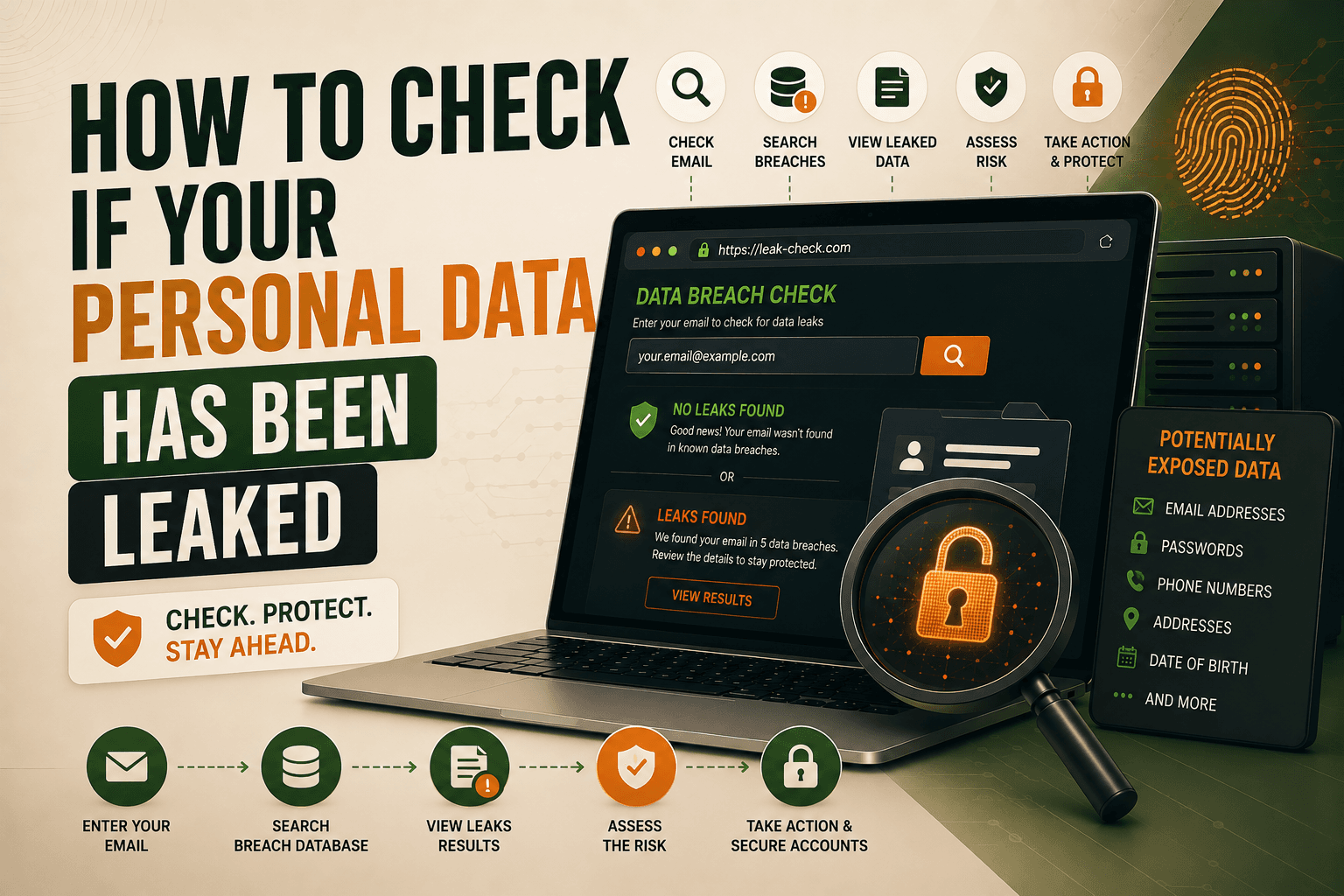
The easiest way to check is to search your email address using a trusted breach notification service.
Some of the most popular options include:
- Have I Been Pwned
- Mozilla Monitor
- other reputable breach notification services.
These services compare your email address against publicly known breach databases.
If your email appears in one or more breaches, you’ll usually see:
- which company was affected;
- when the breach happened;
- what types of information were exposed.
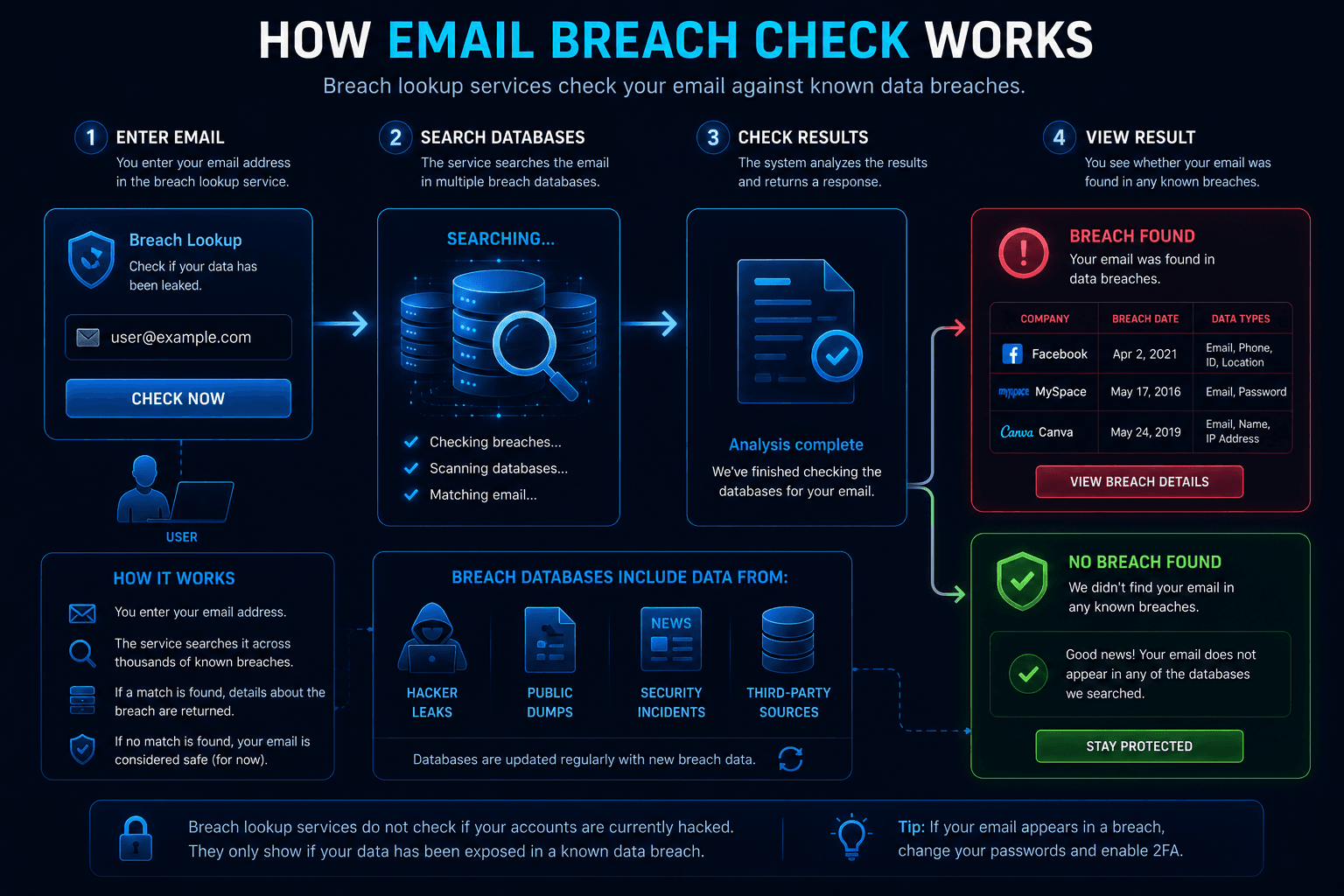
It’s worth checking every email address you actively use, especially older ones that may have been registered on forgotten websites.
What Does a Breach Result Actually Mean?
Seeing your email listed in a breach can be worrying, but it’s important not to jump to conclusions.
Ask yourself:
- Which company was breached?
- How old is the breach?
- What information was exposed?
- Was a password included?
- Have you already changed that password?
In many cases, the breach happened years ago, and the affected password has already been replaced.
The result simply tells you that your information was part of a known security incident—not that someone currently has access to your accounts.
The Biggest Risk: Password Reuse
One of the most common consequences of data breaches is credential stuffing.
Imagine you used the same password for:
- an old discussion forum;
- your email account;
- an online store.
If the forum suffers a breach, attackers may try the same email and password combination on hundreds of other websites automatically.
This technique succeeds because many people reuse passwords across multiple services.
Using a unique password for every account dramatically reduces this risk.
What Should You Do If Your Data Was Leaked?
Finding your information in a breach isn’t a reason to panic—but it is a reason to act.
A good checklist includes:
- change the password for the affected account;
- change the password anywhere else it’s reused;
- create unique passwords for every important account;
- enable two-factor authentication (2FA);
- review recent login activity;
- watch for suspicious emails related to the breached service.
Be especially careful with phishing emails.
Attackers often use real breach information to make fake security notifications look convincing.
Instead of clicking links in unexpected emails, open the official website manually and sign in there.
Why Does the Same Email Appear in Multiple Breaches?
This is completely normal.
Most people use the same email address for dozens—or even hundreds—of online accounts.
If several of those companies experience security incidents over time, the same email may appear repeatedly.
For example:
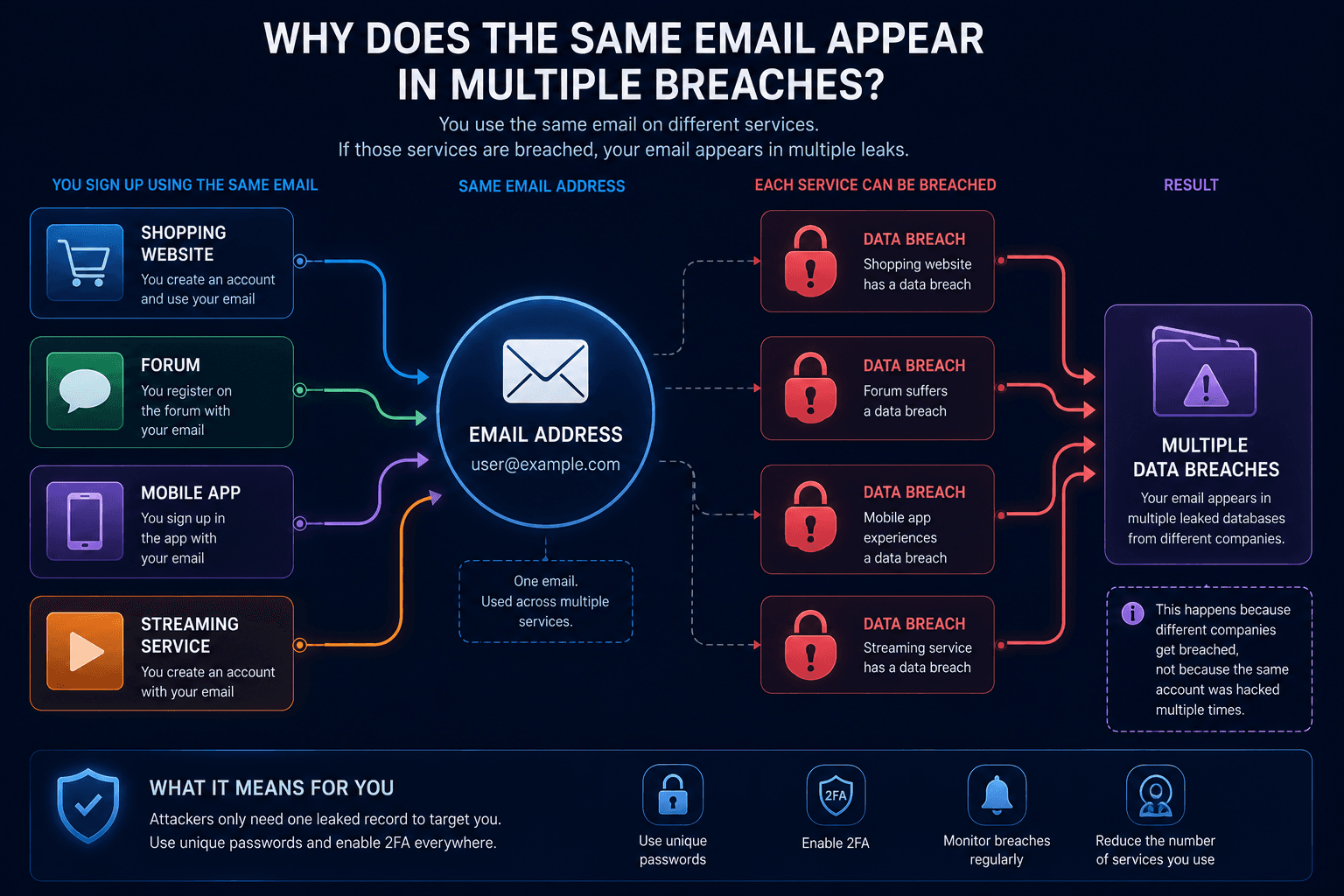
Multiple breach results usually reflect different companies being compromised—not repeated attacks against a single person.
Can a VPN Prevent Data Breaches?
No.
A VPN protects your network connection, but it cannot prevent a company from losing the information it stores about you.
For example, WhoX VPN encrypts your traffic and hides your public IP address, helping improve your online privacy.
However, if an online service suffers a server-side breach, a VPN cannot stop that information from being leaked.
Network privacy and account security are different aspects of cybersecurity, and both are important.
How to Reduce the Risk of Future Breaches
No one can guarantee that their information will never appear in another breach.
However, you can greatly reduce the potential impact by following a few simple habits:
- use a different password for every account;
- enable two-factor authentication whenever possible;
- periodically check your email with trusted breach monitoring services;
- delete accounts you no longer use;
- stay alert for phishing campaigns after major breaches.
These steps won’t prevent companies from being hacked, but they’ll make leaked information far less useful to attackers.
Conclusion
Data breaches are now a reality of using online services.
The important thing isn’t whether a company will eventually experience a security incident—it’s how prepared you are if it happens.
Checking your email address regularly, using unique passwords, enabling two-factor authentication, and staying cautious of phishing attacks can significantly reduce the risk that a leaked database leads to account compromise.